# DSAG ABAP Guide
Machine-Translated Version This website is an unofficial machine-translated English version of the original German DSAG ABAP-Leitfaden. The translation is published with the authors’ allowance. The original German source remains authoritative: https://1dsag.github.io/ABAP-Leitfaden/.
If you would like to contribute, visit the GitHub repository DSAG’s ABAP guide. The DSAG ABAP guide is a living document 👨💻 - it lives from and with its community 🥳.
{: .no_toc} # Introduction
- The New DSAG ABAP Guide
- Structure and Content of the Guide
- Positioning
- Motivation
- Feedback
- Disclaimer
- Clean Core at first glance
- Definition of Clean Core
- Target Audience
- Differences between models
- S/4HANA Transformation
- Delimitation at a glance
- Modifications in SAP code
- Clean modifications
- Clean ABAP - Delimitation
- A management-friendly summary
- Reasons for Using SAP Standard Processes and Extension Options
- Disadvantages of the Clean Core Approach
- Customer Code
- Technologies
- Organization
- (Business) Processes
- Add-ons
- Define Your Transformation Path
- Decision-Making Aids
- ABAP Cloud
- Structure of the VDM
- View types, naming conventions and possible uses
- Classification of CDS Views
- CDS View Modeling Options
- Table Functions
- Annotations
- Data Definitions
- Access Control
- Associations
- Extensibility
- BW integration, embedded analytics and ODP
- Tips and Tricks
- The role of the organization
- Target group of the chapter
- Modern Business Applications Require Modern Software Development Practices
- Fundamentals and Basic Application of Object-Oriented Programming in the ABAP Context
- Features of Object-Oriented Development in ABAP Classes
- Basic Principles of Object-Oriented Programming (SOLID)
- Design patterns
- Comparison of procedural vs. object-oriented development
- Concepts in object orientation
- Object-Oriented Programming in Function Modules and Form Routines
- Use of SAP Code – Demeter’s Law
- Testability Through Good Design
- The Importance of Refactoring Existing Applications
- Good Architecture Also Requires Clean Code
- Managed Developments with RAP
- Advanced RAP functionalities
- Feature Availability Overview
- Target Audience
- Motivation
- Challenges That Affect the Use of ABAP Unit
- Framework conditions for the use of ABAP Unit
- The role of the DSAG ABAP guide in implementing your test strategy
- Consensus
- Responsibilities
- It All Started with the Concept
- Just Get Started
- Management
- Continuous Learning
- Code – Test – Repeat
- Conclusion
- Fiori and SAPUI5
- Legacy Technologies
- Target Audience
- Contents of This Chapter
- Version Control Documentation
- Message control (NAST)
- Post Processing Framework (PPF)
- Print Workbench
- Application-specific solutions
- S/4HANA Output Control
- Target Group
- Contents of the Chapter
- Git Basics
- Use of Git-Based Solutions in ABAP Development
- Version Control Systems in the SAP Environment
- Comparison of Different Version Control Systems
- Deployment Scenarios
- Comparison of the development process with different version management
- Aligning ABAP and Non-ABAP Development Processes Using Git-Based Tools
- Integration with Other Components
- Security Aspects
- Risks
- Recommendation
- What is Open Source?
- Motivation and opportunities
- Maturity Levels
- Aspects of software licenses
- Overview of open source licenses
- Use of open source software
- abapGit for obtaining open source software
- Who provides ABAP open source software?
- Who uses ABAP open source software?
- Integration of open source tools in the development process
- Use of open source libraries in your own software
- Assessment and lifecycle of an external dependency
- Delivery of open source dependencies in your own products
- Integration
- Overview
- Fundamentals
- Threats
- Secure Development
- Secure Development Process
- Examples
- ABAP Test Cockpit
- SAP Screen Personas 3.0
- General
- Special Security Considerations
- General Recommendations for ITS and SAP GUI for HTML
- SAP Authorizations
- AI in development - A topic of great importance and dynamics
- Full responsibility for the AI result, but also the area of application for the developer
- Support for decision-making on the use of AI and AI tools
- SAP AI roadmaps and tools for development
- Support for ABAP Development Through Alternative AI Tools
- Additional Use Cases for Generative AI in Software Development
- AI development on the SAP BTP beyond ABAP
- Summary (AI-assisted)
Machine-Translated Version This chapter is part of an unofficial machine-translated English version of the original German DSAG ABAP-Leitfaden. The translation is published with the authors’ allowance. The original German source remains authoritative: https://1dsag.github.io/ABAP-Leitfaden/.
The New DSAG ABAP Guide
A warm welcome to DSAG’s new “ABAP Guide”. Before you lies a comprehensive document on the subject of application development in SAP.
As standard software, SAP’s Business Suite is characterized by a high degree of flexibility and extensibility. In almost all companies that use SAP software, there are customer-specific customizations and enhancements. SAP software is therefore subject to continuous adaptation and enhancement by both the vendor and the customer in response to changing customer needs. This flexibility and extensibility bring both advantages and disadvantages:
- The software can be tailored perfectly to specific customer requirements, thereby significantly increasing the value added through its use.
- At the same time, this extensibility carries the risk of customized developments that are complex, costly to maintain and prone to errors.
Previous editions of the ABAP Guide were published in 2012 and 2016. Since then, application development in SAP has changed significantly and become considerably more complex. Whereas in the past the majority of development took place using ABAP and GUI-based tools, it is now necessary to use and master a variety of technologies and tools. Major innovations include:
- The introduction of the ABAP Development Tools (ADT)
- HANA database
- S/4HANA Business Suite
- CDS for data modelling
- the RESTful Application Programming Model (RAP)
- and the rapid evolution of the ABAP programming language towards ABAP Cloud
Consequently, there were calls within the SAP community for an updated guide to be made available that takes account of the latest developments in SAP.
In 2024, following a call from DSAG, a team of experts in the SAP field came together once again to produce a new version of the ABAP guide, which provides guidance, advice and practical tips to business managers, developers and consultants alike, helping them use both established and new technologies for application development successfully and effectively.
Structure and Content of the Guide
The key factors for a successful transition to modern ABAP development do not lie primarily in technical issues, but are shaped by the framework conditions that a development team encounters. At the start of this guide, you will find explanations and recommendations regarding development organization, which will provide guidance on how to establish the framework conditions for modern application development in SAP.
You will then be given an overview of the concepts of “Clean Core” and recommendations on how to proceed. Understanding the Clean Core concept is important so that you can define your strategies and also understand how the new development methodologies put the Clean Core approach into practice. This will already give you a good overview of the framework conditions.
The topics
- Core Data Services
- ABAP
- ABAP Unit Test
- User Interfaces and
- Forms
provide explanations, recommendations and details on the technical aspects and technologies of modern SAP development.
At the start of each chapter, you will find introductory information and an overview of the topic. This section is primarily intended for managers and decision-makers within the company who wish to gain an overview of the subject area.
The further you delve into the chapter, the more detailed the information on the individual topics becomes. These sections are particularly suitable for architects, developers and those with a technical interest who wish to gain a more detailed insight into the subject.
In the following section, you will find sections on open source, including key explanations of why open source is also important in the ABAP domain, as well as sections on Application Lifecycle Management (ALM), where you will also find explanations of modern methods of version control.
Finally, you will find further discussion on the topics of security and integration, which are more important than ever in the development of SAP software today. And, of course, we must not forget to mention artificial intelligence.
Positioning
SAP provides a wealth of documentation on application development and the extension of the SAP platform. Specialist publishers have also published very good publications on this subject. Furthermore, there are now numerous freely available learning journeys covering various topics. Nevertheless, it is not easy to find one’s way through the jungle of tools and techniques.
The value of this document lies in its summary of best practices, practical tips and tried-and-tested guidelines from user organizations. This guide therefore addresses the topics primarily from a slightly broader perspective.
This guideline is intended to provide you – whether you are a user, developer, or a development, project or IT manager – with ideas and assistance so that you do not have to ‘keep reinventing the wheel’ and can build on the experience of others. The recommendations set out in this guideline do not claim to be exhaustive or universally applicable but rather represent a selection of practical tips.
As a team of authors, we have endeavored to strike the right balance between providing an overview and delving into the finer details. We therefore refer readers to further sources or recommended reading where appropriate, so as not to repeat topics that have already been discussed at length.
Motivation
Some of the newer technologies and tools are not yet widely adopted, even though they have been available for years. The team of authors therefore aims to demonstrate, by highlighting the benefits and opportunities, why it is worthwhile to invest in these new methods and to explore new approaches to application development.
This guide is intended to help you assess the current state of SAP development within your company and identify areas of action for achieving efficient and effective SAP development.
To do this, the framework conditions in the SAP development environment must be adapted or even changed. The ABAP Guide is designed to help you overcome any reservations, make it easier to get started with these topics, and encourage you to actively seek out and promote the topics described in the guide.
Feedback
In addition to the printable version, this guide will also be available as a digital edition as a Git repository on the Internet:
DSAG ABAP Guide Git Pages and DSAG ABAP Guide Git repository.
This also gives you the opportunity to get involved and contribute feedback, corrections, and additions to the guide via Git issues. This document thrives on the community and reader feedback. DSAG and the team of authors welcome any feedback on the ABAP Guide and are interested in hearing whether and how the guide has helped you, as well as where you would like to see further detail.
Disclaimer
This document is based on the collective knowledge of DSAG members in various fields and is further developed by the community. As a result, there may be deviations from SAP’s standard procedures or best practices if a company has had different experiences.
<h1 class="no_toc" id="organization">Organization</h1>
- The Building Blocks of an Effective Development Organization
- Processes and Methodology
- The Status Quo in Mature Landscapes
- Practical Experience Report: Brownfield Conversion to S/4HANA
- Final Thoughts
Why should management invest in software quality and a well-structured development organization? While stakeholders generally take software quality for granted, they often provide little support for the measures needed to ensure it, because “there is no glory in prevention.”
From a management perspective, such an investment (in time, resources, and tools) should be supported by a business case, which is easiest to develop for your company by taking a close look at the current challenges facing your business and your IT department. If you recognize some of the following issues in your organization, optimizing your development department and organizational culture with a focus on quality and technology could be a potential solution:
- (Too) slow implementation of innovations and regulatory requirements compared to your competitors
- End customers who are dissatisfied due to IT issues, errors, processes, or unmet SLAs, etc.
- Erroneous processes and data in your systems, requiring significant effort to correct
- Constant overload on the IT department, a tendency toward burnout, high staff turnover, knowledge silos, and loss of knowledge
- Difficulties in collaboration between business units and IT
- Implementations do not meet the business requirements of the departments
- Long project timelines and feedback processes, high need for rework
- Complex system configurations and codebases that have evolved over time
Solutions to these problems generally fall into two categories, for which this DSAG guide and other guides outline possible options:
- Cultural and organizational: cross-functional teams, breaking down silos, clear role assignments and responsibilities, trust, communication structures, a shared goal and vision, fostering cooperation rather than competition, etc.
- Software quality: automation, professional testing, development guidelines, software architecture management, enterprise architecture management (EAM), targeted training, pair programming, code reviews, communities of practice, etc.
Some of these solutions can provide quick wins; others can be evaluated through small pilot initiatives and then established sustainably. It is worth examining software-engineering practices that have been used outside the SAP world for many years and adapting them to your organization. The following section provides an overview.
The Building Blocks of an Effective Development Organization
From a business perspective, the transformation into a successful S/4HANA technology team is a complex and often underestimated challenge. Depending on the maturity level and direction of your IT organization, adjustments to cultural and organizational factors are necessary to achieve the strategic vision.
The greater the proportion of customer-specific adaptation and expansion of your existing SAP software is or should be strategic (see Chapter Clean Core), the more important is the entrepreneurial focus on the efficiency and effectiveness of your development organization. The following excerpt touches on what we believe to be the most important subject areas that will support you on your way to becoming a successful development organization.
Definition of the appropriate structural and process organization
The orientation of your development organization depends on the amount, complexity and frequency of customer adjustments in your SAP systems (Make-or-Buy or “Do nothing” Decision). If you are one of the customers who can use SAP software as part of standard software without major adjustments, investing in your own SAP development department is generally not worth it from an economic perspective. In this case, it is recommended to rely on external specialists with the appropriate core competence and reputation and to handle the small amount of customer adjustments in the SAP system under the umbrella of defined documentation guidelines (change documentation, operating manuals, etc.) and clearly defined service levels / KPIs. The exact nature of the decision depends on the individual case in your company and can vary from minor changes to complete platform operation by your own team or an external service partner.
If you frequently need to customize your SAP systems through customer-specific development—due to a lack of functionality in your core business processes or the need to integrate unique selling points that give you a competitive edge—it is worth considering investing in your own SAP development organization. Building a successful development organization is a complex undertaking and must take into account not only technological issues but also socio-economic aspects. Use the following points to tailor your company’s approach to your specific needs.
Team Organization and Team Composition
Software development teams are the key to successfully executing and implementing your development projects. This is where the magic happens when it comes to translating business requirements into technology and ensuring that the solution remains cost-effective and maintainable for decades to come. For the team to meet this challenge, it must be equipped with the necessary skills, resources, and processes and receive the appropriate support. For example, if you notice that your teams are spending a lot of time and energy defending themselves against accusations from other teams, or that there are long wait times between the individual steps in your software development process, this could be a sign of a suboptimal team structure that urgently needs to be optimized. The following recommendations can help prevent problems with team organization.
- The right team composition is essential for effectively accomplishing the tasks assigned to the team. Team size, cultural background, professional and technical expertise, and the availability of resources all play a significant role in this regard. Ensure that the team can perform all activities necessary to complete the tasks and deliver results independently whenever possible, and that dependencies on upstream or downstream processes are kept to a minimum.
- When putting together a team, take into account the business and technical complexity. Especially in the SAP environment, managing complexity across different application areas often poses a challenge. In addition to the business context, the team must also grapple with application-specific frameworks, existing customer code, technology trends, and different technology stacks. Ensure that the team does not work on too many different tasks and can instead focus on a manageable area, such as a specific business module. Take your team seriously if they complain about having to manage excessive complexity. Otherwise, you risk long-term health issues and reduced productivity due to frequent context switching and cognitive overload.
- Also ensure that developers can focus on their core competency—designing and creating high-quality software—and do not have to worry about additional tasks such as requirements management or process documentation. An exception to this is the temporary performance of these activities in order to gain a more precise understanding of the technical problem domain and better grasp the underlying concepts. As a rule, a deeper understanding of the problem domain leads to more efficient software design and thus provides added value for the developer.
- Provide your software development teams with the appropriate freedom for experimentation, training and product optimization. Avoid burning out your developers permanently with 100% utilization. Enable developers to learn from each other through measures such as creating a community of practice. For example, experiment with Pair-Programming and benefit from the associated Vorteilen, such as potentially higher code quality and better software design.
- Give teams the means and tools to gain transparency about their work area. Effective optimization can only be carried out on the basis of numbers, data and facts see Chapter ALM. If the information about custom code and process metrics is not available, it is almost impossible to make a business-wise decision about a worthwhile investment in an optimization project.
Artikel & Blogposts
Webseiten & Ressourcen
Books
- Lean Software Development – An Agile Toolkit Pearson Verlag
Defining the Appropriate Custom Code Strategy
A clearly defined custom code strategy helps you communicate your technology-based investments transparently. Based on this strategy, you can make targeted investment decisions—such as those regarding workforce planning and training initiatives, as well as in-house or outsourced activities—and determine the specific approach to development activities.
-
Create a technology radar and use it to unify the selection process for specific technologies and tools. Use the radar to determine which technologies you want to invest in strategically, which ones will only be maintained but not further developed, and which technologies should be withdrawn from in a planned manner. Concentrate on a manageable selection of key technologies to ensure manageability (maintenance cycles, lifecycle management tools, internal expertise, etc.) and to sustainably control the associated complexity. Example: SAP Tech Radar
-
Identify the critical business areas that give your company a competitive advantage or are of existential importance and align the focus of your technology, human resources and software development strategy accordingly. For example, as a material management or production planning specialist, it makes sense to distribute the knowledge about the customer’s own expansion in the variant configuration to an internal development team rather than being dependent on an external service provider in critical cases. Concepts such as Core Domain Pattern (Domain Driven Design) or practices from the discipline of Enterprise Architecture Management can support you in your decisions.
-
Use the Vermeidungsprinzip when deciding on the creation of individual developments:
- Before you start developing a new functionality, you should check whether the SAP standard with Customizing and customer extensions would be sufficient.
- Check whether your requirement can be solved using an (organizational) workaround.
- If this is not the case, or the workaround costs too much, check whether a standard solution from a third-party provider meets your requirements and benefit from the fact that the provider takes care of maintenance and further development (ideally outside of your system landscape).
- Only after examining the above options should you consider individual development. Please note that each additional line of code in your namespace requires ongoing support: in addition to the initial development of your new solution, it must be read, debugged and maintained by your employees in the long term, which means additional resources and costs.
- Follow official coding standards such as the SAP ABAP Programming Guidelines, SAP Code Style Guides, and the recommendations in this guide. Automate rule checks wherever possible, give developers tools with short feedback cycles and correction suggestions, and supplement automated checks with manual code reviews.
-
Define specific types of development and establish development-type-specific quality standards and procedures. For example, a one-time correction program is short-term and purpose-driven, with the focus on efficiency, time savings, and low costs. A developer-on-stack application for customer-specific business processes, on the other hand, requires higher quality standards, as it is used long-term and is regularly expanded and maintained. Here, maintainability, scalability, and the minimization of long-term costs are crucial. The different standards help developers focus on the core task and use their limited time effectively. Additionally, we recommend defining an abstract macro-quality standard as a guideline, from which development-type-specific scenarios can be derived.
- Define code ownership at the team level. Two roles are crucial for code ownership: On the business side is the Product Owner, who is responsible for prioritizing changes and can make decisions regarding the lifecycle and the appropriateness of technical quality for customer development. On the technical side, this is complemented by an architect/lead developer, who takes responsibility for the conceptual integrity of technical designs and for communicating necessary cleanup tasks within the software architecture under their purview. The package and software component concept is available as a tool to clearly assign technical artifacts to a role.
- Obtain the mandate for the continuous improvement of your customized software. Ensure that your developers can deal with structural optimization for better maintainability using Refactorings or the Tidy First approach. Make sure there is a balance between functional extensions and structural optimization. Convince stakeholders with numbers, data and facts from the application lifecycle and custom code management and show the causal relationships why it makes sense to invest in code quality.
The first draft of a software solution is rarely long-lasting. In companies with a high level of maturity in software development, the first delivery is often based on a conscious decision to go live in a short time with a reduced range of functions and low software quality in order to achieve strategic, market-oriented or operational goals (see Lean Startup / MVP). After achieving the goal, companies usually focus on bringing the software quality to an appropriate level to minimize the negative impact on the user experience and long-term stability of the product. If necessary, the first delivery will be completely discarded and redeveloped from scratch with the experience gained and with appropriate quality right from the start.
Companies with a low level of maturity in software development often take a similar approach, with the fatal difference that they make their decision to take on technical debt unconsciously and sooner or later end up in the so-called C.R.A.P. Cycle. The problem is often exacerbated by a lack of know-how in dealing with long-lived software architecture and reduced to absurdity by a change process that is purely focused on expanding functions under high time pressure and little willingness to invest. Be sure to avoid this mistake for an ERP system with a life cycle of 10 - 20 years!
- Establish clear rules for using the version control system. Define how long a transport may remain in the development system before the development must be rolled back and set up appropriate monitoring for this purpose. For system landscapes with multiple production systems and a central development system, specify that the source code must be identical across all production systems. Define how to handle source code used across multiple system landscapes, how to ensure backward compatibility with different release versions, and how to manage namespaces and forks.
Processes and Methodology
If you have a development department, you should also invest in processes and methodologies.
In addition to cultural and technological issues, another key aspect is the organization’s approach from the initial idea or requirement through to the go-live of the corresponding solution. The “how”—that is, the actual development process—varies widely across the market and is strongly influenced by the size of the organization, the industry, the regulatory framework established by a regulator, central guidelines from parent companies, and expertise.
It is therefore not possible to offer a universal recommendation; however, we would like to share a few insights from our experience that can help guide an individualized approach:
- For years, many organizations have been using traditional project management with clearly defined roles, concepts, and deliverables. Changing these process models is, in itself, a major change project that requires a great deal of thought, time, and expertise—and must be implemented consistently over the course of several years.
- It is often suggested that organizations should “become more agile.” Ultimately, stakeholders are frequently dissatisfied with the level of innovation or the speed at which requirements are implemented, and they view agile methods as a suitable tool. In some cases, these suggestions also come from within the development organization itself, as employees there are dissatisfied with current processes.
- Process models, methods, processes, and strategies are context-dependent—not every organization, team, or project is a good fit for every model. Therefore, it makes sense not to start with a declaration like “We’re agile now!” or “We’re doing Scrum now!”, but rather to first assess where challenges and problems exist, in which areas the company wants to improve, and how expertise and resources are distributed. The problem should then be addressed on this basis, rather than a potential solution. Involve the people who perform the value-adding work and who need to solve the problems.
- In some companies, attempts to implement “agile” have failed, giving the term a negative connotation. The causes of this are varied and multifaceted: too little coaching, too much workload combined with a complex project, insufficient training, poor tooling, no reason or willingness to change, “big bang” approaches, etc. If you want to use agile methods, you must take this context—or the history of your company and your employees—into account.
- The desired outcomes of a path toward agility cannot be achieved in isolation: it is of little use if a development department works in an agile manner, but upstream and downstream teams and processes continue to operate as before. For example, if a change advisory board meets only every two months to approve developments, the development department cannot be more flexible than this given framework allows.
- One hope attached to agile methods is that they deliver results more quickly. This is not necessarily the case: Agile methods aim for flexibility, i.e. changing requirements and priorities, as well as quick feedback - the knowledge of how to implement the right thing, since requirements often cannot be sufficiently determined in advance. This addresses three central problems: constant change, uncertainty and communication.
- Methods require a technical foundation and support—if time-consuming manual processes still exist today, you should optimize them.
- There are many strategies and methods that differ in their approach, ideas and degree of freedom. Examples of these are:
- At team level: Scrum, Kanban, Extreme Programming, Scrumban
- Cross-team / organization-wide: LeSS, Nexus, SAFe, Scaled Kanban
In addition, “agile” is defined by values and principles, so that no framework is necessary, but each organization can create its own process based on it.
- Within these values and principles, there are also different levels and degrees of maturity along which an organization can develop. The Kanban Maturity Modell is an example of this
Whatever change is right for your company—keep in mind that, ultimately, it’s all about people and communication. Try to establish a shared goal, a “unity of purpose,” against which you can measure your approach and resolve conflicts. Otherwise, there is a risk that your initiative will be torn apart by conflicting directions (“fewer rules and structure” vs. “more guidelines”) or interests (e.g., conflicting annual goals among executives). Often, there is also a situation where an agile team still has a project manager or project lead, resulting in a hybrid structure. In this case, it is advisable to assess, within the context of the organization, whether a shift from “projects to products” could be helpful.
The Status Quo in Mature Landscapes
Based on our experience within the DSAG network, we know that the quality of software development depends heavily on the expertise and motivation of the development teams, as well as on the conditions within the company. Management often lacks the necessary technical understanding.
Requirements imposed from outside or from above rarely have a motivating effect. The result: poor implementation of quality measures or their deliberate circumvention. Short-term incentives, such as the use of gamification elements or direct coaching with experts, can help, but long-term organizational changes are necessary to motivate developers to set high standards for quality and development. This process often begins by raising awareness that high software quality and its positive effects are not merely an implicit or explicit expectation of various stakeholders, but above all also benefit the developers themselves.
Best Practice
There is a large selection of development standards, which can be found, for example, in the ABAP Guide 2016 dsag_handlungsempfehlung_abap_2016_0.pdf, Clean ABAP and various books. From our point of view, the rough pillars on which there is consensus are:
- Naming conventions for customer-specific developments, optionally in a separate name space
- Structured package concept, optionally with clear package interfaces
- Static code checking (e.g. ATC checks) as part of the transport sector with testing according to the following code criteria: performance, security, compliance, robustness, maintainability, extensibility (ABAP Cloud). See also the DSAG ATC guide dsag_leitfaden_atc_2020_06.pdf
- Documentation of public methods/function modules
- Creation of appropriate documentation .
- The use of ABAP Unit and Code Coverage
- Approval process for Classical Extensibility – the so-called Level D developments see chapter Clean Core
- Adaptation of business process and technical documentation after a program change
Why Should I Change Anything?
The SAP development culture among existing customers is often established and heterogeneous. There are many implementations with different ABAP variants and developer preferences. In contrast, the new S/4HANA technologies, such as On-Stack Extensibility, are based on object-oriented ABAP, Modern ABAP (Syntax 7.4+), ABAP Unit, ABAP Core Data Services, and the ABAP RESTful Application Programming Model. These newer parts of the ABAP language must be used in an S/4HANA system to be able to utilize standard applications, Fiori apps, and standard services.
Modern ABAP development requires development guidelines as a common foundation. Technology stacks are becoming increasingly complex, and a single developer cannot master all of them in depth. However, guidelines alone are not enough.
It is only through organizational changes—such as a development factory, a community of practice, or an interdisciplinary team—that the actual change process begins.
If you are pursuing a Clean Core strategy, it is all the more important that you approach change management correctly. Retraining existing developers will not be enough to bring about change.
The next step
Without key individuals driving quality, teams tend to prioritize functionality over quality under the constant pressure of project work and departmental demands. Oversight and quality checks are also crucial for external contributors. The initiative needs dedicated lead developers who are intrinsically motivated to support and manage change over the long term (= change management).
There must be a clear vision, a strategy, and defined goals that are supported by management or, ideally, explicitly mandated by senior management. The strict separation of SAP standard code and in-house developments - the so-called Clean-Core strategy - is pursued in order to keep the system maintainable, expandable and capable of development in the long term see chapter Clean Core. We therefore focus on the vision and implementation of the strategy.
Practical Experience Report: Brownfield Conversion to S/4HANA
The following example illustrates the implementation of the Clean Core strategy at an SAP customer operating in a mature brownfield environment. Here, a bottom-up approach to change management was adopted; global development teams define the development landscape and guidelines for SAP development through representatives on a Clean Core governance committee.
Vision
We aim to make effective use of ABAP Cloud technologies and SAP standards. We use custom code correctly, cleanly, and strategically to gain a competitive edge. This allows us to reduce errors and maintenance costs by 90%!
Implementation
Year 1: “Find the strategy”
- Defining a clean-core strategy, taking into account various SAP and non-SAP software solutions
- Building a Community of Practice: Senior ABAP Coaches
- Implementation of the initial ATC checks (e.g. Security and HANA Readiness) by focusing on “low-hanging fruit” findings
- Training for ABAP developers, as needed
- Introduction of a package concept that defines responsibilities for all package hierarchies
Year 2 “Implement the strategy”
- A phased rollout of Clean Core development
- Definition and implementation of roles for change management: Lead Developer (according to SAFe: Product Architect), responsible for: communicating guidelines in the team, code reviews see chapter ALM, pair programming, ATC checks - distributing code findings for your team packages, bringing ABAP unit into the development landscape.
- Procurement of quality assurance tools
- Implementation of code reviews and static code checks as mandatory components of the development process
- Further training for all ABAP developers, in part through train-the-trainer programs
Final Thoughts
Effectively aligning SAP development teams with corporate goals and the organizational structure is a demanding task that can pose a challenge due to its complexity. We believe that the human factor plays a vital role even in a highly mechanized and technology-driven world. It is worthwhile to invest in a socio-economic system with well-trained and intrinsically motivated employees. The days of Chuck Norris developers and cowboy coders should finally become a thing of the past, replaced by professional teams whose members can learn from one another.
Remember: A system is only as strong as its weakest link. The localized optimization efforts within your development team may only address the symptoms and a small but significant part of your software development process. Look beyond your team’s boundaries and identify the bottleneck that is negatively impacting the entire system. It is often lengthy governance or approval processes that cause cost of delay. Speak openly with those responsible and support them with numbers, data and facts to improve the overall process. Consistent coordination across all involved processes is the key to unlocking the full potential of your development department—and beyond.
# Clean Core
This chapter provides an overview of the concept of Clean Core from the perspectives of migration, structure, architecture, and its role as a corporate goal.
{: .no_toc} # What is Clean Core
- TOC
Clean Core at first glance
Clean Core is a concept and for some SAP customers a philosophy - Clean Core is understood, interpreted and lived differently. A common understanding of the DSAG community would be the following:
-
“Clean Core” - Strictly speaking, the concept should be interpreted as follows: System upgrades should have no influence on customer expansions. Therefore SAP customers are only allowed to use released interfaces for business process extensions.
-
“Keep the core clean” - Means that a company carries out new developments according to Clean-Core principles - defined guidelines in a company.
-
“Make the core clean” - Refers to business transformation and the iterative journey to a Clean Core.
Clean Core has five key areas of focus: S/4HANA software versions, business processes, customer enhancements, business data, operations, and integration. This chapter focuses primarily on the new approaches to customer enhancements.
“The extensibility features include many options that help customers and partners customize standard business software to meet their business needs”.
Source: SAP Help Portal

Clean Core
The Clean Core concept with its various facets is clearly communicated by SAP in the TechEd2023 - Clean Core: What It Is, Why to Do It, and How to Get There. However, the step-by-step instructions are unclear for established customers who use various “legacy” technologies in their SAP systems. There are numerous existing customers and SAP partners who have created added value in their systems through in-house developments and system expansions. By definition, these added values do not belong to the Clean Core - the extensions are almost always based on non-approved interfaces. There are different successor technology matrices for the so-called RICEFW objects. Internally, the main questions are: “How can we represent the technology change to our customers? And why should I change well-functioning processes that are based, for example, on IDocs, messages, RFCs and ALV transactions now?”
Definition of Clean Core
At its core, the Clean Core concept revolves around separating core business logic from non-core functionality within the SAP software suite. By isolating core business processes and data structures, SAP aims for a leaner and more agile foundation that can adapt to changing business needs. The new approaches to customer extensibility are called: ABAP Cloud and Side-by-Side Extensibility.
-
ABAP Cloud or “On-Stack Extensibility” - These are two different technologies: “Developer Extensibility” and “Key-User Extensibility”.
-
Side-by-Side Extensibility - Is the outsourcing of customer extensions to the Business Technology Platform - BTP.
An example: Instead of sending the MATMAS IDoc in heterogeneous form to different systems, you should use the standardized interface Product Master API. An interface that can be designed to be homogeneous is then used to supply the SAP and non-SAP systems.
The underlying data model is extended through Key User Extensibility and is also used in generic reports such as Embedded Analytics or the SAP Analytics Cloud (SAC). In cases involving complex business logic, the developer must extend this logic using Developer Extensibility and the ABAP RESTful Application Programming Model (RAP).
Basically, Clean Core is exactly as the vendor describes it:
- Extensions are clearly separated from the SAP code and extensions do not modify SAP objects.
- Take advantage of new expansion technologies and the SAP standard. The new extension technologies are: Key User, Developer and Side-by-Side Extensibility.
- Extensions should only use stable, released SAP APIs and extension points. Classic Extensibility should only be used in released Business Add-Ins (BAdIs) with released development objects.
- Legacy technologies such as RFCs, IDocs and customer-specific screen transactions or SAP SEGW projects should no longer be used for new developments.
- Legacy in-house developments and enhancements are to be migrated to new technologies, or the business process requirements are met by the standard SAP system.
According to the vendor’s specifications, there are four areas of application, and the requirements for achieving a Clean Core are as follows:
Data models
- Regardless of whether simple or complex use cases are to be implemented, data modeling using the Virtual Data Model (VDM) is required.
- There should be no direct access to standard SAP tables.
- SAP focuses on standard data products (e.g. sales order). Customer processes and data models outside the SAP standard remain the responsibility of the SAP customer.
Application logic
- Standard SAP code should no longer be extended using traditional methods.
- Extensions to the standard should be migrated to defined and approved BAdIs.
- In-house developments must use development objects that comply with the Clean Core standard (keyword: release contracts).
Applications
- In general, customers should use the standard Fiori apps or SAP GUI for HTML with Screen Personas to access existing standard SAP transactions.
- The standard Fiori apps and the underlying standard APIs should be extended.
- For custom apps, Fiori Elements and standard APIs (based on RAP) should be used initially. The app can then be extended using the Flexible Programming Model (FPM). The final step would then be Freestyle Fiori apps.
- Additional approaches: Cloud-native applications in a cloud environment (side-by-side extensibility). Low-code/no-code platforms and the SAP Build portfolio offer further solutions.
Interfaces
- Only Clean Core-compliant, approved interfaces are used.
- Extensions are made to APIs and microservices to expand SAP’s functionality without compromising the integrity of the core system.
- External integration must be clearly regulated; process integration and middleware for API management must be in place.
- Legacy technologies such as IDocs, RFCs, and SAP SEGW projects must be phased out gradually.
In summary, SAP’s Clean Core concept represents a paradigm shift in the design of enterprise software. SAP is committed to offering new services exclusively in the cloud and to further expanding the interfaces to the core. For now, there is no added value in migrating well-functioning solutions to a new platform. A company should find new solutions using the new types of extensions to be prepared for the future. This way, an SAP customer benefits from innovations surrounding the standard. The paradigm shift also includes digital transformation: moving away from the SAP GUI and screens toward the Fiori Launchpad—end users are expected to work primarily in the browser. A Clean Core also requires extensive change management by IT and the business departments.
By implementing the principles of Clean Core and strategic initiatives, organizations can prepare for future SAP strategies, particularly cloud technologies.
According to SAP, the main goal of Clean Core is to ensure that customers do not limit their future options and instead establish standardized interfaces. By standardizing business processes and leveraging SAP BTP, SAP services and solutions from SAP partners can be fully utilized. For many existing customers, the Clean Core strategy serves as a guiding philosophy until internal policies are established to govern the use of successor technologies. Based on these guidelines, developers are aligned organizationally and trained. A committee responsible for ensuring compliance with “Clean Core Governance” is mandatory—with the mandate to maintain, expand, and enforce the guidelines. Research and development should be conducted frequently to identify the added value provided by SAP Services.
Target Audience
Essentially, there are two major customer groups within the DSAG network: The first group opts for a major investment in its SAP landscape and works with SAP and its partners to achieve a Clean Core as defined by SAP. The other group adopts a more incremental approach, spreading the investments over several years.
Here are some examples of possible SAP customers:
- New SAP customers migrating to S/4HANA. According to SAP, the greenfield approach and the strict Clean Core model should be applied here.
- Brownfield to Bluefield: Existing SAP customers who have been working with SAP for decades and are migrating to S/4HANA. Depending on their willingness to invest, the Clean Core can be defined in phases, and new development can be kept compliant with it. Existing customer enhancements are migrated to Clean Core-compliant development through large-scale projects.
- Brownfield to Greenfield: Existing SAP customers who have been working with SAP for decades and are migrating to S/4HANA. In this scenario, customer-specific enhancements involving significant investment can be migrated.
- Brownfield in S/4HANA: This is identical to scenario two.
Private/Public Cloud
The digital transformation of every SAP customer depends on the expertise available within the company, its partners, investment opportunities, and many other factors. The DSAG network recommends consulting with the vendor to determine which SAP systems are suitable for a cloud migration. SAP offers robust analysis tools and strong consulting support. From there, the options are diverse. Ultimately, only one question needs to be answered: Should the company move its SAP systems to the public cloud? Here are some tips on cloud scenarios.
Differences between models
Public Cloud
The SAP S/4HANA Cloud, public edition (GROW) is “clean” by definition. If you as a customer start with GROW or migrate your system to a S/4HANA Public Cloud system, then you can only develop Clean Core and have no option to access non-released objects in the standard.
To use existing custom code in a public-cloud system, the code must be compatible with ABAP Cloud and your processes must be mapped to SAP standard processes.
Private Cloud
The SAP S/4HANA Cloud, private edition (RISE) is an on-premise system operated by SAP. Here you don’t have to adhere to a strict Clean Core and you have all the freedom of classic on-premise development. The focus here is on simplifying Industry Solutions developments without completely redesigning all processes. However, it may be that not all modifications to the system are permitted by SAP.
On-Premise
If you would like to have your system operated in your own data center or by a service provider, then you are in the classic on-premise environment. You are responsible for the upgrades and have complete freedom to modify your system.
Applicability of Clean Core:
- Relevant scenarios:
- SAP S/4HANA on-premise
- SAP S/4HANA Cloud, private edition (RISE)
- Public Cloud is Clean by default:
- The SAP S/4HANA Cloud, public edition (GROW) is built from the ground up on Clean-Core principles.
S/4HANA Transformation
This distinction helps in deciding which approach best suits a company’s goals, resources and circumstances.
Greenfield Approach
The Greenfield approach refers to a completely new implementation of an SAP system. In this process, the existing system is not migrated; instead, a new system is built from scratch.
Characteristics:
- Restart: Complete new implementation without legacy problems.
- Flexibility: Possibility to completely redesign processes, structures and architectures.
- Effort: Requires intensive preparation, training and high investments.
- Advantage: Ideal solution for companies that want to fundamentally revise and optimize their business processes.
- Risk: Higher implementation effort, longer project durations.
Brownfield Approach
The brownfield approach refers to the transition from an existing SAP system to a new SAP system (e.g. SAP S/4HANA) through migration. Unlike the greenfield approach, this involves transferring existing systems, data, and processes.
Characteristics:
- Inventory preservation: use of existing systems and processes.
- Efficiency: Faster implementation by using existing infrastructure.
- Effort: Lower effort compared to the greenfield approach.
- Advantage: Minimal disruption to business operations; lower risks.
- Risk: Taking over legacy issues (e.g. outdated processes or poor data quality).
Bluefield Approach
The Bluefield approach represents a hybrid approach between Greenfield and Brownfield. It involves selective data and process migration, which allows for the elimination of legacy issues while also leveraging existing systems.
Characteristics:
- Selectivity: Companies can decide which data and processes are adopted or redesigned.
- Flexibility and control: Optimization of existing processes without completely re-implementing them.
- Effort: Between greenfield and brownfield.
- Advantage: Optimal balance between innovation and efficiency.
- Risk: Complexity in planning and implementation, as both old and new components have to be integrated.
Delimitation at a glance
| Characteristic | Greenfield | Brownfield | Bluefield |
|---|---|---|---|
| Approach | Complete new beginning | System migration | Selective migration |
| Data transfer | No | Complete | Partial |
| Process takeover | New | Existing | Selective |
| Effort | High | Medium | Medium to high |
| Flexibility | Very high | Low | High |
| Risks | Long implementation time | Takeover of legacy assets | High complexity |
| Suitable for | Companies in need of radical redesign | Companies with proven processes | Companies with mixed requirements |
See also the following SAP guides for additional S/4HANA and Cloud topic areas Mapping your journey to SAP S/4HANA Cloud Private Edition - A practical guide for senior IT leadership
Modifications in SAP code
Here is some help for SAP customers who cannot yet migrate to the public Cloud in the medium term.
Principles for Modifications
- Definition according to SAP Help:
A modification changes SAP standard code directly. SAP strongly advises against this because it complicates future updates and maintenance cycles. Transaction SPAU must be processed after every system upgrade. - Definition according to the document “Extend SAP S/4HANA in the cloud and on premise with ABAP based extensions”: You should also look critically at the remaining standard classic extension types and favor the use of BADIs. See: “5.3.2 Using classical business logic extension techniques”
- Recommended approach:
Modifications and extensions (enhancements) are classic extension methods and should only be carried out when all other options, such as the new types of extensions, the use of BADIs or adjustments using customer-specific objects, have been exhausted.
Important Notes
- Always perform an Impact Analysis before making a modification to minimize potential conflicts with future updates.
- The use of customer-specific extensions should be preferred. In the SAP Help portal you will find numerous options for extensions, including:
- User Exits: Intended for custom logic.
- BAdIs (Business Add-Ins): Flexible extension points in the SAP standard.
- Enhancements: Technologies such as Enhancement Framework and Switch Framework for targeted changes.
“NEVER COPY SAP CODE”
- SAP Help principle:
Copying standard SAP code risks inconsistencies and makes both traceability and maintenance difficult. Changes should only be made via the SAP extension options provided such as user exits, BAdIs or enhancement points. - Exception rule:
- In specific cases, for example in the area of FI (Financial Accounting), it may be necessary to define exceptions. These concern scenarios in which auditors have specific requirements or there is high audit complexity.
- A modification implementation due to OSS Notes or third party add-ons is usually the reason for the majority of modifications.
In such cases:
- Documentation and justification of the measure is mandatory.
- The affected code must be clearly commented and marked as modified code.
Justification for modifications
Modifications may only be made after careful consideration. The reasons for this must be clearly documented and understandable.
Possible justifications:
- Implementation of unique selling points (USPs):
Creation or adaptation of functions that allow the company to differentiate. - Process optimization:
Mapping customer-specific business processes or automating standard processes and internal procedures. - Cost savings:
Reduction of operational or long-term expenses through targeted adjustments.
Clean modifications
If you want to modify the SAP standard, consider the following rules and best practices. Adhering to these guidelines ensures maintainable, traceable, and future-proof code that can withstand SAP upgrades and patches.
DO
- Open SAP code and create an enhancement spot:
- Create an Enhancement Spot in the modification.
- Use all the advantages of the enhancements, e.g. B. the separation of standard and customer code, as well as storage in the Z package.
- Clear separation of logic:
- Separate business process logic into separate classes or methods.
- Use standalone testing methods to be able to test the logic independently.
- Don’t forget documentation:
- Any modification must be fully documented, including:
- Purpose of the change.
- Impact on future updates.
- Tested scenarios.
- Any modification must be fully documented, including:
DON’T
- Write business process logic directly in the modification:
- Such changes complicate future maintenance and testing.
- Copying SAP default code:
- Avoid copying code as this can lead to inconsistencies and technical debt.
- Confusing changes:
- Do not mix standard code and custom code.
Clean ABAP - Delimitation
Clean ABAP is about writing ABAP code that focuses on understandability and maintainability. Clean Core and SAP are about dealing with the limits of customer-specific programs in the SAP standard. Just because an implementation corresponds to the Clean Core strategy does not automatically make it Clean ABAP and vice versa. More about this in chapter ABAP.
{: .no_toc} # Why Clean Core
- TOC
A management-friendly summary
The use of SAP standard processes and extension options provides companies with a future-proof, maintainable, and agile foundation for innovation, digitalization, and transformation. With a clear focus on standard solutions, you minimize technical debt, facilitate efficient upgrades, and are optimally prepared for the challenges of the cloud era. Always weigh when to create custom extensions and when to use a different platform for the extension or business process.
Reasons for Using SAP Standard Processes and Extension Options
Future-Proofing and Innovation
SAP standard transactions and applications are enhanced and expanded with every S/4HANA release. SAP delivers innovations exclusively through standard processes, particularly in the public cloud. Using these processes ensures that companies can benefit from future updates and enhancements. Development based on standard APIs—and thus standard data products—is future-proof.
Reducing Technical Debt
Reducing technical debt facilitates the implementation of audit/compliance-compliant and “security-by-default” techniques. Example: Custom APIs based on RAP in a managed scenario enable a secure data update process. In the long term, the effort required for maintenance and adjustments is reduced, which supports an agile and secure IT landscape. Whether during an inventory or for each new requirement, you can use the 4R approach (Reuse, Retire, Refactor, and Replatform) to evaluate your custom code. By defining your Clean Core guidelines, you can perform active refactoring (Get Clean phase) across projects. Before or after this, all new developments should be carried out in accordance with the guidelines (Stay Clean phase).
Improving Upgradeability
A major advantage of the Clean Core concept is the ability to perform upgrades quickly and smoothly. Standard processes enable upgrades without the need for extensive customization and testing. This allows companies to benefit more quickly from new technologies and SAP innovations.
Promoting Digitalization and Innovation
Please note two aspects for future business process improvements:
- Seamlessly leverage SAP innovations: By leveraging the SAP standard, companies can seamlessly integrate new technologies and integrate innovations into their business processes.
- Digitization of business processes: Standard solutions, such as standard Fiori apps, can be expanded to include artificial intelligence in SAP BTP and form the basis for consistent digitization and automation.
Efficient Use and Expansion of SAP Solutions
SAP standard solutions and interfaces (e.g., Business Accelerator Hub) enable the use of a single source rather than maintaining multiple isolated non-standard solutions. The customizations are based on proven SAP extension mechanisms, which promote a future-proof architecture and will continue to be extended and utilized by SAP in the future.
Preparing for Cloud Transformation
Thanks to the Clean Core concept and the use of standard SAP transactions and applications, companies can migrate their business processes to the cloud as soon as it makes sense to do so. Using SAP tools, as well as non-SAP systems and platforms, the transformation can be designed to be flexible and tailored to specific needs.
Easy Integration of Third-Party Tools
Don’t reinvent the wheel, especially with ABAP legacy tools. Evaluate other solutions, including third-party ones, see SAP Store. Remember that the SAP standard processes and interfaces simplify the integration of third-party solutions so that companies can quickly expand their IT landscape.
Disadvantages of the Clean Core Approach
See also chapter organization
Cost-effectiveness
Is switching to Clean Core even cost-effective for your company? In some cases, solutions have been developed over decades and provide significant value to the company. Switching to Clean Core requires a substantial investment and, in some cases, a complete overhaul of these solutions.
Expertise
Does your company already have the necessary expertise for the transformation? Both development and consulting require a great deal of new knowledge regarding current technologies and best practices on an S/4HANA system for the transition to Clean Core.
{: .no_toc} # Key Issues and Challenges
- TOC
For established brownfield customers or SAP add-on vendors (partners) that rely on legacy technologies, the consistent implementation of a clean-core concept is not feasible without a redesign of the processes.
Customer Code
Most of the customer code that has accumulated over decades needs to be rewritten. The reason for this is that existing development is often based on non-released APIs or development components from the SAP standard. As a first step, you should analyze whether you want to make your system cloud-ready. In doing so, you should also check which solutions may already be using outdated technologies, such as BOPF, complex variant configuration settings, or the traditional classical reports.
In addition to customer-specific extensions to the standard SAP system, every SAP system involves custom SAP applications—in-house developments that run in parallel with the standard SAP system. Replacing such applications requires large-scale projects of their own and must continue to be managed by process experts. The discrepancy between SAP’s view of the Clean Core and that of its long-standing customer base lies in the application of Clean Core principles and concepts.
Standard transactions, standard BAdIs, and standard Fiori apps are often no longer sufficient to meet business process requirements. Traditional extensions and RICEFW objects have delivered value that must now be recreated in S/4HANA—the Clean Core. To leverage new technologies, such as SAP Build, particularly on the BTP, investments in organization, technology, and processes are required.
Technologies
From negotiating licenses, setting up the infrastructure, training SAP Basis staff and developers on new technologies, to purchasing consulting services and reviewing and evaluating alternatives, everything must be defined in the evaluation of the development landscape.
There is a particular need for alternative technologies that can be used with existing ABAP developers, as existing customer enhancements and RICEFW objects must continue to be maintained.
Organization
The classic consultant and developer develops through the new technologies into a full-time developer with broad development knowledge; massive change management is required here. You can find out more about this in Organization chapter.
Thanks to no-code and low-code options—particularly SAP Build, but also Key User Extensibility—non-developers can contribute to fusion teams. This approach benefits from agile practices.
(Business) Processes
Organizational processes can be significantly streamlined, for example in reporting. When standard CDS views and standard APIs are used, the authorization checks are handled within the CDS view. This allows you to offer data products, and business department colleagues can generate reports without involving IT. A potential issue: This carries the risk that underperforming CDS views (keyword: compatibility views) could significantly impact system load.
Standard processes are supported by SAP, and even non-developers can easily customize standard Fiori apps in the UI. Customers with a long history of using SAP often have business process requirements that go far beyond the standard apps. Another potential issue involves SAP SEGW project-based apps: Once the standard Fiori app is built on SAP SEGW projects and then migrated to the RAP model in the backend following a system upgrade, the custom development must first be recreated in the new RAP model.
Add-ons
Clean Core continues to affect add-ons that can be used in the ABAP system. To enable partners to support their customers’ Clean Core strategy in the future, SAP has changed the requirements for obtaining add-on certification. Consequently, it is no longer possible to obtain certification for an add-on if the implementation of the extension does not comply with Clean Core requirements (created in ABAP Cloud or the BTP).
For add-ons without SAP certification in SAP S/4HANA (On-Premise) or SAP S/4HANA Cloud Private Edition, we therefore recommend that you check with the add-on partner well in advance to confirm whether they have developed their product in accordance with Clean Core, or that a compatible add-on will be delivered in time for an upcoming upgrade.
<h1 class="no_toc" id="architectural-concepts">Architectural concepts</h1>
Getting Started
This section explores the possible architectures in the Clean Core domain, where you will learn more about on-stack and side-by-side approaches and how to implement them in your architecture. Extensibility and its implementation are key components for your company to achieve Clean Core. In this context, extensibility refers to all customer enhancements in a standard SAP system as well as partner add-ons.
Scenarios
In general, you have the option of expanding your system using on-stack and/or side-by-side extensibility. Here is a diagram illustrating the possibilities.
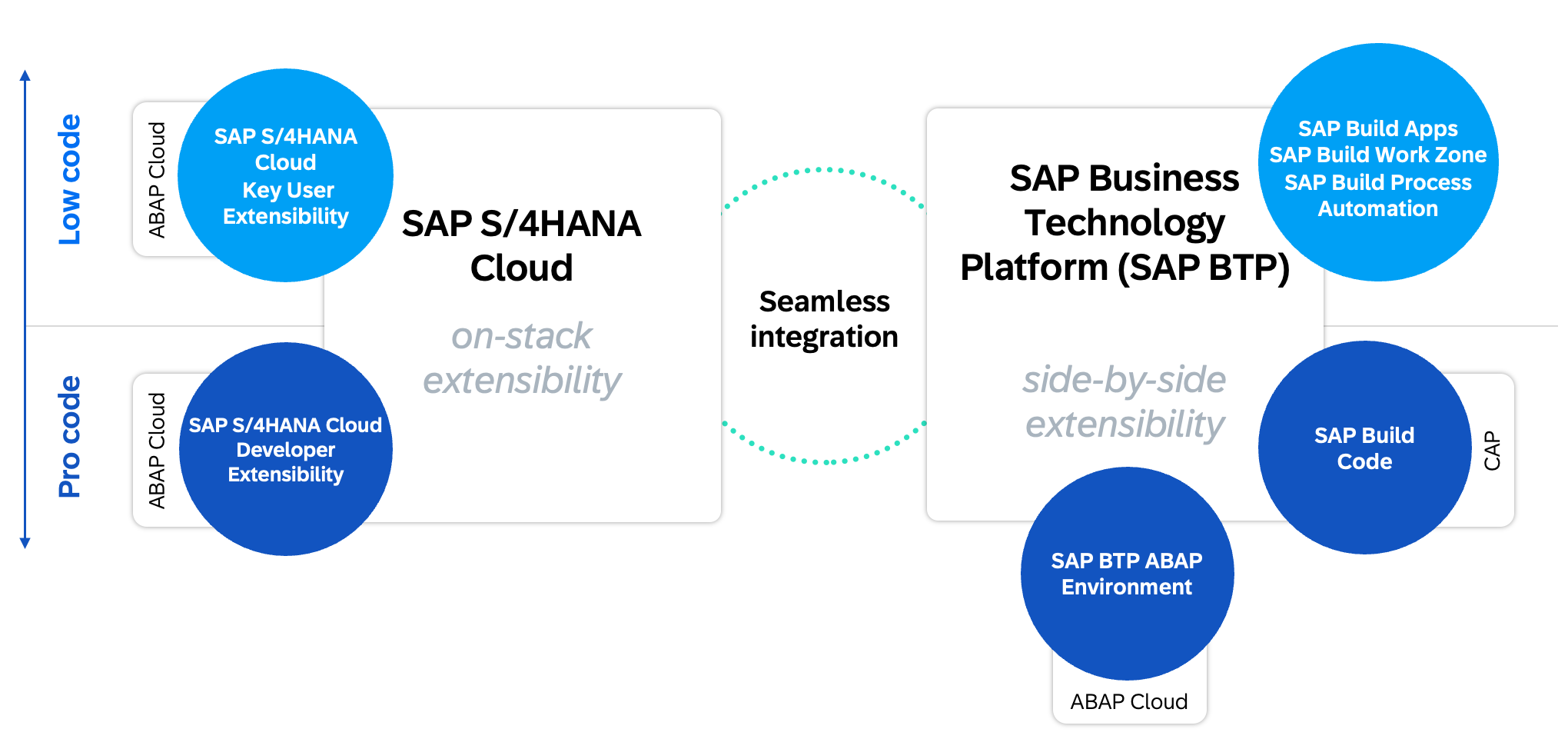
Extensibility scenarios
On-Stack
On the left you will find On-Stack Extensibility, divided into Pro Code and Low Code. In the Pro Code area you will find the classic ABAP Cloud development with the Clean Core level concept, the use of shared APIs and the extension of objects (C0 objects). You can find more about ABAP Cloud in the corresponding section of Clean Core.
In the low-code domain, the main feature is Key User Extensibility, which consists of several Fiori applications that can be used to extend the system. The most common scenarios in this area are
- Field Extension – Create new Z-fields from the database to the UI via the application.
- User Interface Customization – Customize Fiori applications, rename elements, or display the new Z-fields. Create variants and make them available to your business departments.
- Custom Logic – Implement your own BAdIs and extend the process with custom checks.
- Custom Core Data Services – Create your own Core Data Services based on the published views and make them available externally as APIs.
- uvm.
The apps are primarily intended for your key users, as they allow them to make simple changes to the system. The changes are deployed to production via standard change management (e.g. CTS).
Side-by-Side
On the right you will find Side-by-Side Extensibility, which is about decoupled development outside the core system. This example is the Business Technology Platform, BTP for short. Here you will find various tools and systems with which you can create applications to extend the system.
- SAP BTP ABAP Environment – Developing ABAP-based Extensions in the Cloud.
- SAP Build Code – Developing Extensions Based on Java or JavaScript.
In addition to pro-code solutions, SAP also provides low-code and no-code solutions through the SAP Build portfolio. Here is a brief overview of the most commonly used tools and their use cases.
- SAP Build Apps – Use this tool to create Fiori and mobile apps using drag-and-drop and simple scripts. The apps are then made available in BTP.
- SAP Build Process Automation – If you need a workflow or automation, you can create it using Process Automation and connect both SAP and non-SAP systems.
- SAP Build Work Zone – If you need centralized access to all SAP applications, whether on-stack or side-by-side, then Work Zone may be an option. In addition to the Standard Edition, there is also an Advanced Edition with collaborative features.
Strategy
Before you begin working, you should consider your extension strategy. In other words: Which tools and environments do you want to use for the extensions?
Models
There are some company factors to consider:
- Platform – Which expansion model would you like to implement in your company (CAP or RAP)? Related to this: How many developers do you need in each area?
- Expertise – Is the necessary expertise already available for the environment, or does it need to be developed first? In the ABAP domain, this would include CDS, RAP, and Fiori Elements. In the CAP domain, it would include JavaScript or Java, build pipelines, Git, and BTP.
The following detailed graphic shows the different scenarios.
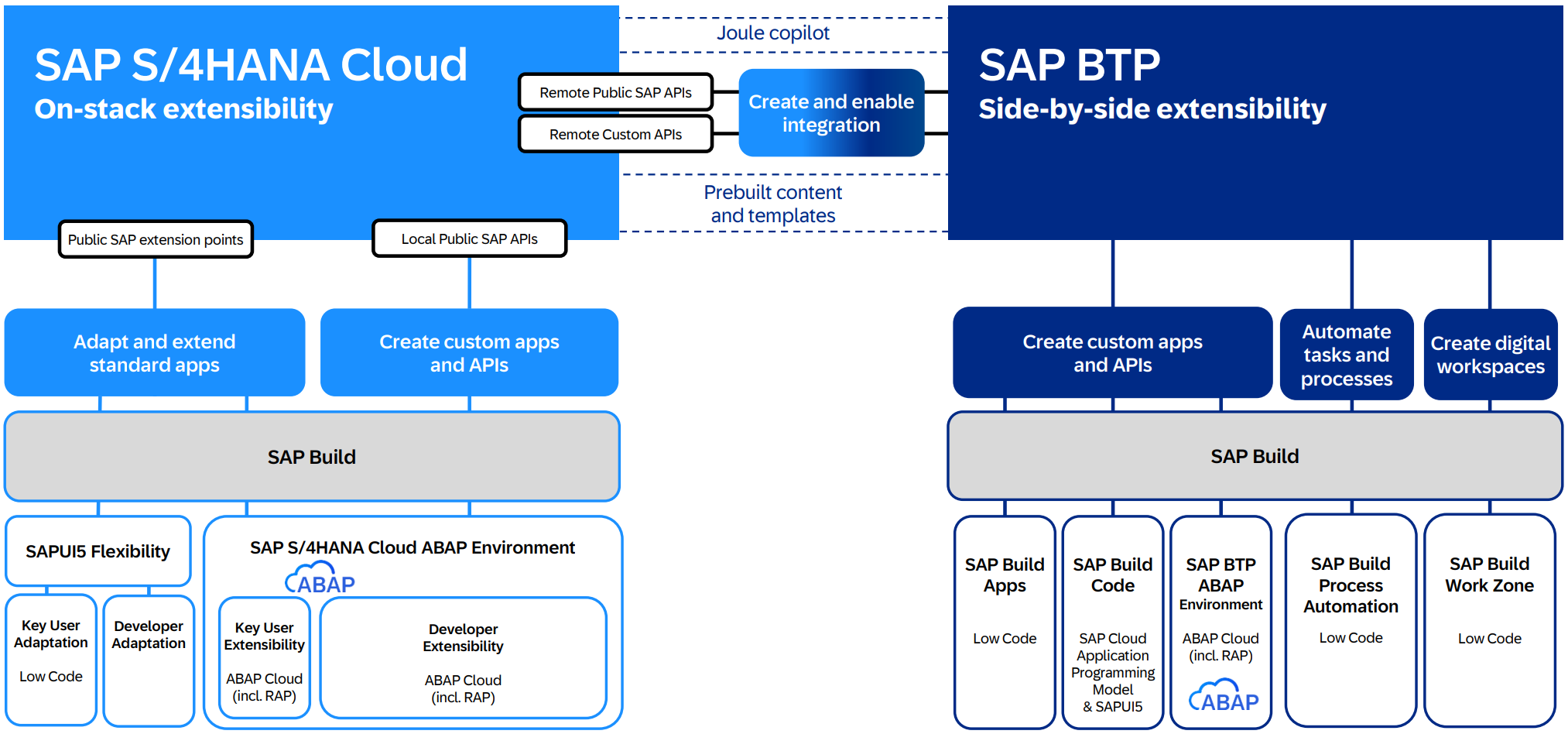
Tools and strategy
The entire SAP product portfolio is available to you, although each product requires specific skills and prerequisites. We therefore strongly recommend that you develop a strategy.
Coupling
Coupling is about the different requirements that an application brings with it. Should the application be developed on-premise or side-by-side? In this article you will find various criteria as to when which environment is worthwhile. Basically, you should understand that you can also achieve Clean Core on-premise on your own system and do not necessarily need side-by-side development.
The two coupling scenarios are:
- Tightly coupled – The application should be built on-premise.
- Loosely coupled – The application can also be developed in the cloud.
Make the Core Clean
If you have chosen the Brownfield approach, migrated your system to S/4HANA, and decided pursue a Clean Core strategy, we recommend a phased migration of your applications.
Frequently used applications are particularly worth reviewing to quickly reap the benefits of SAP Fiori. This allows you to assess each application individually to determine which ones you can modernize or perhaps even decommission because they are no longer needed. It therefore makes sense to start with an initial overview and inventory.
{: .no_toc} # Solution approach
- TOC
Define Your Transformation Path
Every company must decide internally how to implement new technologies. And a rational decision is based on economic factors—added value for the departments, customer satisfaction, direct costs (license fees, operating costs), and indirect costs (hiring, training, and the loss of existing expertise).
A comprehensive analysis also requires considering alternatives to SAP products. For example, developers can create cloud-native applications on platforms other than SAP BTP. Other cloud providers must be taken into account for a comprehensive evaluation.
Similarly, the tools for API management must also be defined and selected. The organizational aspects of “fusion teams” should be incorporated into the evaluation; so-called citizen developers can sometimes take on IT tasks such as front-end design. In addition to SAP and non-SAP products, there are also open-source projects that address various use cases, particularly in reporting.
Implementing the Clean Core concept requires a strategic approach and careful planning. Organizations can use the following approach to effectively leverage SAP’s Clean Core concept.
- API-First approach: Adopt an API-First approach to development by exposing core functionalities as reusable APIs that can be utilized by both internal and external applications. This promotes agility, scalability, and innovation while ensuring security and governance. Keyword: SOA – Service-Oriented Architecture or Microservices.
- New interfaces are only created with the standard APIs and SAP.
- Or customer’s own REST APIs are created internally.
- Modularization and standardization: Break down monolithic systems into modular components and standardize data structures and interfaces wherever possible. This enables greater flexibility, reusability, and interoperability across the entire organization.
- Decide where to store the customer-specific data. If you need additional data for your business processes, it is best integrated into a standard data product, avoid parallel data models to standard tables.
- Harmonize your business processes and launch projects to integrate Z-Transactions into standard Fiori apps. To do this, you should find or extend the functionalities of Z transactions in standard Fiori apps.
- Decide which custom extensions should remain.
- Evaluation and rationalization: Conduct a thorough assessment of existing SAP environments to identify areas of complexity and redundancy. Streamline systems and processes to align them with the principles of Clean Core and set priorities for simplification measures.
- Conduct fit-gap workshops and initiate cleanup projects of underperforming, unsafe, or unused code.
- Train your architects to consciously use new technologies based on guidelines.
Decision-Making Aids
Here are some references and resources to help you make a decision:
- A methodology for enterprise architects SAP Application Extension Methodology - SAP AEM
- SAP’s complete guide on how customers can do Clean Core extensions Extend SAP S/4HANA in the cloud and on premise with ABAP based extensions
- Also look at examples with the Extensibility Scenarios Explorer
- What is the shared successor development object? Cloudification Repository Viewer
- Further considerations can also be found in the chapter: Integration
ABAP Cloud
ABAP Cloud is the new development model for all system landscapes, whether SAP BTP ABAP Environment, S/4HANA Cloud Public Edition and Private Edition or S/4HANA On-Premise, you can use the same model for the development of Clean Core and Use Cloud Ready applications. The use is described in more detail in Extensibility Guide for S/4HANA. In the following sections you will get some details. ABAP Cloud is fundamental part if you want to achieve Clean Core.

ABAP Cloud - Availability
Released APIs
The use of released APIs (development objects with a C1 release status) is a central component of ABAP Cloud. SAP provides customers with the assurance that these APIs are stable and can be used for your own development projects. This means that only SAP objects that SAP has explicitly released can be used in ABAP Cloud.
Level Concept
The Clean Core Level Concept was delivered in August 2025 and replaces the previous 3-TIER model. The Level Concept is about classifying your customer’s own development into four different levels (Level A-D). Level A is equivalent to ABAP Cloud and is therefore automatically Clean Core and Cloud Ready. Levels B-D were reclassified and classified using the ABAP Test Cockpit.
- Level B - Classified as Clean Core and this includes classic technologies such as IDOC or the ALV Grid. There is a list of technologies that are described and detailed in note 3578329. In addition to the note, the Cloudification Repository is used to classify the objects mapped as “Classic API”.
- Level C - This level is described as “SAP Intern” and is “Conditional Clean Core”. The APIs and objects are not explicitly released or prohibited, but SAP keeps the option open to change or delete the objects.
- Level D - All objects marked here as “No API” fall under the category no Clean Core. You should no longer use objects that have been classified via the Cloudification Repository in your development.

Clean Core Level Concept
Even if classic technologies have now been defined as Clean Core, you should rely on software components and ABAP Cloud when developing new ones. With such new implementations, you should also think about whether you want to carry them out on-stack or side-by-side.
If an API is not currently released, you can create a wrapper that encapsulates the SAP functionality and release the wrapper for Level A development. You should also submit an influence request to SAP to request approval or an alternative API. Further information about creating wrappers and determining which objects are suitable is available in the SAP guide ABAP Cloud API Enablement.
Migration of Reports
Reports and programs are now a central component for executing logic in an SAP system, whether in interactive mode or in the background via batch jobs. However, during migration, you should note that reports are no longer part of ABAP Cloud.
Currently there are the following successors:
- Fiori App - Creation of an application based on SAP Fiori with the ABAP RESTful Programming Model, RAP for short. For more information about RAP, see the Development chapter. The app is the entry point for the user.
- Application Job - This new type of job is developed based on a class that is started by a central routine in the system. The start takes place via a Fiori application. Jobs are particularly suitable for automated background activities.
New Concepts
With the introduction of ABAP Cloud, various development concepts have been revised and replaced with new ones. You should therefore be aware that some of the old concepts are no longer valid. Here are a few examples:
| Area | Old (Level B-D) | New (Level A) |
|---|---|---|
| Application Log | SLG0, SLG1 | CL_BALI_OBJECT_HANDLER, ABAP API |
| Job | SM36, SM37, Report | Application Job |
| CL_BCS | CL_BCS_MAIL_MESSAGE | |
| SOST | Monitor Email Transmissions (F5442) | |
| Programming model | BOPF | RAP |
| Table maintenance | SM30 | Business Configuration |
| translation | SE63 | Maintain Translations (F4950) |
The full list can be found here.
{: .no_toc} # Core Data Services
- TOC
What are CDS Views and why are they important? In SAP S/4HANA, the developer should no longer access the databases directly, but rather use the Virtuelle Datenmodell (VDM) to access the data in SAP S/4HANA, e.g. for analytics or interfaces. The VDM is represented in SAP S/4HANA by CDS views. These CDS views follow fixed rules for modeling and naming. They represent business data from database tables based on business logic, making the data easier to use. CDS Views are the key elements for on-stack extensibility or also ABAP Cloud - see Chapter Clean Core. The use and extension of a data model is the key to the VDM concept. CDS Views are used for many purposes, such as an interface between different applications and add-ons in the same system as well as to external systems and applications. You can also create your own views by using the views provided and shared by SAP as a data source, following the Clean Core thought.
Structure of the VDM

Source: SAP Help representation of the VDM
Various CDS view layers are placed in front of the database tables. For example, the VDM ensures that the database fields are understandable and the user can identify the proprietary SAP data model, for example MARA-MATNR, as a product number. The Basic Interface Layer accesses the database. The Composite Interface Views combine logic and basic interface views; the VDM can contain different abstraction layers. The consumption views expose the data model for the use case.
As part of the ABAP RESTful Application Programming Model (RAP), SAP also provides further definitions of terms, e.g. Business Object Projection Layer.
Here is a list of the view types. All standard views also include the identifier/annotation:
@VDM.viewType:[..]
View types, naming conventions and possible uses
| View Type / Suffix | Description | Annotation |
|---|---|---|
| I_* | Basic and composite interface views: These CDS views are used to read data and can be used for extensions. | @VDM.viewType: #BASIC @VDM.viewType: #COMPOSITE |
| C_* | Consumption views: Restricted reusable views. | @VDM.viewType: #CONSUMPTION |
| P_* | Private views: These views must not be used, as SAP may modify them during system upgrades. | @VDM.private: true |
| R_* | Views for transactional processing: These CDS views enable not only reading data, but also actions such as creating, changing or deleting instances of a RAP business object in the context of the ABAP RESTful application programming model (RAP). | |
| A_* | Remote API views: These CDS views form the basis for external APIs. For more information about APIs, see SAP Business Accelerator Hub. | @VDM.viewType: #CONSUMPTION @VDM.lifecycle.contract.type: #PUBLIC_REMOTE_API |
| X_* | View extensions: These CDS views can only read data indirectly in the context of another CDS view. They provide access to industry or country/region specific fields defined by SAP. | @VDM.viewExtension: true |
| E_* | Extension Include Views: These CDS views can only read data indirectly in the context of another CDS view. They provide access to custom fields created in the Custom Fields app. See section “Extensions to SAP Standard CDS Views” | @VDM.viewType: #EXTENSION |
| F_* | Derivation functions: Derive context-specific values that can be used to restrict data in analytical queries. For more information, see Derivation Functions for Finance | |
| D_* | Abstract Entities: Form the basis for modeling event signatures and action parameter/outcome structures. |
In addition, the identifier is used as a suffix depending on the intended use of the CDS view.
| Suffix | View Type | Annotation |
|---|---|---|
| Query, Qry, Q | Analytical query view | @VDM.viewType: #CONSUMPTION@Analytics.query: true |
| Cube, C | Analytical cube view | @Analytics.dataCategory: #CUBE |
| Text, Txt, T | Provider of language-dependent text | @ObjectModel.dataCategory: #TEXT |
| TP | View for transactional processing | @VDM.usage.type: [ #TRANSACTIONAL_PROCESSING_SERVICE ] |
| VH, StdVH | (By default) View for value help | @ObjectModel.dataCategory: #VALUE_HELP |
CDS views can be used for many different purposes, such as creating Fiori applications or analyzing data. You can create your own CDS views using many views released by SAP. To make it easier for you to find the right CDS view, SAP has introduced two features: supported functions and modeling patterns. These features are specified as annotations and can be defined for each CDS view. You can see the supported functions and modeling patterns of CDS views in the View-Browser App. In the ABAP Development Tools you will find this information as an annotation at the beginning of each CDS view.
For more details, see SAP Help
The following SAP community page ZSCV_SEARCH_CDS_VIEWS offers an open source solution for searching CDS views.
Classification of CDS Views
Supported Functions
According to SAP, the supported functions indicate the best use cases for a CDS view. A CDS view can have multiple supported functions, as it may be suitable for various purposes.
These features describe the best use of a CDS view. For example, you can use a CDS view as:
- Datenquelle
- Target for joins in CDS modeling
- Data provider for analytical queries
The supported functions of a CDS view are specified in a single annotation:
@ObjectModel.supportedCapabilities: [ ..., ... ].
Modeling patterns
A modeling pattern describes the main purpose of a CDS view. A CDS view can only have one modeling pattern. The value of the modeling pattern may or may not be equal to the value of a supported function.
The annotation for a modeling pattern looks like this:
@ObjectModel.modelingPattern: ...
CDS View Modeling Options
This section describes the various type definitions, function definitions, and data models within ABAP Core Data Services. It explains basic types, SQL-based functions (scalar functions), and various view types, such as DDIC-based views, view entities, and projection views. This is supplemented by advanced concepts such as table functions, hierarchies, custom, external, and abstract entities, as well as tuning objects for optimizing CDS models.
Type definitions
Simple Types
This allows you to define elementary data types that you can use in CDS objects or in ABAP.
Beispiel
define type myDate : abap.dats
Details finden Sie unter SAP Help (CDS Simple Types)
Enumerated Types
Define an enumerated type with constants. You can use the type and constants in CDS objects.
Beispiel
Definition
define type Weekdays : abap.int1 enum
{
    Monday = initial;
    Tuesday = 1;
    Wednesday = 2;
    Thursday = 3;
    Friday = 4;
    Saturday = 5;
    Sunday = 6;
}
Usage
define ... as select from ...
{
    ...
}
where
  weekday = Weekdays.#Friday
Details can be found in SAP Help (CDS Enum Types)
Table Functions
Currently, SAP only supports the definition of a scalar function. There are two different types of functions.
- Analytical scalar functions
- This type of function can currently be defined only by SAP. However, you can use the functions that SAP provides.
- SQL-based scalar functions
- You can define and implement your own functions of this type. The usage is like the built-in SQL functions (such as CONCAT()). A scalar function can have multiple parameters and always has a single return value.
- You need three development objects for a scalar function:
- A scalar function definition (CDS object)
- A scalar function implementation reference, as a link between the definition and the implementation
- A AMDP Function representing the implementation of the scalar function
Details finden Sie unter SAP Help (CDS-Skalarfunktionens)
Annotations
Annotations can appear anywhere within a CDS object. Where exactly an annotation can or may be specified depends on the annotation itself. Annotations are intended to enrich the CDS object with metadata that can then be interpreted by a user. For example, you can add annotations to a CDS View Entity that can ultimately be evaluated by a Fiori Elements app (using an OData service as an intermediate step).
It is even possible to define your own CDS annotations.
Details dazu finden Sie unter SAP Help (CDS - Definition of Annotations)
Syntax
To specify an annotation, use the following syntax:
@[<]Anno[: value ]
       |[: { subannos } ]
       |[: [ arrelem ] ]
       |[.subAnno[ ... ]]
Beispiel
@MainAnnotation.SubAnnotation: 'Value'
Details finden Sie unter SAP Help (CDS DDL - Annotation Syntax)
SAP Annotations
SAP has already defined a wide range of annotations that can be used. These cover various areas and aspects.
A large part are the ABAP Annotationen (SAP Help). This allows, among other things, metadata to be specified about the type of data, data access, expandability and semantics of data. These annotations are evaluated by the ABAP runtime.
Beispiel
...
@Semantics.currencyCode
Currency,
...
There are also framework-specific annotations (SAP Help). These can define metadata for OData services, user interfaces, or analytics. Such annotations are interpreted by a framework rather than by the ABAP runtime; Fiori Elements is a prominent example.
Beispiel
...
@UI.lineItem: [{ position: 10 }]
Field,
...
Data Definitions
What are Data Definitions?
Data Definitions are CDS entities created in the ABAP Development Tools (ADT). They define the structure and behavior of data models based on database tables or other CDS views. They make it possible to model data in an abstract, semantically rich way, regardless of the underlying database technology.
DDIC-based views - OBSOLET
As of Release 7.55, DDIC based views have been replaced by view entities, which are no longer dependent on DDIC objects. Please use the View Entities.
A DDIC-based view can be created for DDIC database tables, DDIC views, and other CDS views. When defining the view, you must specify an SQL view name via an annotation, which is created in the ABAP Dictionary as a DDIC view. When the CDS view is activated, a CDS entity and the annotated DDIC view are created or updated. You access the data of the referenced objects via SQL.
Beispiel
@AbapCatalog.sqlViewName: 'CDS_DB_VIEW'
define view ddic_based_view as select from ...
{
  field,
  ...
}
where
  field = 'ABC'
Details finden Sie unter SAP Help (CDS DDIC-Based Views)
View Entities
With a CDS view entity you can access fields of a data source (database tables, other CDS entities), as well as: perform calculations, define relationships, enrich metadata with annotations, etc. The view entities serve as the basis for the ABAP Data Models and are used by the ABAP RESTful Application Programming Model. So they are an important component for a modern ABAP development.
Beispiel
view entity view_entity as select from ...
{
  field,
  ...
}
where
  field = 'ABC'
Details finden Sie unter SAP Help (CDS View Entities)
Projection Views
A projection view is based on another CDS view entity and is used for service-specific use cases. These include:
- Transactional queries (relevant for ABAP RESTful Application Programming Model)
- Transactional interface (relevant for ABAP RESTful Application Programming Model)
- Analytical Abfragen
Details finden Sie unter SAP Help (CDS Projection Views)
Table function
A table function consists of two parts. A CDS entity, which can be used for example with the CDS view entities or projection views, and a AMDP Function, which represents the implementation of the function. The result of a table function is data sets. An AMDP function can only be used in an environment whose database system supports AMDP (e.g. SAP HANA). With the AMDP Function you can apply platform-specific SQL commands. The advantage is that you can perform specific queries on the database and provide the results as a data source for other CDS entities.
Details can be found in SAP Help (CDS table function)
Hierarchies
This type of CDS view allows you to provide hierarchical data. Only parent-child hierarchies are supported. You must specify a CDS view entity as the basis, which has an association with itself. This association describes the relationship to the parent node. In the field list, you can specify fields of the CDS view entity and special hierarchy attributes, such as the entry’s level in the hierarchy.
Details finden Sie unter SAP Help (CDS Hierarchies)
Custom Entities
CDS Custom Entities are non-SQL entities, meaning they do not create an SQL view in the HANA database. Custom Entities are linked to an ABAP class via an annotation, in which you can implement business logic and data queries that go beyond SQL, such as data in a file, a BLOB, or from a web service. To actually access the data, you must create an ABAP class that implements a specific interface. In the definition of the CDS Custom Entity, you must specify the class using an annotation. You also define possible input parameters and the resulting field list there.
However, the use of CDS custom entities is limited. You cannot use them in connection with SELECT statements, i.e., neither in another CDS view nor via ABAP SQL. You can, however, define associations on them and make them available in the field list. In general, custom entities are processed by the RAP Query Engine, and when a query is executed—for example, in connection with an OData service.
Details finden Sie unter SAP Help (CDS Custom Entities)
Abstract Entities
CDS abstract entities are a type of non-SQL entity. You can use them as complex data structures for RAP actions, RAP functions, and RAP business events. In other CDS views, you can only define associations for these entities. However, you cannot access them via SQL or view their contents.
Details finden Sie unter SAP Help (CDS Abstract Entities)
External Entities
CDS External Entities offer a modern way to manage secondary database connections in ABAP Cloud. They enable ABAP programs to retrieve and process data from other database systems using SQL. Unlike traditional secondary connections, which are limited to SAP HANA databases, CDS External Entities support connections to various database systems, including SAP S/4HANA Cloud, SAP BTP ABAP Environment, and SAP HANA Cloud, based on SAP HANA Smart Data Access technology.
Details finden Sie unter SAP Experten Blog: )
Tuning objects
Currently SAP only offers one configuration type: Define View Entity Buffer. This allows data buffering to be defined (no buffering, single record, ranges, complete). This setting can impact performance.
Performance details can also be found here: See SAP Help pages SQL Hint and Tuning Objects
Access Control
Using access controls, you can define which users or user groups have access to specific data by specifying roles, rules, and conditions. CDS views provide access controls via Data Access Controls / Data Control Language (DCL), similar to the traditional authority check.
Properties
Access controls in CDS allow you to precisely define which records are accessible to each user.
- These access controls work in conjunction with the usual SAP permission objects.
- SAP authorization objects always refer to a specific field in a table and an activity, such as creating, changing or displaying data.
- Access to a CDS View is controlled via the so-called Data Control Language.
Whether access control is applied is determined by the following annotation:
@AccessControl.authorizationCheck: []
The standard VDM always includes access controls. A common approach is to inherit the access controls from the underlying CDS views into your custom CDS views.
Beispiel
define role ZC_BusinesspartnerAddress_DAC {
    grant select on ZC_BusinesspartnerAddress_Custom
        where inheriting conditions from entity C_BusinesspartnerAddresstp_2;
}
There are other features you can check out here: SAP ABAP CDS - Access Control Documentation
Using transaction SACMSEL, authorization check results can be displayed in a simplified manner.
Associations
Associations can be used to link CDS entities. The source is always the CDS view entity itself. DDIC tables and other CDS entities can be defined as targets. The cardinality and the link condition are important. Cardinality determines the relationship, e.g., 1:1 or 0:n. The condition determines which fields connect the source and the target. An association is always defined in only one direction. If you want to link two entities in both directions, you must specify the association to the other entity in both of them. The association can also be specified in the field list, allowing users to access the association as well.
Beispiel
association [0..*] to OtherView as _Other on _Other.ForeignKeyField = $projection.KeyField
Attention! From release 2023, a different syntax will be used. See blog post
Details finden Sie unter SAP Help (CDS View Entity, SELECT, Associations)
A special form of the association is a so-called ASSOCIATION TO PARENT. This allows you to define a CDS entity as a parent entity. This is particularly relevant in the context of RAP. The association in the other direction, i.e. to the child entity, is defined using COMPOSITION. You must first enter the association to the parent entity and only then can you enter the association to the child entity.
For details see SAP Help (ASSOCIATION TO PARENT) and SAP Help (COMPOSITION)
Extensibility
Stability contracts
To ensure the reliable use of CDS views, SAP has introduced three stability contracts (release contracts). These contracts define how CDS views can be used in different usage scenarios:
- Contract for Extensions (C0): For the use and adaptation of existing views.
- Contract for system-internal use (C1): For views within the same system.
- Agreement for Remote API Use (C2): For the use of Views by external systems and applications.
For more information, see Stability contracts for CDS views.
Extensions of SAP standard CDS views
A big advantage is the ability to expand any CDS views with the contract for extensions (C0) and higher. A CDS view classified with the C0 contract for extensions provides stable points for extensions. SAP guarantees stability, so S/4HANA upgrades cannot result in incompatible changes. But this also poses a danger! For example, if you use fields from an existing CDS view in your extended CDS view (ZE_), then these can be changed during S/4HANA upgrades. Make sure to only “add” CDS views in the designated E_ CDS views. We recommend this Learning Journey by SAP, the facts are explained here.
BW integration, embedded analytics and ODP
The Operational Data Provisioning Framework (ODP) enables the transfer of data from various SAP repositories to SAP BW, SAP BW/4HANA and other systems or services. CDS Views can serve as a source for data extraction.
Requirements for the transfer to SAP BW/4HANA
The classic CDS View or CDS View Entity should have the following annotations:
@Analytics.dataCategory@Analytics.dataExtraction.enabled
Requirements for Embedded Analytics
Embedded analytics is not limited to analytical Fiori apps or key-user extensibility apps. Through the Online Analytical Processing (OLAP) engine, CDS views can also be consumed directly by business-intelligence tools, particularly SAP Analytics Cloud (SAC) and Analysis for Office (AO).
For more information, see in this blog entry.
Here would be the structure to consume a CDS view directly from the SAC, for example. To do this, two additional CDS views must be created and provided with the annotation.
- Composite CDS View (Entity)
@Analytics.dataCategory: #CUBE / '#FACT / #DIMENSION - Consumption CDS View (Entity)
@Analytics.query: true
 Musteraufbau: Direkter Zugriff vom SAC
It should be noted that a contract for system-internal use (C1) must be assigned for the Consumption CDS View. In addition, the following authorization objects are required in the user roles.
S_RS_COMP
		RSINFOAREA   *
		RSINFOCUBE   *
		RSZCOMPTP		REP (for analytical reporting) / SOB (for planning functions)
		RSZCOMPID		2C<SQLViewName of Analytical Query>
		ACTVT				03, 16

S_RS_COMP1
		RSZCOMPID		2C<SQLViewName of Analytical Query>
		RSZCOMPTP		REP (for analytical reporting) / SOB (for planning functions)
		RSZOWNER		 * (Only in the catalog role not in authorization default)
		ACTVT				03,16

S_RS_AUTH
		BIAUTH		  0BI_ALL
For more information, see SAP Help Portal.
How ODP works
The ODP interface enables access to transaction data and master data (attributes, texts, hierarchies). The SAP BW/4HANA system subscribes to operational delta queues and replicates the data. The data change sources also support delta processes.
For more information, see SAP Help Portal.
Tips and Tricks
- Performance Tracing - Always examine every CDS view! No matter whether SAP standard or self-created. You can trace the SQL execution using an SQL trace in ST05. To do this, you must extract the .PLV file and display it in Eclipse. This allows you to analyze time distributions and execution plans. Be sure to check the total number of records returned to identify design issues. See DSAG Eclipse ADT Guides - Performance “Selecting a concrete selection”
- Massive JOINs and complex queries - For massive JOINs (e.g. 7-14 tables), CDS views can be more efficient by splitting them into layers with associations to improve performance. For complex queries, CDS views allow code pushdown, but be careful with AMDPs on large tables (>1 million entries) as this can impact performance. Please note that AMDPs select per table row. What selection do you have going into the AMDP?
- Fast Queries - Keep selections small and specific to optimize performance and avoid AMDPs on large tables to speed up database access. We recommend the Note 2000002 - FAQ: SAP HANA SQL Optimization. If the optimization should take place on the SQL engine itself, please use this page HINT Details.
- Check for potential SAC queries – For recurring, user-defined data queries, BAPIs, function modules, or ABAP SQL are often more suitable, since CDS views are intended for standardized, reusable models. CDS views are extremely useful for SAC reports, as they can be consumed directly by SAC.
- Providing data to subsystems - RAP can be used to expose CDS Views as OData Services, which is ideal for providing data to subsystems. This provides modification-free extensibility, especially in Cloud environments. See chapter ABAP - RAP
{: .no_toc} # Modern ABAP Development
- TOC
Welcome to the chapter on Modern ABAP Development. This chapter focuses on the core of modern application development in SAP—ABAP. We would like to provide you with practical recommendations and insights on how to effectively use ABAP in modern applications, as well as the benefits and opportunities that modern ABAP offers.
SAP published the ABAP Programming Guidelines many years ago to explain fundamental principles that still apply today. The Clean ABAP Style Guide extends these recommendations with methods and principles for modern application development and adapts general clean-code practices to ABAP and SAP development.
ABAP has the advantage that requirements can be implemented quickly with minimal effort and without in-depth programming knowledge, provided they are not overly complex. Thus, the implementation of requirements in ABAP can be guided by business needs without numerous intermediate steps. This business-process-oriented use of ABAP is widespread within companies, and many ABAP programmers have entered the ABAP world through customizing, creating simple reports, debugging, implementing user exits, and so on.
In 2025, when many companies have already made the transition to S/4HANA or are about to do so, the new technologies, methods, and tools are not yet in use to the same extent as traditional ABAP. ABAP development is facing a transformation that will be challenging for both developers and companies. The guide in general, and this chapter specifically regarding ABAP, is intended to assist you with this transformation. In this chapter, we provide insights and recommendations on the following topics in ABAP development:
-
Architecture and design of modern ABAP developments
Here you will find out why it is important and has many advantages to structure ABAP developments in packages, to use the package functionalities and what you need to know to implement our recommendations. -
Design and design of modern SAP applications
The application of object orientation is an essential factor in creating modern, robust and adaptable software. In this chapter you will find our recommendations for implementing OO well and efficiently and why the use of object orientation and good structuring of functionalities in classes offers added value. -
Clean and modern code
In addition to the higher-level structures in the form of package designs and the structuring of the application in objects, the ABAP code represents the function of the application. The code is created once, read, extended, changed and reviewed many times over the life cycle. Therefore, investing in code that is easy to read, understandable and clear pays off. The application of the Clean code principles and application of modern ABAP statements and functions is essential to create future-proof applications and operate them efficiently. -
RESTful Application Programming Model - RAP
With the RESTful Application Programming Model, after several evolutionary steps, SAP has now published a stable and mature programming model that offers many options, brings many advantages and offers developers a good framework for building modern applications.
The recommendations in the previous sections apply to all developments in SAP, but their implementation is a good basis for being prepared for application development with RAP.
Recommendations for RAP and the procedure for developing RAP applications can be found in this chapter.
The role of the organization
For an efficient transformation of the organization and the developers to modern SAP development, it is not enough to deal with the technical aspects. A success factor is good framework conditions and enabling the development teams. The organization plays a key role here.
Development specifications, guidelines, principles, manuals, and control mechanisms are important as standards and guidelines. However, these alone are not sufficient to bring the techniques and methods of modern software development in the ABAP environment into everyday development work and thus “into practice”.
To achieve this, entities must be established within the development organization that, in addition to defining these guidelines, also ensure their implementation in daily work. At higher levels, these can include architecture boards, review committees, and central units within the development organization. At lower levels, these are responsible individuals such as lead developers and architects who are closely involved with the developers and their daily work. Otherwise, the aforementioned organizational measures would function as “toothless tigers”—the organizational guidelines and actual work would diverge significantly from one another.
In addition to governance aspects, the development organization must also focus intensively on training and upskilling developers and creating incentives to try out and apply new approaches in daily work, as well as to rethink and adapt existing practices. The developers’ interest and motivation regarding new topics are key factors in ensuring that these measures lead to successful upskilling of the development organization.
An important element here is the appreciation shown by developers for the fact that applications are implemented with new technologies, even if this often requires a longer development time at the beginning or does not always work smoothly. Only if it is recognized and valued in the organization that developers or development teams continue their training, familiarize themselves with new technologies and methods and implement them, will sustainable change take place. Only if the general conditions are right will you be able to benefit from the advantages and resulting positive effects, some of which you will find in the Architecture and Structuring in ABAP Development section.
Detailed and valuable recommendations on the topics of organization and general conditions can be found in chapter Organization.
Target group of the chapter
We primarily address the ABAP developers and people involved in the ABAP development. However, we would also like to address decision-makers and managers of development teams, as the ABAP transformation requires framework conditions to be successful in order to be successful on this journey. And we would like to create motivation in the company by showing you concrete practical recommendations and advantages.
<h1 class="no_toc" id="architecture-and-structuring-in-abap-development">Architecture and Structuring in ABAP Development</h1>
- Structural Challenges in SAP Applications
- Architecture and Structure as the Foundation and Framework of a Good SAP Application
- Structuring Software into Packages
- Package Structures and Hierarchies
- Managing Dependencies
- Benefits and Added Value from Implementing the Package Concept
- Measures for Implementing the Package Concept in Development
- Further Considerations Regarding the Implementation of the Package Concept
- The Package Concept in ABAP Cloud – Software Components
- From architecture to design
Structural Challenges in SAP Applications
Many SAP ERP systems contain numerous and extensive in-house developments that have been created over the course of the system’s lifecycle and continuously expanded. The more complex a system is, the more important it is that the applications and components it contains are organized in a well-defined structure that follows common software architecture principles. In SAP ERP systems, this is not always the case when it comes to in-house developments. This has, among other things, the following reasons:
-
Development classes Development began before the SAP package concept existed, when its predecessor—development classes—was still in use. These classes only allowed for a flat structure, so the organization followed fairly broad criteria, such as by development team or module. This principle was retained and continued after the package concept was introduced.
-
Knowledge Knowledge of the package concept and the application of software architecture principles is often lacking in the ABAP environment.
-
Modification and extension of existing software Many developments involve the enhancement of existing features. A redesign and the associated restructuring of packages are rarely planned or carried out.
-
Time and deadline pressures Ultimately, most development work is carried out under time pressure. The question of how an application can be structured effectively into packages is often not asked or is overlooked, as the priority is on delivering the functionality.
As a result of the structural shortcomings in in-house development arising from the reasons mentioned above, the following problems may arise:
-
Lack of transparency and clarity Neither the functions and responsibilities of individual artifacts nor their interdependencies are apparent from the structure of the packages.
-
Significant effort required for adaptation Making changes to existing software is a time-consuming process, due to the extensive analysis required to identify the artifacts that need to be modified and to implement the changes correctly. Since it is difficult to predict whether changes will be correct, this results in significant testing and bug-fixing efforts.
-
Side effects and errors when modifying existing applications Changes can lead to unforeseen side effects in production and, as a result, to increased development and debugging costs.
-
Problems with the distribution and import of changes Problems may arise during transport if not all necessary objects are transported correctly or if not all dependencies have been taken into account (e.g. RC8).
Architecture and Structure as the Foundation and Framework of a Good SAP Application
The complexity of software is often underestimated, and only those who give careful thought to good software architecture from the very beginning and continuously improve the application both technically and structurally will be less likely to face the issues described above.
Good, modern software development begins first and foremost with considering what functions and responsibilities an application to be created should have, how responsibilities are organized, and how this ultimately reflects in the package structure.
With the SAP package concept, you have the tool to translate these considerations into visible structures and thus lay the foundation for a clean and future-proof application architecture.
Structuring Software into Packages
The SAP Package Concept and the Role of Packages
As in other programming languages such as Java, ABAP provides a package concept that allows software to be structured at multiple levels. Before packages were introduced, development objects were organized in a flat structure using development classes.
Applying the package concept to in-house developments opens up significantly expanded possibilities for software structuring. While these changes may not directly impact functionality at first glance, they offer clear advantages—at the latest—during the maintenance, support, and expansion of the in-house development. Since SAP provides detailed and easy-to-understand documentation of the package concept, we will not go into the package concept in detail here, but rather provide a practical overview and recommendations on how to proceed when creating in-house developments—hereinafter referred to as “software”—in order to use packages in ABAP in a meaningful and beneficial way.
SAP Documentation ABAP Workbench - Package Builder.
- Use the package concept:
- Turn on packet checking on your SAP systems.
- Create main packages for your own developments that are based on architectural requirements (single responsibility).
- Enable packet encapsulation per packet.
- Group and structure the package with sub-packages based on responsibilities rather than object type.
- Do regular package checks during the development process to identify dependencies.
- For non-visible objects, check alternatives (e.g. comparable object with visibility from another package, own definition in the package, …).
- Include desired dependencies in the declaration of use.
- Avoid creating very large packages or “bundle packages” that bundle numerous independent functions.
- Train your developers on package definition, software structuring and maintenance of package interfaces and usage declarations
Package Structures and Hierarchies
We recommend organizing packages based on functional aspects. Use main packages to represent standalone solutions that are also intended to be transportable on their own. Structure the various functional aspects of this solution—such as business logic, available interfaces, user interfaces, and central elements of the solution that are shared by other components within the main package—into subpackages (development packages). In a traditional environment, the main package is the transportable unit.
In the ABAP Cloud context, a technically required structure package can then be created via this main package, which is subsequently used for the software component. In the cloud context, the transportable unit is represented by the software component.
Structuring based on organizational, responsibility, or project structures is not recommended, as these attributes change over time and are only partially dependent on functionality. These attributes are better documented in documentation associated with the main package.
Managing Dependencies
Enabling package encapsulation allows you to control dependencies within packages.
In the package interfaces, you define the visibility of objects when package encapsulation is enabled, and you use the usage declaration to document dependencies on other packages via their package interfaces. The package check is the tool used to identify and monitor the use of invisible objects or missing usage declarations.
How you specifically use these elements is explained in the detailed section on the package concept. You can also find information about this in the SAP documentation.
Benefits and Added Value from Implementing the Package Concept
Clearly Defined Dependencies
Applying the package concept makes dependencies between functionalities transparent. Either a dependency is listed in the usage declaration—in which case it is a deliberately defined dependency—or the dependency becomes apparent through an error message during package validation—in the case of invisible objects or a missing usage declaration. The information obtained from this can be used for documentation and description. Before a package is imported into a system, it is thus possible to check whether the system meets the prerequisites for importing the package without errors, or whether other packages are required.
Transparency and Understandability
In complex and large-scale development projects, proper structuring helps developers locate relevant objects more quickly. The structure itself can be considered part of the documentation.
When corrections, enhancements, or additions to an in-house development are required, a well-structured package helps the developer navigate the application more easily and implement enhancements more quickly.
If software is to be transported across systems, we recommend creating transports at the main package level. The main package represents a self-contained business function or an extension of a standard function or a defined area.
If all objects of a main package (structured into subpackages) are included in a transport and the declared prerequisites/dependencies are met in the target system, the transport can be transported and imported across system lines. Import errors (RC8) should then generally no longer occur.
Flexibility
When a software component is well structured, additions, changes, extensions, and corrections can be made more easily than when an application consists of loosely assembled objects in a large, unorganized package that contains other objects for other functions. This means that good structuring also results in increased flexibility. In particular, if functionalities grow over the course of the life cycle and the scope increases, it may be necessary to adapt the structure and, if necessary, to outsource functionalities into central or generally available packages in order to achieve reusability or, in the opposite case, to combine several smaller applications into a main package.
Future viability
In addition to the obvious advantages, creating software in well-structured packages also includes other advantages that do not take effect immediately, but can become relevant as part of the software life cycle.
If the in-house developments in the system are already organized into packages, important requirements have already been met in order to use modern version management systems such as abapGit or gCTS, which require packages. This means that transports using Git-based methods into other systems or even into the Cloud are possible, see chapter Version Management. If the package concept, including an explanation of usage relationships, has already been implemented within the company and there is thus already awareness regarding usable objects, good conditions are in place to understand and apply the concepts in ABAP Cloud with the software components.
Measures for Implementing the Package Concept in Development
Definition and Implementation of the Package Strategy
The benefits mentioned above can only be realized if the package concept is implemented comprehensively and consistently throughout the company in the form of a package strategy. It is therefore important that you clearly define your package strategy and establish how packages are created and documented.
Ensure that the individuals responsible for development understand and can implement the guidelines for the package concept. Therefore, it is important to provide developers with sufficient training on the package concept to be implemented and to verify compliance and proper implementation. Particularly when external developers are used, it is important to ensure that appropriate onboarding takes place. The task of defining the packages, structuring them, and classifying them within the package landscape should be carried out by the software architect or the person responsible for software development, such as the SAP Lead Developer, to ensure consistency across packages.
Avoiding Large/Non-Specific Collection Packages
We recommend not allowing the creation of large collector packages (e.g. at the base module level), as this can lead to issues with readability and unwanted dependencies, and violates the Single Responsibility Principle.
There is a high risk that, for various reasons, numerous diverse classes and functions will end up in such packages instead of being based on sound architectural considerations, which can undermine efforts to maintain a well-organized system architecture.
However, it can certainly make sense to create small, well-defined, and domain-specific helper packages that centrally provide basic and frequently used helper functions.
Further Considerations Regarding the Implementation of the Package Concept
In addition to the recommendations regarding the package concept described here, there are other issues that cannot be addressed in detail here, as doing so would exceed the scope of this guide. However, these should be taken into account and defined in the guidelines and manuals. These include the following aspects:
- Avoiding static dependencies – packages should be defined in such a way that they are independent of other packages
- Definition of the procedure when dependencies are unavoidable or desirable. There are various possible solutions here, such as:
- by defining BAdIs - which are then implemented locally and used to establish the package connection
- Calling a function from another package via dynamic function module calls
- Package size – architectural boundaries – demarcation – costs (Clean Architecture)
- Package refactoring – splitting – combining individual packages – continuous package maintenance during changes and extensions
The Package Concept in ABAP Cloud – Software Components
In the context of ABAP Cloud, the package concept described here is no longer directly applicable, as package interfaces are no longer supported in the cloud.
With the introduction of the ABAP Environment for development in the cloud and with ABAP Cloud, the “Software Component” (SWC) property—which has long existed but was generally not used for structuring—takes on a central role in the structuring of ABAP software. When developed with ABAP Cloud, the software component becomes a central part of the software structure and complements the package concept. The packages within the software component serve to structure the various parts of an application. Package interfaces are no longer used here, as dependency relationships are no longer maintained at the package level. However, the principles are comparable. For software components, usage is controlled via release contracts (C1). This means that objects in software components can be used system-wide, provided they are assigned a release contract.
If the software components are to be used only by objects of defined software components, this can be done through so-called software component relationships. The software components declared here are granted permission to use all objects of the SWC. It is not possible to restrict access to specific objects within one’s own SWC. Detailed information can be found in the SAP Documentation for SWC
Even though some elements of the package concept are no longer present in the cloud, the implementation and application of the concepts described above still make sense in current on-premise and private cloud SAP systems, as they structure developments and declare dependencies and visibility, thereby helping to create well-structured applications.
From architecture to design
After the statements mentioned here have created the prerequisites for a good architecture, which is reflected in the package structure, the application architecture must now be defined/designed in the specific form of classes in the individual sub-packages. You can find the information on this in section: Design and design of modern SAP applications.
{: .no_toc} # Design and Development of Modern SAP Applications
- TOC
Modern Business Applications Require Modern Software Development Practices
Business applications developed using traditional procedural ABAP implemented as programs characterized by complex, procedural, deeply nested control structures. Modularization was achieved through form routines or, for reuse, through function modules. With good planning and the application of software development methods, function groups were not overloaded but consisted of related, specific functions. However, you may have encountered one or two function groups that accumulate a large number of function modules with different tasks and have occasionally caused problems during one or another transport. As the number of changes increased, these applications became increasingly complex, more error-prone, and harder to maintain.
Modern applications face high demands today:
- Applications must fully meet functional requirements.
- Applications must be able to operate error-free, robustly, with high performance, and be fault-tolerant.
- Changes should be implementable quickly, efficiently, and without errors, requiring minimal testing effort, and should not introduce new bugs.
Requirements must therefore also be made for the ABAP code:
- ABAP code must correctly meet the functional requirements and have no negative impact on security issues or other developments.
- ABAP code should be structured in a technically precise manner. It is developed in small, semantically matching and modular units.
- ABAP code should be written in a readable and understandable manner, and comments help in understanding the implemented functionality.
- ABAP code should correspond to the Clean Core level model.
These requirements are difficult to meet using traditional, procedural ABAP programming, as this approach offers high backward compatibility, relies on outdated features, and makes maintenance more difficult. This traditional, procedural approach is no longer up to date and should no longer be used.
The software development methods and techniques available to ABAP developers today offer effective solutions to the issues mentioned above and to the challenges posed by the requirements of modern business applications.
For many years now, ABAP has offered the ability to program in an object-oriented manner. Even though this was not initially required, it is now technically necessary if new capabilities are to be utilized. Furthermore, the methodology of object-oriented programming offers many effective approaches for developing business applications in a way that ensures they are flexible, maintainable, extensible, and robust. By using ABAP Unit and a sound design, numerous functions can be verified through unit tests. This allows end-user testing to be limited to verifying the process, thereby reducing the testing effort in the business department, since the internal structure of the software is validated via ABAP unit tests.
Although the aforementioned disadvantages of procedural programming and the advantages of object-oriented programming are well known, functionalities in current projects are still often implemented in a non-object-oriented manner, or the full potential of modern development methods is not utilized. Examples of this include programs implemented procedurally, classes that do not implement object-oriented principles, or implementations of function modules, as well as direct implementations of complex code in BAdI implementations without further structuring into separate classes. All of this should be avoided and resolved by applying appropriate object-oriented principles.
- Demand that all developments be implemented in ABAP Objects using object-oriented methods.
- Pay attention to the application of the SOLID principles of object orientation.
- Apply common object-oriented design patterns when designing applications.
- Separate the different concerns of the business applications into classes (e.g. controller class, data access, business logic, tests, etc.).
- Keep the interfaces small and use the factory to transfer important data to the object.
- Wrap and concentrate calls to SAP code or non-package code in their own private methods.
- Use class-based exceptions for complete error handling including message handling in the application.
- Only propagate interfaces or special facade classes in the package interfaces.
While we cannot provide a comprehensive overview of object-oriented programming and the many capabilities of modern ABAP in this guide, we would like to offer recommendations, tips, and guidance on how to proceed. These will help you get started and provide an overview of areas where you can quickly make improvements.
Fundamentals and Basic Application of Object-Oriented Programming in the ABAP Context
The topic of object-oriented programming is complex, and many existing functionalities in SAP do not follow the design principles of object-oriented programming, even when they are implemented in ABAP classes. For this chapter, you should already be familiar with the basic principles of object-oriented programming.
The notes and tips provided here are presented in a simplified form. They are intended to demonstrate an approach for effectively applying object-oriented programming and to support our recommendations with practical examples.
Features of Object-Oriented Development in ABAP Classes
A class represents a specific task that is implemented in manageable methods. An ABAP class consists of attributes that can store values or define constants. ABAP classes are often viewed as a modern form of function modules, but this comparison does not do justice to the capabilities of a class. The crucial difference is instantiability: multiple objects of a class can be created in the same program context.
A class that contains only static methods and is not instantiated during use is therefore not a class that follows object-oriented principles.
Identifying characteristics of a class that doesn’t follow object-oriented principles are:
- Size of the class - a class with many (public) methods probably shows that the single responsibility principle has been violated
- Size of the methods - extensive methods indicate structural deficiencies, redundant code and violation of the separation of concerns principle.
- Extensive parameter interfaces - Objects work with objects and not with parameters. This is usually associated with methods that are too large. Therefore, object-oriented methods often have very narrow interfaces that contain objects as transfer parameters, or return parameters in functional methods.
Classes that have these identifying features contradict the above requirements for modern ABAP code. Further indicators can be found, for example, in the Clean ABAP Style Guide.
Classes should be designed clearly and, in accordance with the single-responsibility principle, only fulfill one task. Methods as short as possible and only accomplish one task. This restriction forces tasks to be delegated to different classes. This means that the individual classes are less complex, and the complexity shifts depending on the application in the class network and the interaction of the individual classes. This interaction and the higher-level logic is bundled in a Controller.
In order to reduce a shift in complexity and avoid structural deficits, good planning and design of the structure of the application is required.
Moving and renaming methods and attributes, and refactoring objects during development, are normal parts of the software-development process. Modern tools in ABAP Development Tools for Eclipse and additional add-ons make these changes easier and safer.
Basic Principles of Object-Oriented Programming (SOLID)
When you get started with ABAP Objects, it quickly happens that a function group with several function modules simply becomes a class with several static methods. However, the advantages of object orientation cannot be used this way. The use of static methods prevents dependencies in unit tests from being replaced by mocks. You can find more information about this in Clean ABAP-Guide.
The SOLID principles are a useful tool for object-oriented design. Each letter represents a principle for object-oriented development. The principles are as follows:
- Single Responsibility Principle
- Open/Closed Principle
- Liskov Substitution Principle
- Iinterface Segregation Principle and that
- Dependency Inversion Principle
A short description of the principles can be found in the subsection, a detailed explanation can be found e.g. on Uncle Bob’s blog, the author of Clean Code.
In particular, the first two principles can be implemented in ABAP without requiring an overly deep understanding of OO, and the added value becomes quickly apparent when code maintenance and modification can be performed more effectively and fewer side effects occur. Detailed knowledge and their application in the ABAP context can be found in the technical literature on Agile Software Development in ABAP and Test-Driven Design in ABAP.
Design patterns
In object orientation, there are numerous design patterns that offer ready-made and tried-and-tested software mechanisms for various problems and use cases. These can also be applied in ABAP. The following patterns can be used directly and sensibly in ABAP:
- Factory - Creation of instances of a class
- Singleton - Creation of a central instance of a class
- Facade - Enclosing the complexity of a function
Facades are suitable for propagation in package interfaces for use by other packages - MVC (Model-View-Controller) - Separation of the interests of an application
Detailed explanations and code examples can be found in the subsection
Here, too, we unfortunately cannot go into all the design patterns in detail; on the Internet and in specialist literature you will find numerous opportunities to approach the topic and bring it into the organization. A good starting point for your own research is, for example, ABAP-OO Design Patterns m. Beispielen.
Comparison of procedural vs. object-oriented development
Process procedural development
When implementing a requirement, for example in a report or a function module, the design according to the specification would typically be as follows:
- Retrieving input data from import parameters
- Reading Customizing settings from the database (e.g., Z-table)
- Reading data from database tables
- Processing data using loops, read tables, and various IF-ENDIF control structures: e.g., checking, calculating, sorting, filtering …
- Transferring the result and the export parameters. This represents the requirement in imperative form as program code; where necessary, subfunctions are modularized.
Process with object-oriented approach
Once the requirements are known and analyzed, the different tasks must first be defined and grouped. The classes and derived meaningful class names can be defined based on the tasks. Based on this approach, the object-oriented implementation can look like this:
- Definition object for reading and evaluating the Customizing based on organizational data = Customizing object
- Definition of object for reading the database, if necessary split by business object depending on complexity = data object(s).
- Definition object which carries out the data checks and validations = Check object
- Definition object that carries out the data processing and is responsible for creating the result business logic.
- Definition object that maps the business functionality and orchestrates and manages the interaction of the individual objects = Controller.
- Creation of a factory class that creates the individual object instances.
- Definition of an injector class that enables mocking of individual functions.
The details about the ABAP unit and how to create unit tests can be found in the chapter Testing)
Concepts in object orientation
In addition to the fundamentals, there are other concepts and techniques whose use is essential for realizing the full benefits of object-oriented programming and for elegantly solving even complex problems—tasks that would be significantly more time-consuming or even impossible to accomplish using traditional technologies. We can only briefly touch on these topics in the first version of the new guide. You can find further information in the ABAP documentation, as well as in training courses and books.
Creation of factories
Each object should have a factory method; the necessary parameters are passed to the class via its constructor. If the classes in an application are instantiated via a central factory, the class’s factory method is called within the factory class. By applying the factory pattern, control over object instantiation remains with the classes or the central factory class.
Avoid instantiating classes from outside using the New or Create Object command.
Example: Formwork of the Customizing in the factory method
A class responsible for evaluating Customizing settings can be designed so that the factory method checks the Customizing table where the function’s control logic is stored.
An instance is only passed to the caller if there is an entry in this table corresponding to the parameters of the factory method (e.g., plant or company code, etc.).
Individual Customizing parameters can be stored in attributes of the Customizing class and retrieved as needed in other related classes using so-called getter methods.
If no entry exists or a problem occurs, an exception should be thrown, which is caught by the caller. Thus, the caller no longer needs to check the table but only receives an instance if the function is active in the given case. If successful, the corresponding methods can then be called via the returned instance.
Alternatively, the Null Object design pattern can also be used here, in which, in the event of a negative Customizing check, a class with an empty implementation is returned instead of the class with the actual implementation. When the methods of the null object are called, nothing happens. This has the advantage that the caller does not have to deal with exceptions.
Since the object structure is aware of the Customizing instance via the factory, access to Customizing is standardized throughout the structure and can be achieved without redundant code. This approach follows the principle of inversion of control and contributes to the separation of concerns. This simplifies the business logic code and encapsulates or automates the complexity of Customizing.
The creation of technical objects initially appears more complex than the top-down procedural approach. By means of autocompletion, use of code templates and quick fixes in the ABAP development tools in Eclipse (ADT), the ABAP code for the technical classes is created very quickly and easily, which means that the additional effort in coding is very limited.
Once this pattern has been practiced, the advantages of this procedure far outweigh the disadvantage of the supposedly increased initial effort.
Of course, the procedure must also be practiced in order to develop a certain development performance and efficiency.
Please note the ADT Guide from DSAG, which supports you in using ADT efficiently and across the board in the company.
Full use of class-based exceptions for error handling
Use only class-based exceptions for error handling. These should be used exclusively for errors and should not be misused for success or status messages from the application. Only technical limitations on SAP’s part force you to use classic exceptions in a few specific cases.
We advise against using return codes as well as the sole returning message tables such as BAPIRET2, as is often found in BAPI function modules. These approaches create the problem that the calling program must check for errors within the business logic flow, thereby preventing a clear separation of technical concerns and business logic. The use of exception classes enables significantly better separation here, and you can also bundle error handling in central locations due to the propagation of exceptions. Please also note the recommendations of the Clean ABAP Style Guide
A developer experienced in ABAP-OO defines, during the design phase, the error scenarios that can occur in a (sub)package and, based on this, creates the corresponding exception classes with the error messages (as text IDs or message-based). When the business logic code is implemented and errors need to be handled, the exception is raised at the relevant point. Handling does not have to take place in every call layer, as is the case with function modules, but can be performed centrally in one location. This ensures consistent handling and reduces the effort required when errors can occur in multiple locations.
Interfaces
The use of interfaces decouples the definition of methods from their implementation. When an interface is used, the implementation of the class can be modified or made more flexible. The interface, so to speak, defines the contract between the user and the implementing class and thus “hides” the implementation (software hiding principle).
For public methods that provide functions for other classes, you should always define interfaces and thus ensure that users only work with these interfaces. The creation of concrete objects is handled by a separate factory class or, in particularly simple cases, a factory method of the class, e.g.: ZCL_BUSINESS_LOGIC=>GET_INSTANCE( CompanyCode ) see SAP style guide
Interfaces are also required for unit tests, since, for example, database accesses in unit tests have to be replaced by programmed test data. The database class implements an interface that is called in the product code. When the unit test is executed, instead of the database class, a so-called mocking class is called, which contains statically stored data, provides methods for local test data generation and returns it. The information on this can be found in chapter Testing.
Inheritance
An important concept in object-oriented programming is inheritance. In this context, a class can be derived from another class and thus inherit the properties of the parent class. Consequently, a derived class has the attributes and methods of the parent class, but can add additional specific methods or redefine inherited methods—that is, it can extend the inherited implementation or even provide its own implementation of the method.
When using inheritance, the Liskov Substitution Principle must be observed, and you should carefully consider whether inheritance makes sense in the intended context. It is often better to use interfaces or delegation instead of inheritance, to distribute different aspects of a class across different classes, and to manage their interaction via a controller and their instances via a factory.
Object-Oriented Programming in Function Modules and Form Routines
Sometimes it is necessary to implement functionality within predefined artifacts—for example, function modules in AIF, remote function modules, or form interface routines in Adobe Forms, etc. In such cases, these development objects serve as wrappers and merely call the actual functionality, which is then implemented in ABAP classes and their methods. The code in these development objects should be limited to technical coding, such as data assignments, object instantiation, or minimal checks. This in turn offers the advantage of possible reuse and implementation of unit tests.
Use of SAP Code – Demeter’s Law
The use of SAP code (classes, function modules, BAPIs, etc.) or code from outside the package should always be placed in a separate access layer. This also ensures a clear separation of concerns (S – Separation of Concerns).
This corresponds to the object orientation design guideline “Law of Demeter”, which states that objects should only communicate with objects in their immediate surroundings.
Even if these are shared elements, they should always be encapsulated within a class so that there is a central point of transition between internal and external code.
Create classes whose purpose is to keep the application’s program code free of any dependencies on SAP code or code from outside the package. This will also promote code reuse.
If creating custom classes is overly complex, in special cases the separation can also be achieved by calling the external code within private methods created specifically for this purpose. The interface definition should be oriented more toward the caller and not the called object. This makes it easier to replace the external code used later on. Depending on the complexity, the mapping between proprietary and external code interfaces can be outsourced to separate methods.
The goal here is to maintain control over dependencies and increase the maintainability of the software.
Data access, e.g. CDS views or SAP function modules, should be implemented in a separate database access layer for testability reasons, which enables decoupling of data access via dependency inversion for ABAP unit tests (see the Testing chapter).
A helpful extension of these classes is the transformation of classic exceptions or return codes used by SAP code for error handling into exception classes.
This separation is also an important prerequisite for the testability of an application.
Testability Through Good Design
Good structuring, both within packages and within objects, is essential for improving the testability of the software. If the responsibilities of the components are clearly defined within a sound architecture and tasks are sensibly distributed across different objects, this significantly facilitates the use of ABAP Unit. Test-related aspects must already be taken into account as part of the aforementioned architecture and design decisions in order to implement ABAP Unit efficiently, since the structure directly impacts testability.
If database accesses and accesses to SAP function modules or classes are already encapsulated in a separate software layer and the instances are created via a factory that provides for injection, it is straightforward for an experienced developer to test their own code using ABAP Unit tests and to decouple database accesses and SAP functions via test mock objects. This significantly reduces the effort required for unit test creation compared to an approach in which the test developer must apply techniques such as test seams in the code or modify the code to ensure the decoupling of in-house development from SAP modules in tests.
Procedures, recommendations, and information about ABAP Unit can be found in the Software Testing with ABAP Unit chapter.
The Importance of Refactoring Existing Applications
The recommendations, technical methodologies, and programming techniques described in this guide can be easily incorporated and applied when developing new applications. In addition, they can and should also be used to improve existing applications. This is known as refactoring.
Refactoring should always be carried out when existing applications need to be changed or extended, and time must be planned for it. The Clean ABAP Style Guide, for example, offers useful advice on approaching refactoring carefully.
Refactoring not only describes the improvement of the code in detail, but can also be applied figuratively to the structure in the form of packages. Objects can be usefully distributed into new sub-packages. If your applications are not currently based on a structure organized by main packages, we recommend creating main packages that represent your main functionalities and previous packages can then be assigned to these packages according to their affiliation. It is possible to split packages that are too large into smaller packages, but the dependencies must be checked, clarified and, if necessary, eliminated. However, packet encapsulation and packet inspection help with this. These functionalities are explained in detail in the optional section Basics of the package concept. Improvements to existing software should occur continuously and in small steps and be backed up by tests. If this is integrated into the development process and part of the day-to-day development business, it will pay off with more maintainable and less error-prone software.
Good Architecture Also Requires Clean Code
Now that you have learned about the architecture and structure of modern application development and about methods for designing software, the next section will explain the characteristics of clean code and provide our recommendations and tips on how to achieve modern, clean code in application development. After all, an application should not only have good architecture and structure. It is equally important to write clean code and follow the principles of clean code. This supports the goal of modern and maintainable software.
<h1 class="no_toc" id="write-clean-and-modern-abap-code">Write clean and modern ABAP code</h1>
- Clean ABAP as a Foundation
- Fundamentals of clean development
- Modern language features
- Examples of modern ABAP
- Naming Conventions – Recommendations: NCs vs. Clean Code
- ABAP Cleaner
ABAP has been around since 1983, and the language’s scope has grown steadily ever since. As a result, the language supports various programming paradigms, and there are often different alternatives for similar purposes. For example, function groups and modules can be used as imperative precursors similar to classes in ABAP OO. In addition, there are many commands marked as obsolete that are frequently found in existing programs or in sample code on the Internet and are therefore still used in new developments.
The SAP recognized this problem itself and created the Clean ABAP Guidelines to support developers. These are based on the book Clean Code by Robert C. Martin and adapt various best practices for ABAP. The guidelines provide specifications for many areas, such as the naming of objects and variables, the choice of the right language, and the formatting and commenting of code.
Recommendations from the Clean ABAP Guidelines are highlighted in this section. A link is always provided to the relevant section of the guidelines.
In addition, the SAP ABAP is constantly being developed further. The ABAP Feature Matrix provides an overview of new developments.
The following sections provide examples of modern ABAP code, but are not intended to be exhaustive. A basic understanding of ABAP, and ABAP Objects in particular, is required.
Clean ABAP as a Foundation
Clean ABAP represents the adaptation of the principles from Robert C. Martin’s book to ABAP. The official document released in the SAP repository was launched by Florian Hoffmann and Klaus Häuptle in 2019 and has since been expanded as open source by the ABAP community.
Example rule with explanation (Prefer inline to up-front declarations in the Clean ABAP Guide):
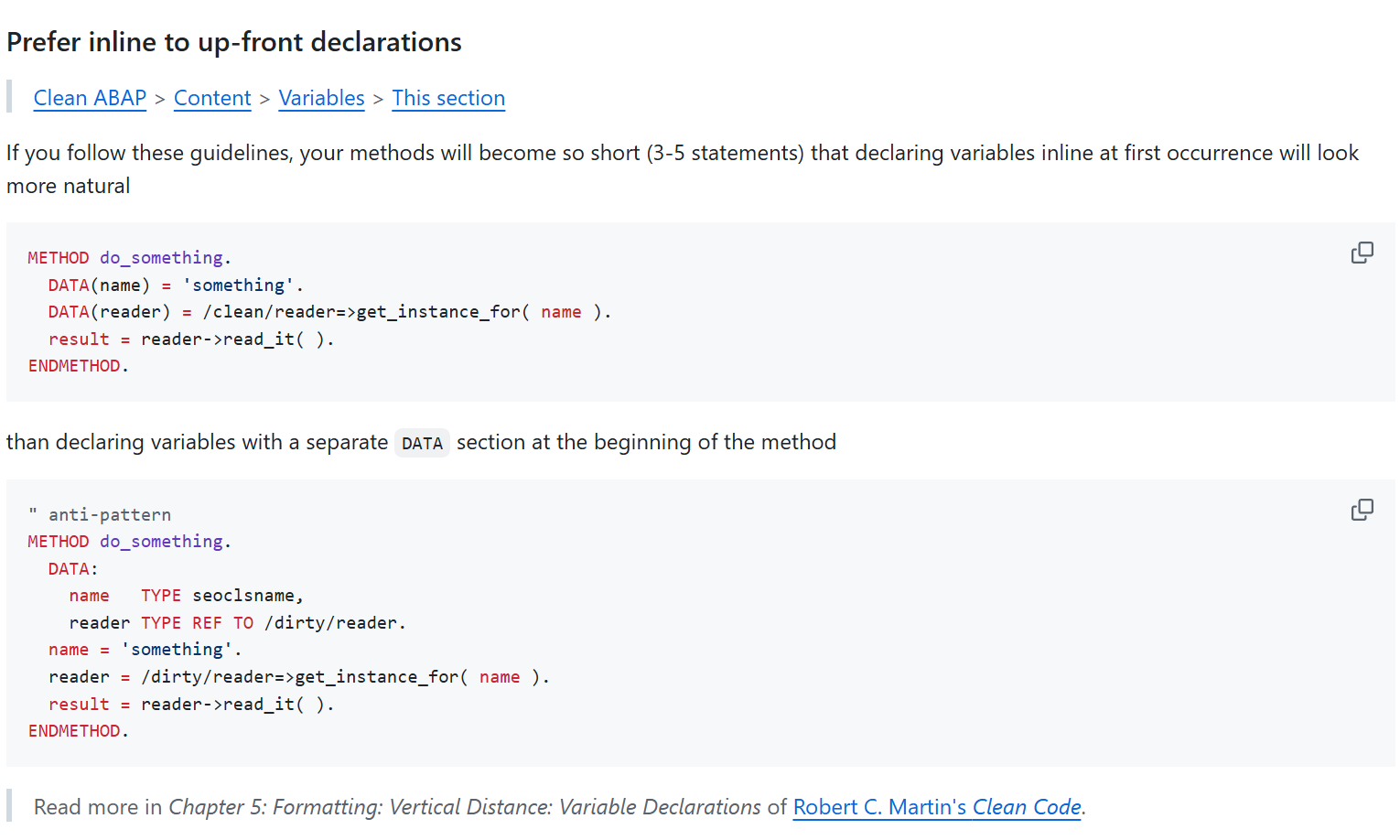
Clean ABAP Example Rule Prefer inline to up-front declarations
The idea behind Clean ABAP is that there is no single version of Clean ABAP with a fixed, unchanging set of rules. Teams are encouraged to adapt and modify the rules to best suit their specific needs. The public version of Clean ABAP provides an excellent foundation for this. The only important thing here is that these rules should be binding and apply to all teams within a company. The fundamental idea behind Clean ABAP—consistent code reviews—would be undermined if the Financials team had different ABAP rules than the Sales team. All Clean ABAP rules are in place today and should always be justified and explained.
Clean ABAP can generally be applied to any version of ABAP—from R2 to ABAP Cloud.
DSAG recommendation
The rules in the public repository are recognized by most ABAP experts. The authors of the DSAG guidelines recommend using the Clean ABAP rules for your coding and as a basis for code reviews. Discussions about code among developers can often be resolved with a Clean ABAP rule.
Clean ABAP & development guidelines
The company-adapted form of Clean ABAP should be a supplementary document to the applicable development guidelines so that it can be used everywhere. Check the application of the rules with an automatic tool such as Code Pal for ABAP in the ABAP Test Cockpit.
Clean ABAP Owner
In every development team there should be a Clean ABAP owner - preferably on a rotating basis - who is the contact person and person responsible for changes. Changes and extensions must be communicated and agreed upon separately in the teams. Clean ABAP works best when everyone involved supports the rules, which requires compromises and coordination within the team.
Clean ABAP is a process
Applying or learning Clean ABAP is not a one-time workshop or management directive. It takes time, practice, motivation and constant determination to write better ABAP programs.
The activities that ensure the application of Clean ABAP are called pair programming, code reviews, refactoring and training. The organization must create appropriate conditions for this.
Fundamentals of clean development
This section presents a short selection of important rules for clean development with references to sources for further information.
The goal of Clean ABAP is to write clean code that is easy for people to understand. This is evident, for example, in short methods and expressive names.
Expressive names
An important element of Clean ABAP is the correct naming of development objects. Good names are readable and understandable, and make it immediately clear what it is about. In everyday ABAP development, the temptation is to reuse technical names from the SAP; this However, it can make it more difficult to read, e.g. tj02_list is more difficult to understand than active_status or at least requires more knowledge of ABAP.
Comments
Express yourself through code - not comments.
This should be one of the guiding principles when writing ABAP. Check each comment to see whether it is a replacement for a naming or modularization that needs to be improved. A long piece of code that begins with the comment “Process positions” suggests that a method with an appropriate name could say and do exactly this. Rather than describing what is being done, a comment should provide information about why something is done the way it is and, if necessary, briefly explain the context. ABAP Doc must be used for code documentation, so code comments can only be used for specific, line-related explanations. For example, if functions and error handling blocks have not been programmed out, there are still TODOs or open questions that need to be resolved over the course of the life cycle.
Very outdated ABAP guidelines with statements like:
Logically related units should be commented, with the comment preceding the respective block.
or
In the case of long and deeply nested control structures, recognizing such blocks is made easier by inserting a comment at the end that refers to the beginning.
Here the ABAP guidelines already assume that the so-called Spaghetti Code is written. Comments can never be the solution to a lack of modularization and breaking deep nesting. These readability problems should be solved through consistent modularization and not through comments.
Clean ABAP recommends Explanation and structuring via code, not via comments.
The Clean ABAP guide contains everything you should consider about comments, see.
Modern language features
This section shows a brief overview of modern language resources from ABAP without claiming to be complete.
Declarations
In the classic declaration of variables, all declarations are placed in front of a method in the head, and then the method works with these variables:
DATA mein_string TYPE string.
DATA mein_int    TYPE i.

" hier wird jetzt mit den Variablen gearbeitet
mein_string = `hello world`.
mein_int = strlen( mein_string ).
Instead, using inline declarations, variables can be declared anywhere in the method and assigned directly:
DATA(mein_string) = `hello worlddd`.
Clean ABAP recommends preferring inline declarations over classic declarations.
Declaration with FINAL
Version 7.57: Inline declaration with FINAL(var) instead of DATA(var)
FINAL can be used to declare immutable variables in ABAP. These can be set once, but cannot be changed afterwards:
FINAL(var) = 1.
var = var + 1. " Fehler - Variable darf nicht geändert werden
The advantage of a FINAL declaration is that a developer reading the code now knows that he does not need to pay further attention to whether the value of the variable may is changed later in the code.
Function Calls
Since version 7.5, methods in ABAP are no longer called via CALL METHOD objekt->methode ..., but rather via objekt->methode( ... ). This shortens ABAP code and makes it easier for developers from other backgrounds to understand the code.
As part of this change, other calls were also designed similarly to those in other programming languages. Predicate methods, i.e. methods that return one of the abap_bool truth values abap_true or abap_false, can be called in a IF: Instead of IF is_predicate( ) = abap_true. you can simply write IF is_predicate( )..
Modern alternatives have also been created for many imperative ABAP statements.
Clean ABAP recommends always preferring functional language elements.
An example is the old and new syntax to convert a string to uppercase:
TRANSLATE string1 TO UPPER CASE. " alte, imperative Variante
string2 = to_upper( string2 ).   " neue Variante mit Funktionsaufruf
Another example is determining the number of rows in an internal table:
DESCRIBE TABLE itab LINES zeilen. " alte, imperative Variante
zeilen = lines( itab ).           " neue Variante mit Funktionsaufruf
Logical expression assignments
Another example is the xsdbool function. Originally designed to process XML, it is now the preferred one despite its name Variant to assign the result of a logical expression to a variable:
" Direct assignment using xsdbool
DATA(is_true) = xsdbool( len > 10 ).

" Traditional evaluation using IF
IF len > 10.
    is_true = abap_true.
ELSE.
    is_true = abap_false.
ENDIF.
Clean ABAP recommends preferring the upper variant.
Functions in the ABAP help
ABAP Help provides lists of features for:
- mathematical calculations,
- logical functions,
- working with strings,
- working with byte strings,
- and working with internal tables.
ABAP Doc
ABAP Doc is the modern variant of creating documentation for development objects. In the ABAP development tools, this documentation for an element can then be quickly displayed with F2.
For example, the documentation for a class is specified as follows:
"! Description of what the class does
CLASS demo DEFINITION.
In the ABAP Doc documentation for the class, general notes and the purpose of the class can thus be documented in a way that is both machine-readable and easy for humans to understand; similarly, notes on the individual methods and their parameters can be created using ABAP Doc. The primary users of ABAP Doc documentation are the users/callers (or developers) of the class. This feature is therefore useful for classes that are made available for use by other functions.
For more information about ABAPDoc, see section Documentation/ABAP Doc.
Constructor operators
Constructor operators are a fairly new ABAP language device and consist of the operator itself, a type specification, and parameters within parentheses. So For data(instance) = new class( number = 1 )., the operator is NEW, the type is class, and number = 1 is the parameter specification. With a constructor operator In principle, a new value is created, in the example above a new instance of a class is created.
Many typical programming tasks can be solved more quickly and precisely using constructor operators. This section shows the use of various constructor operators.
A special feature is the type information #. The developer thereby instructs ABAP to derive the appropriate type from the context. Is done using a constructor operation If a previously declared variable is set, the type specification # means that a value of the type of the variable is created.
DATA table TYPE table_type.
table = VALUE #( ). " Erzeugen einer leeren Tabelle vom Typ table_type
Create references with NEW
As shown in the previous section, new instances of a class can be created with NEW.
" Moderne Variante
DATA(object) = NEW lcl_configuration( number = 1 ).

" Alte, obsolete Variante
CREATE OBJECT object TYPE lcl_configuration.
Use of new command variants (CALL TRANSACTION WITH AUTHORITY-CHECK)
Old, obsolete variants of commands are often used. An example of this is the command CALL TRANSACTION in old screens or programs to open a transaction.
The SAP documentation clearly distinguishes between the obsoleten Variante and the variant to be used - the difference that in the latter variant Either WITH AUTHORITY-CHECK or WITHOUT AUTHORITY-CHECK must always be specified.
" Obsolete Variante
" ggf. steht hier ein Aufruf von AUTHORITY_CHECK_TCODE oder das Berechtigungsobjekt wird manuell geprüft
CALL TRANSACTION 'IW21'.

" Aktuelle Variante
CALL TRANSACTION 'IW21' WITH AUTHORITY-CHECK.
We recommend that you regularly check the SAP documentation to avoid such errors.
Examples of modern ABAP
This section shows some examples of modern alternatives to old and deprecated ABAP syntax. The following examples partially use the following structure and table definition:
TYPES: BEGIN OF person,
            age  TYPE i,
            name TYPE string,
        END OF person.

TYPES persons TYPE STANDARD TABLE OF person WITH EMPTY KEY.
Create structures and tables
With the VALUE operator, internal tables can be created much faster and more clearly:
" Alte Variante
DATA old_person  TYPE person.
DATA old_persons TYPE persons.

old_person-age  = 30.
old_person-name = `Max Mustermann`.

INSERT old_person INTO TABLE old_persons.


" Moderne Syntax
DATA(new_persons) = VALUE persons( ( age = 30 name = `Max Mustermann` ) ).
Read values from tables
To read tables, the new table expression syntax can be used instead of the old READ TABLE command:
" Alte Variante
READ TABLE persons INDEX 1 INTO DATA(first_person_old).

" Moderne Syntax
DATA(first_person_new) = persons[ 1 ].
Table expressions can also be nested; the nested_tables[1][2] function reads the second row of the table, which in turn is contained within the first row of nested_tables.
The advantage of the new syntax becomes apparent, for example, when a specific column needs to be accessed directly:
" Alte Variante
READ TABLE persons WITH KEY name = `Maria Musterfrau` INTO DATA(maria_old).
DATA(age_maria_old) = maria_old-age.

" Moderne Syntax
DATA(age_maria_new) = persons[ name = `Maria Musterfrau` ]-age.
It is important to note the difference in error handling: If READ TABLE cannot find a row, a value of sy-subrc other than 0 (or 2) indicates this. A table expression on the other hand, throws the cx_sy_itab_line_not_found exception. Instead of catching this exception, however, there are two brief options for the typical handling of missing values: returning an initial value or a specified default value:
" Alte Variante
READ TABLE persons WITH KEY name = `unbekannt` INTO DATA(unknown_person_old).
IF sy-subrc <> 0.
    " tue etwas anderes
ENDIF.

" Moderne Syntax
" Variante 1: Ergebnis ist initial, wenn Zeile nicht gefunden
DATA(unknown_person_new_optional) = VALUE #( persons[ name = `unbekannt` ] OPTIONAL ).
" Variante 2: Ergebnis entspricht Default-Fall, wenn Zeile nicht gefunden
DATA(unknown_person_new_default) = VALUE #( persons[ name = `unbekannt` ]
                                            DEFAULT VALUE #( name = `Standardergebnis`
                                                                age  = 99 ) ).
Convert tables
Often a table of another type has to be determined from a table of one type. In other programming languages, a map method is often available for this.
In ABAP, however, this can also be implemented using a VALUE statement. If, for example, the read_person method loads an object to the person structure used, Converting the table looks like this:
" Alte Variante
DATA(person_objects_old) = VALUE person_objects( ).

LOOP AT persons INTO DATA(loop_person).
    INSERT read_person_info( loop_person ) INTO TABLE person_objects_old.
ENDLOOP.

" Moderne Syntax
DATA(person_objects_new) = VALUE person_objects( FOR p IN persons
                                                    ( read_person_info( p ) ) ).
The following examples show how only specific rows of a table can be retrieved using an index:
" Alte Syntax
DATA(shorter_table_old) = VALUE persons( ).

LOOP AT persons INTO DATA(loop_person).
    IF sy-tabix >= 2.
    INSERT loop_person INTO TABLE shorter_table_old.
    ENDIF.
ENDLOOP.

" Moderne Syntax
DATA(shorter_table_new) = VALUE persons( ( LINES OF persons FROM 2 ) ).
If rows are to be filtered based on a condition, the modern syntax looks like this:
DATA(younger_persons) = VALUE persons( FOR p IN persons WHERE ( age < 20 )
                                           ( p ) ).
For many of the options that LOOP AT offers - for example groupings - there are also equivalents in the VALUE variant. Further information can be found at in the SAP documentation.
String templates and conversion exits
In classic syntax, strings had to be assembled for output using CONCATENATE or &&. As a modern alternative, ABAP offers string templates. String templates begin and always end with a |. There is a string in between, and variables or function calls can be embedded in curly brackets. A simple string template is about |Ihr Name: { name }|, where { name } is replaced by the content of the variable name. In addition, various formatting specifications can be specified for the variables, such as Using the alpha conversion exit.
For example, if you want to create a composite string such as 123 / 0010 from an order number and an operation number, it looks like this:
" Alte Syntax
CALL FUNCTION 'CONVERSION_EXIT_ALPHA_OUTPUT'
    EXPORTING input  = order_id
    IMPORTING output = order_id_ext.

DATA(identifier) = VALUE string( ).
CONCATENATE order_id_ext '/' operation_id INTO identifier SEPARATED BY space.

" Moderne Syntax
FINAL(identifier_modern) = |{ order_id ALPHA = OUT WIDTH = 1 } / { operation_id }|.
The SAP documentation on string templates provides further information on use.
Determining values from tables, e.g., the minimum
In addition to the VALUE operator, there are other constructor expressions to handle various typical programming tasks with a more precise syntax. A complete list of the Construction expressions can be found in the SAP documentation.
For example, in order to determine a single value such as a minimum from a table, there is the reduce function in other programming languages REDUCE constructor operator. For example, the following listing shows how the youngest person can be determined from a list of people:
" Alte Variante
DATA(youngest_person_old) = VALUE #( persons[ 1 ] OPTIONAL ).

LOOP AT persons INTO DATA(loop_person).
    IF loop_person-age < youngest_person_old-age.
    youngest_person_old = loop_person.
    ENDIF.
ENDLOOP.

" Moderne Syntax
DATA(youngest_person_new) = REDUCE #( INIT youngest = VALUE person( persons[ 1 ] OPTIONAL )
                                        FOR p IN persons
                                        NEXT youngest = COND #( WHEN p-age < youngest-age
                                                                THEN p
                                                                ELSE youngest ) ).
Naming Conventions – Recommendations: NCs vs. Clean Code
Names for repository objects
For repository objects such as classes, a naming convention should always be established within the company, since all objects of a given type share the same namespace. For example, if a class named ZCL_AUFTRAG is created for maintenance orders, this name is no longer available for service orders, and a developer reading the class name cannot immediately tell what type of order it refers to. To address this, the development guideline can specify module prefixes, such as ZCL_<MODUL>-NAME – in the example, ZCL_PM_AUFTRAG. Non-descriptive names like ZCL_DATA or ZCL_FORMULAR3 also make it harder to understand the source code and should be avoided.
Clean ABAP contains a detailed section for names in development.
Hungarian notation
Clean ABAP recommends avoiding Hungarian notation or other encodings when naming variables.
Code developed in accordance with the Clean ABAP guidelines will consist of many short methods. In these methods, it is unnecessary to include information such as a variable’s scope or type in its name. This information should be immediately apparent at a glance, or it is readily available in Eclipse—for example, by pressing F2. Instead, descriptive names should be used.
In legacy code that has not yet been modernized, however, continuing to use Hungarian notation can be helpful. However, both styles should not be mixed within a single development object.
ABAP Cleaner
ABAP Cleaner, released publicly in 2023, is an extension for ADT that enables the application of more than 90 rules for formatting and designing ABAP code.
ABAP Code s not only formatted as with Pretty Printer; optimizations are also made to the ABAP code based on the configured rules. Unused method parameters are marked with comments, and—depending on the settings—unused variables can be automatically deleted. The result of using the tool is more consistent, more readable code and a significant acceleration of development, as the Cleaner takes over tasks from the programmer.
Using the ABAP Cleaner offers a wide range of benefits for modern ABAP code development. In the opinion of the authors of this guide, using the ABAP Cleaner is absolutely essential.
{: .no_toc} # The ABAP RESTful Application Programming Model (RAP)
- TOC
The ABAP RESTful Application Programming Model, or RAP, was introduced by SAP in 2018 and has been available since SAP S/4HANA 1909. Conceptually, it has many parallels with the ABAP Programming Model for SAP Fiori and can be regarded as its successor.
Both programming models provide the necessary development objects and their interactions to build applications and interfaces with their own data storage in an S/4HANA system. The evolution to RAP has significantly simplified development even further and does not require any SAP GUI transactions or SEGW services at all. With RAP, too, the entire application logic revolves around a so-called business object, which defines data storage and existing business logic and makes them available to consumers. RAP should be the first choice when developing transactional Fiori Elements applications (List Report and Object Page). However, read-only APIs, SAPUI5 Freestyle apps, or non-SAP UI technologies can also be implemented with RAP by utilizing the resulting OData services.
RAP maps the complete end-to-end (E2E) scenario from the database layer all the way to the published OData service. The business object (BO) is defined on the one hand by the virtual data model (VDM) and on the other hand by the (optionally) available behavior. In the VDM, fields are selected from the database by creating CDS views, and the BO composition tree is defined via relationships between the CDS views. This always consists of a root entity (e.g., a trip with corresponding possible instances) and any number of child entities (such as one or more instances of flight bookings under the trip). This composition tree can be built to any depth. Each child entity can only exist together with its direct parents, and its key is part of its own.
- RAP should be used productively at the earliest from Release 2021. If necessary, deal in detail with the limited range of functions in the 1909 and 2020 releases (such as the lack of validations, determinations, draft, …)!
- As a rule, you should use the integrated draft concept for new developments and only forgo it if there are good reasons.
- Since RAP is a relatively new technology, there are sometimes striking differences depending on the S/4HANA release. Familiarize yourself with the limitations of your system in advance!
- Whenever possible, new applications should be implemented with Fiori Elements. SAPUI5 freestyle apps often tempt you to allow yourself to be lured into increased complexity through additional freedom and usually lead to significant additional effort.
- Don’t forget to share your developments with RAP for extensibility to other consumers if desired.
Managed Developments with RAP
By definition, the RAP framework separates the individual development objects anyway, thereby establishing the software architecture and a clear separation from the outset. The actual application logic is strictly separated from data management. These strict framework guidelines make it easier for developers to navigate and implement applications, saving them a great deal of work in this regard. The following image shows the general interaction of the subcomponents in RAP programming.

RAP Big Picture, © SAP
Database Level
For new developments, the managed scenario should always be used in order to use as many functions as possible (CRUD handling, draft, …) automatically from the framework and to reduce manual development effort. Some differences in the unmanaged scenario can be found in the relevant section below. At the lowest level, the data model for the RAP business object is created classically via DDIC tables or, on newer systems, with CDS table entities. Each node that is later to be published as its own EntitySet via RAP receives its own data storage. Care must be taken to use UUIDs as keys and to include the UUID key of all hierarchically higher nodes.
Virtual Data Model
Based on the tables, the virtual data model (VDM) is now built via CDS Views - more information about this development object can be found in chapter Core Data Services. According to the SAP recommendations, several levels or layers should be set up for this (from bottom to top):
- DB-Tabelle
- I_ Basic Interface View (renaming of fields, … may not be necessary when using CDS Table Entities)
- R_ Restricted Base View (Reuse Layer, Composition Tree for RAP with app specifics)
- I_ (optional) Composite Interface View, Released API for expansion based on the R_View
- C_ Projection View (Consumption Layer, projection with app-specific UI annotations)
To indicate within the CDS view that your CDS views are used for RAP, you can include the suffix _TP in the name. Although SAP recommends this, we believe it is not necessary.
There is a maximum of one restricted layer per business object, for which the BO behavior is also defined. However, if this BO is used by multiple, separate applications, you have the option of creating multiple consumption layers later on, where you can add app-specific virtual fields in the CDS at this point or remove fields that are unnecessary for the respective use case from the selection. However, if virtual fields are relevant and valid for the entire RAP BO, they should be introduced at a deeper level in the Reuse Layer. The same applies to the linking of input help or language-specific texts that are to be used globally in the BO.
Behavior Definition and Pool
Building on the Root Reuse CDS View, a central behavior definition is created in the next RAP layer. This defines the available transactional behavior for the business object and contains central configurations for it. It is unique and multiple behavior definitions cannot exist for a given CDS composition tree. Each node of the tree is listed individually in the behavior definition and can be given an alias and can then be addressed under this via EML.
Behavior Projection
The aforementioned behavior definition exists as a single, centralized entity for each business object (composition tree) and determines the basic behavior that this BO provides. However, the BO can be used in multiple (or no) Fiori applications, and the specific requirements typically differ in each case. For example, the app should only allow certain users to delete existing instances—for other users, creating new instances will be less relevant. The projection layer therefore makes it possible to restrict the available behavior of the RAP BO for each individual app or API. Validations and determinations, however, are always applied automatically to the BO. Actions, for example, can be ignored in the Behavior Projection by simply not releasing them for use. Similarly, the fields to be displayed are restricted in the CDS Projection layer. The Behavior Projection refers to a Root Consumption CDS View, which is later used for the service definition.
OData Publication
In the RAP framework, the OData service is no longer published via the SEGW transaction, as was previously the case. Instead, the framework automatically handles the generation and provisioning with only a few configuration steps on your part.
First you need to create a Service Definition based on your Root Consumption CDS View. This lists all Consumption CDS Views to be published and allows you to assign an alias per source. Under this alias, the entity is later available in the OData service as an EntitySet. Other linked CDS views, for example as master data sources, do not have to be explicitly included; these automatically become part of the service when referenced from published CDS views.
Based on the service definition, a service binding is created in the next step. Here you can specify whether the OData service is intended for the use of Fiori interfaces, for analytical scenarios or simply as a web API. You also choose OData V2 or V4. After pulishing, you can directly call the Fiori preview for UI services or, alternatively, consume the OData service and test the delivered data via /IWFND/GW_CLIENT. Before S/4HANA 2025, the use of transaction /IWFND/V4_ADMIN is required for V4 activations on-premise.
Advanced RAP functionalities
RAP Unit Testing
The RAP framework naturally also supports the creation of unit tests to ensure that high application quality remains a priority throughout the development cycle. To this end, local test classes are defined in the Business Object’s behavior pool to, for example, verify the correct functionality of a RAP validation or ensure that executing an action leads to the desired result. These then directly call the ABAP methods of the class_under_test and can be run and evaluated in the ATC.
Alternatively, a separate test class can be defined that tests the RAP-BO via EML; here, too, master data used can be mocked and utilized via CDS test doubles – the reference to the BO is established by "! @testing BDEF:<rap_bo_name>. Further information and concrete examples are available, among other places, in this RAP Workshop.
Extensibility
Since the S/4 Release 2022, it has been possible to extend RAP Business Objects. If the creator of a BO (e.g., SAP, a partner, or a customer) has enabled extensibility for it, there are extensive options for expanding the BO’s out-of-the-box functionality and adapting it to business requirements. Examples include adding new fields via Data Model Extensions, adding behavior via Behavior Extensions or creating entirely new nodes in the BO composition tree via so-called Node Extensions. When developing your own solutions, be sure to enable all development objects for extension if desired. A practical hands-on session is available in RAP Course 630.
Unmanaged scenario
If you cannot develop your application on a greenfield site, the unmanaged scenario offers the possibility of also publishing existing legacy coding via a RAP BO. Unfortunately, you don’t have the convenient features of CRUD out-of-the-box. Instead, you have to implement both the interaction phase and the saving sequence completely yourself. The local class cl_abap_behavior_saver is used to program how the changes from the interaction phase are persisted via your existing legacy coding (such as BAPIs) and how changes, deletions or new creations are recorded. However, you also have the option of manually implementing unmanaged save or additional save in the managed scenario if required. You can find a hands-on here.
Entity Manipulation Language (EML)
The Entity Manipulation Language was added to the ABAP kernel specifically for the RAP framework and allows you to use and interact with RAP business objects from within ABAP code. This means you can also call your own business objects or those released by SAP in custom applications. Among other things, you can create new instances, call actions, edit field values, and perform similar tasks. All nodes of the composition tree can be accessed using the appropriate syntax. For more information, the EML Cheat Sheet serves as a useful resource.
RAP Feature Showcase App
The SAP provides a central repository that can be installed as an example application in your S/4 system. This RAP Feature Showcase App shows you interactively which functionalities can generally be implemented with RAP and Fiori Elements and helps you to understand the necessary developments directly in the system. Once installed, you can run the app on your S/4 system and explore all available options. The app also provides specific information on how certain functions can be implemented.
Migration of CDS-Generated BOPF
You have the option to migrate existing BOPF applications to the more modern RAP framework if they were generated from CDS using @ObjectModel annotations rather than the BOBX transaction. For more information on how to do this, see the official Migration Guide: Migrating CDS-Generated BOPF to RAP.
Feature Availability Overview
As mentioned above, the RAP framework made significant leaps from one S/4 version to the next, particularly immediately after each release. Therefore, the features you can use depend heavily on your system version. In most cases, we do not recommend using it prior to Release 2021. The following list is intended to provide you with an initial overview of which features are supported and when, as well as what to expect in the future.
1909
- First release of RAP and EML in ABAP syntax
- Support only for queries (read-only) and unmanaged transactional apps with legacy code.
- OData v2 only
2020
- Virtual elements in the CDS view for RAP-BO (see transient fields in BOPF)
- Managed scenario, unmanaged/additional save (custom save handler), unmanaged lock
- Draft scenario (total eTag)
- OData v4
- Type & control mapping; OData navigation across more than two BO hierarchy levels
- Documentation via Knowledge Transfer Document for behavior definition, service binding
- Actions/Functions allow other entities/structures as result return parameters
- Control structure for Create provides information on which fields were not populated by the client
- Dynamic operation/feature control
- Introduction of the DVM (Determinations-Validations-Machine) with trigger operations and fields
2021
- Additional implementation for draft actions
- Simulation mode for COMMIT ENTITIES (EML)
- Singleton root instance for multi-line editing of multiple main entities (customizing entries, etc.)
- Additional actions and functions in behavior projection
- InA service for CDS analytical queries
2022
- Extensibility of RAP business objects
- Business events (define and raise)
- Abstraction layer via the Business Object Interface
- Large objects (binary files, file upload)
- ADT Wizard: Generate ABAP Repository Objects (RAP generation based on a database table)
- Instance Factory Actions for creating entities
- Read Access Logging for RAP BOs
2023
- Side Effects for triggering field updates
- Extensibility of service definitions
- Initial release of the Background Processing Framework
- Migration tool for existing BOPF business objects (see below)
- Consumption of business events
2025
- Exclusively CDS-based data model (CDS Table Entities for persistence, CDS Simple Types, CDS Exact Cardinalities, CDS Scalar Functions, CDS Aspects – though without Draft and simple ENUMs)
- RAP modeling of hierarchies
- Collaborative draft (parallel collaboration on a BO instance)
- Fiori Elements tables for viewing and modifying RAP hierarchies
- RAP Cloud Documentation
- EML Cheat Sheet
- RAP Feature Matrix by Software-Heroes
- RAP Feature Cheat Sheet
- Migrating CDS-Generated BOPF to RAP using the Migration Guide
- RAP Feature Showcase App
- SAP Samples: RAP Repositories
- SAP Learning Course: Building Apps with RAP
- SAP Learning Journey: Creating a Fiori Elements App with RAP OData V4
- SAP Technology Blog: Getting Started with RAP
{: .no_toc} # Software Testing with ABAP Unit
- TOC
When software is developed, it must be thoroughly tested during development and before it goes live. There are numerous and diverse methods and techniques for testing software. Testing is a time-consuming process, and if software is not tested carefully and comprehensively, this can lead, at best, to minor glitches and, at worst, to massive impacts affecting productive business operations. This can sometimes result in high costs for operating and further developing SAP systems.
Efficient and effective testing must take place as early as possible in the software development process in order to identify errors and problems as early as possible. With ABAP Unit, testing is integrated into the early phase of software development. In this chapter, we discuss why the use of ABAP Unit is necessary and beneficial, what challenges arise, and what conditions must be in place to use ABAP Unit tests effectively.
In addition, you will find a few tips on other testing tools and methods, but these will only be discussed briefly.
When the term unit tests is used in the following, it refers to ABAP Unit tests using the ABAP Unit framework. The term “ABAP” here refers solely to the specific features of unit tests within the ABAP Unit framework.
Definition of Unit Test
Unit tests often mean different definitions of tests.
When we write about unit tests here, these are programmed tests with the ABAP Unit Framework that can be executed automatically.
Manual execution of individual code units, e.g. using SE37 / SE24 / Reports, is not testing, but rather trying out functionalities.
Target Audience
In this chapter, we aim to provide decision-makers and managers with recommendations and insights on why ABAP unit tests are important for today’s modern ABAP programming and what benefits you can expect from this investment.
However, this guide is also intended to help developers, development managers, and those in similar roles make effective use of ABAP unit testing or, if it is not yet widely used, to make it easier to get started.
Perhaps this guide will also help motivate both developers and decision-makers to make extensive use of ABAP unit tests in the development process and to create the necessary conditions for doing so.
Motivation
Time is a critical factor in SAP projects. And there is usually significant time pressure when it comes to developing SAP applications and customizations. Creating ABAP unit tests and implementing the necessary technical measures requires time and expertise. This creates a tension, as it appears at first glance to involve conflicting goals. The software is to be developed quickly and within the project schedule. However, it must also meet all requirements and be robust and fault-tolerant—in other words, of high quality.
Co-founder of the Agile Manifesto and author of several books on software development, Robert C. Martin said:
“The only way to go fast is, to go well.”
Why should you invest time and effort in creating unit tests? Applied to the ABAP context, this statement means that if you want to be fast, you have to plan well.
Developers experienced with ABAP Unit know that creating software covered by ABAP Unit tests not only results in higher quality but also brings efficiency and speed advantages.
We would like to highlight these benefits at the beginning of this chapter and will then discuss ABAP Unit testing techniques and the necessary measures and procedures.
Advantages that arise from the use of unit tests:
- The development of software supported by unit tests involves a clear structure that follows object-oriented design principles, due to the measures required to ensure testability.
- Software that includes ABAP unit tests has a better structure and separation of concerns (business logic and technical coding) due to architectural requirements such as the separation of concerns. This makes the software more flexible and adaptable.
- The development process includes a safety net that developers can use when further developing the software.
- Errors are detected on the development system during development; this saves effort in integration and user testing.
- The required creation of test cases and programmatic test data generation allows ambiguities in the requirements specification to be identified at an early stage of development.
- Test coverage provided by unit tests enables continuous improvement and refactoring of the software, which prevents the accumulation of technical debt.
- Knowledge sharing within the team: Unit tests document functionalities, making it easier for other team members to familiarize themselves with the code and adapt it, since unit tests represent a programmed specification of behavior and are also executable.
- As soon as an application in production needs to be extended or modified, the benefits of ABAP unit tests become apparent, since testing can be performed using the tests already during development. Errors can be detected at the earliest possible stage. Thanks to the tests, test data and technical specifications are already available, which simplify the modification or extension of the code.
As a result of the points mentioned above, the testing effort required for the application is significantly reduced by the business department. Modifications and enhancements to the applications are significantly simplified by the implementation of unit tests and, above all, made safer, since new errors are already detected by the existing unit tests during development and thus do not occur in the user tests on the test system. These are primarily structural errors or oversights, which are inevitable.
In addition to the general benefits, which have a positive impact on effort and organization, the use of unit tests also offers advantages for developers, who must first invest time and energy in creating unit tests and may have to overcome resistance as a result.
Benefits for the developer:
- The need to program test data gives developers valuable insight into the data to be processed, providing them with useful information about the application being developed that helps them better understand and implement the requirements.
- To implement tests, a solid structure must be established from the ground up. This prevents the creation of code that mixes different concerns and makes later modifications difficult.
- Once the first tests are written, the application’s components can be executed and debugged on the development system, thereby providing valuable insights into runtime behavior early on and avoiding misconceptions that would otherwise require significant effort to fix.
- The initial additional effort is offset by later efficiency gains. Because developers deliver higher-quality software validated by unit tests, faster-functioning software can be made available on the test systems, and fewer errors occur in later test phases, the overall effort is reduced; there are fewer test cycles, and this ultimately increases satisfaction on both the development and user sides.
Challenges That Affect the Use of ABAP Unit
Lack of Knowledge and Insufficient Qualifications
Even in 2025, companies continue to face the challenge that a significant proportion of ABAP developers lack the knowledge and experience needed to create automated tests efficiently with ABAP Unit. Doing so requires knowledge of modern object-oriented programming, separation of concerns, structuring software into testable units, and unit-testing methodologies. Training is one contributing factor, as application development also demands a strong understanding of business processes. Consequently, many ABAP developers possess excellent knowledge of procedural techniques and the implementation of reports and traditional applications. However, there is still significant room for improvement in modern ABAP techniques and methods that have long been standard in other programming languages.
Lack of Experience as a Barrier to Implementation
“No tests without testing”
Techniques and methods that a developer does not master, does not use regularly, and is not required to use will not be employed when under time pressure. Under such conditions, it will be difficult to implement unit testing across the board. The benefits mentioned above will not be realized. This leads to high testing costs, errors in the production system, and difficult and time-consuming software modifications.
Time Pressure and the Definition of Done
SAP projects are often characterized by tight deadlines and high pressure to succeed. Developers have limited time to implement requirements and are expected to deliver testable versions of the application at an early stage. Whether an artifact is considered delivered usually depends on successful acceptance of the required functionality during user testing. Unit tests may be covered in manuals and development guidelines, but are often not part of the acceptance process. Their absence may therefore be accepted because the functionality can be put into production without them. The resulting technical debt is not immediately apparent and is accepted either consciously or unconsciously.
Framework conditions for the use of ABAP Unit
For ABAP Unit tests to become established in application development and be used effectively, decision-makers and those responsible for operating SAP software must change their mindset.
Knowledge of ABAP Unit must become a required and verified skill for ABAP developers. Creating ABAP Unit tests must be included in the definition of done and the scope of software delivery, rather than being treated as an optional task.
On the one hand, the use of ABAP Unit must be defined and prescribed in the development guidelines and manuals in order to create a commitment. As described above, the formal definition alone will not result in the widespread use of unit tests. In order to achieve this, in addition to formal requirements, framework conditions must also be created that address both the challenges described above and the challenges in the modern ABAP development environment and enable the development teams to integrate ABAP unit tests into everyday developer life.
A detailed description of the necessary framework conditions and best practices in practice can be found in chapter Organization: team organization
The role of the DSAG ABAP guide in implementing your test strategy
ABAP Unit requires the consideration of numerous aspects by the development organization, the responsible persons and the developers. In order to be able to use the ABAP Unit sensibly and effectively, the developer requires a good knowledge of software development and modern programming in ABAP and a mastery of object orientation.
On the organization’s side, prerequisites must be created in both the development process and the framework conditions that support and promote the creation of unit tests. This guide covers all of these aspects and provides knowledge on the technical side. This can help you to derive the measures in your company and provide motivation and initial help for developers to immerse themselves in the world of ABAP unit tests.
In the following section, the technical basics of ABAP unit tests are explained, test and development techniques are presented and advanced techniques are also discussed so that the explanations create a good understanding and thus lay the foundation for unit tests to become part of the software development process.
<h1 class="no_toc" id="basics-of-abap-unit-tests">Basics of ABAP Unit Tests</h1>
- Prerequisites for ABAP Unit Tests
- General Information on Unit Tests – Definitions and Explanations
- Procedures and Methods
Prerequisites for ABAP Unit Tests
Since the previous section addressed challenges and prerequisites—primarily of an organizational nature—the following section will focus on the technical aspects and considerations that must be taken into account in order to successfully implement ABAP unit tests.
Separation of the Data Model, Business Logic, and Presentation Layer
Unfortunately, it has become common practice in the SAP environment for everything required for program execution to happen wherever it happens to fit. Data is enriched, processed, and output using additional SELECT statements. A double-click triggers the reading of additional data and displays a pop-up that informs the user about something. All of this happens in a single piece of software that was created as a business function in accordance with the described business requirement and implements it with everything necessary.
This results in a code where, for example a method create_sales_order calls a BAPI that posts data and thereby creates an order number. In this classic, business-process-oriented development-which was standard for many years and is still in use today-there is no separation of concerns according to the “Separation of Concerns” principle.
A fundamental rule for professional work is that data retrieval, business logic, and data output (presentation layer) are technically separated within the application and do not intermingle in the code. In a unit test, there is no user who can click away an info message, which makes the automated testability of such all-in-one program components much more difficult.
There are program areas that cannot be verified using unit tests. These include all program components that depend on a dialog or other presentation functions, such as the ALV Grid. Likewise, SAP functions should not be tested using custom unit tests. Separating data retrieval, business logic, and display is always an improvement for software quality. Unit tests can be implemented more easily if existing programs are restructured (refactored) and written according to the rules of Clean ABAP, following the design principles of object-oriented programming (SOLID).
To avoid extensive revisions later, good application design is essential when implementing unit tests. Explanations are available in Modern ABAP Development and Testability Through Good Design.
Unit Tests Are Not Optional – Unit Tests as Part of the Definition of Done
“First implement the feature – then we will do the Unit Tests (if there’s still time)”.
Unfortunately, this statement is still commonly heard in day-to-day ABAP development projects. When time is tight, the focus is simply on delivering the functionality. Expand your “Definition of Done” to include unit tests.
In the long run, it will be extremely helpful to integrate the early creation of unit tests into the development process. Creating tests later on will hardly work due to (project) time constraints. Every software developer should always have the opportunity to create high-quality software. Automated tests are an important part of this, even if these tests may be longer and more comprehensive than the program itself. This reflects the business requirements and complexity of the feature.
TDD (Test-Driven Development)
Whenever the term “unit tests” comes up, the topic of Test-Driven Development, or TDD for short, almost inevitably follows. TDD is a programming methodology in which—to put it simply—one first defines which inputs to a function should produce which outputs. Only then is the function implemented. The previously defined behavior allows one to verify whether the desired functionality is present.
At this point, we are explicitly not discussing the Test-Driven Development method. Unit tests can also be used effectively even if this method was not followed. From our perspective, the most important thing is understanding how unit tests work and why they are important.
As the most important cornerstones of TDD, the following questions must be clarified in advance before the functionality is implemented:
- What functions is the overall function divided into?
- What interfaces do these functions have?
- What data is required to perform the tests?
- Which functions are not included in the tests and require appropriate test substitutes (mocks, stubs, etc.)?
Applying TDD strictly according to the textbook is not easy and requires some experience. However, simply having developers consider the points mentioned above ensures that many issues are identified early in the development process, thereby avoiding time-consuming (design) changes and rework — including retesting — later on.
General Information on Unit Tests – Definitions and Explanations
Getting Started
Unit tests are important. Creating, managing, and developing unit tests requires extensive knowledge that goes beyond simply writing ABAP code. This seems to contradict the statement that this chapter is intended for all programmers, regardless of their level of expertise. However, this contradiction is only apparent at first glance, because our goal with this chapter is to reach everyone. If someone is not yet proficient in object-oriented programming—or is not familiar with design patterns and other programming paradigms—then they should learn these skills. Unit tests can provide a good environment for learning techniques and subsequently applying them to production code. We aim to offer suggestions and guidance on this topic. Nevertheless, we can only provide limited information on this subject at this point.
- We recommend unit tests
Skills that are trained when working with unit tests
- Object-oriented design, e.g. loose coupling
- Creating testable designs (Inversion of Control & Dependency Injection)
- Agile principles and methods of software development e.g. (S.O.L.I.D)
- Test principles ( F.I.R.S.T )
- Creating small units
What Exactly Are Unit Tests?
Unit tests call modularized units, such as methods or function modules, with defined inputs and compare the actual results with the expected results.
The following example demonstrates the procedure: There is a class with a method designed to determine the street and house number from a text. Unit tests are now created that use known errors to verify whether the expected result is obtained.
Call the method ZCL_ADDRESS->SEPARATE_HOUSENO_FROM_STREET with the input ABC-Street 13 and check whether the result is 13. If the result differs from the expected value, the unit test fails and generates an error message in the test environment.
The CL_ABAP_UNIT_ASSERT class provides several methods for checking the result. The best-known method is EQUALS. It checks whether the specified value is equal to the expected value. Other methods are discussed in the following chapter.
Unit tests are typically defined as local test classes associated with a global class. The unit tests are run only on the development system.
When Are Unit Tests Useful?
When it comes to unit tests, there are generally two camps: Some say that all code must be tested with unit tests (100% code coverage). Others believe that unit tests are overrated. We believe that unit tests are an integral part of everyday programming and should be used where they make sense.
Each team should determine for itself what “appropriate” means. Likewise, teams should assess whether a feature can be classified as “critical.” If there is a critical business function, then that feature should definitely be covered by unit tests.
Methods that involve complex logic and/or are business-critical are particularly well-suited for unit testing.
Mocking
An important term that is frequently mentioned here is “mocking.” Generally speaking, mocking refers to the practice of replacing SAP objects—such as function modules or classes—that are not part of the unit test with stand-in objects. How mocking is achieved is covered in relevant ABAP courses and technical books; therefore, we will not go into further detail here due to the technical complexity involved.
There are also various forms of mocking, which are briefly explained in the section on testing techniques.
Test Levels
Method tests
Tests of individual methods, with a focus on ensuring that the methods function correctly. It is essential that these tests be run independently of the database.
This definition often provides the initial basis for refactoring, since many methods perform multiple tasks. A large number of unit tests or extensive unit tests often indicate that you should break a method down into smaller parts.
Component Testing
Tests of entire classes or related components, such as a class and a BAPI for posting. These tests are often database-dependent. Appropriate techniques should be used here to ensure a consistent database state for each test.
The relevant SAP frameworks are suitable for this purpose:
- CDS Test Double Framework (read access)
- ABAP SQL Test Double Framework (read and write access) see Managing Dependencies with ABAP Unit
Integration Tests
Integration tests involve testing parts of processes or entire processes to ensure that the components work together properly. These tests are often characterized by the fact that preparing the initial data setup is time-consuming. The following scenarios are required: a customer with a delivery block, a material with no inventory but an incoming purchase order, and so on. A significant portion of the testing effort will need to be devoted to efficiently preparing this test data.
Procedures and Methods
Clean Islands
So-called Clean Islands can help illustrate what effective implementation of unit tests looks like. These are packages or classes that serve as models of excellence in terms of software quality – and unit testing as well. As such, they serve as a reference for teams, external stakeholders, and new colleagues to use as a model when developing new software.
Modularizing Unit Tests
Unit tests consist of code that, just like production code, must be modularized, maintained, and extended. It is almost always advisable to modularize a unit test into small methods, since it is inherent in the nature of testing that multiple test cases use identical input data or verification criteria. The goal must be to make unit tests clearer and easier to maintain.
Procedure and recommendations for modularizing test code:
- Create a separate new test method for each method in your class.
- If there are different test cases for a method, create a separate test method for each case (e.g., success case and failure case).
- Do not duplicate methods. If you need code that has already been written, extract it into a new test method so you can reuse it.
- Be sure to review your existing tests regularly. An engine capable of generating test data in various required business scenarios will be a great asset when creating tests.
There are the following additional options that can also be used for modularization:
- Methods for assembling dependent classes
- Methods for generating test data
- Methods for modularizing tests
Code Coverage
Development tools allow you to track which sections of code were executed during unit tests. The goal should be 100% code coverage.
For existing classes where separation was not carefully considered, 100% test coverage is nearly impossible to achieve. You must weigh the effort of refactoring against the benefits. If a class does not have 100% test coverage, it is certainly not a major issue, but it makes it easier to assess how reliable the unit tests for a module are. If there is a class that contains 100% business logic, then with 100% test coverage you can be fairly certain that this class works as it should. However, if a class consists of a mix of business logic and data presentation, it is difficult to determine whether parts of the code could not be tested well via unit tests or whether they were simply forgotten.
- Unit tests in ABAP
- Sample chapter “ABAP To The Future” (Paul Hardy): ABAP Unit and Test Driven Development
- SAP Help “ABAP Unit in Test-Driven Development”
- SAP-Community Blogs: Unit Testing
- GIVEN - WHEN - THEN (Martin Fowler)
- CACAMBER (Dominik Panzer)
- Agile ABAP development by Winfried Schwarzmann - Reinwerk
- ABAPKoans by Damir Majer
- ABAP Unit Tests - SAP Learning Hub
<h1 class="no_toc" id="abap-unit-testing-techniques">ABAP Unit: Testing Techniques</h1>
- What Can Be Tested Using ABAP Unit?
- Handling Data in Unit Tests
- Test Environment
- Testing methodologies and principles
- GIVEN – WHEN – THEN
- Clean Code in Unit Tests
- Keep Unit Tests Clean
- Handling Exceptions
- Creating a Unit Test Class
- General Procedure
- Risk Level
- Duration
- ASSERT
- Example test class
- Testing Private, Protected, and Public Methods
- Extending Unit Tests
- Test Environment
- Resolving Dependencies with Mocking, Faking, Stubbing and Spying
- Do’s & Dont’s
Technical Fundamentals: Object Level
What Can Be Tested Using ABAP Unit?
“You can’t test that”
Basically almost everything can be tested with ABAP Unit. There are program areas that cannot be checked using ABAP unit tests. This includes all program parts that rely on a dialog or display data (e.g. ALV grid). For everything else, there are options to secure these programs with ABAP unit tests. Initially this will be complex and tedious. But the effort will be worth it and will pay off quickly. It is definitely possible to secure BAPIs, BAdIs, RFCs and IDOCs with Unitests.
Handling Data in Unit Tests
The traditional system configuration in the development environment, which includes a development and a test tenant, poses a challenge to the smooth execution of component or integration tests, as these tests typically rely on data from the database when standard unit testing methodologies are not used.
The same applies to scenarios in which there is no data in the database on the development system.
Create your ABAP unit tests independently of the database so that they can run in any client using dependency injection and mocks and produce the same results.
If this approach is not followed—for example, if tests are developed in client x and executed in client y—the tests would not provide reliable results and would therefore be run less frequently or not at all. The same applies to unit tests that depend on a specific data configuration on the test system. According to unit testing methodology, direct database queries should therefore be avoided by using mocking or an injection framework. The advanced techniques section explains how to achieve this independence.
Test Environment
ABAP Unit tests can be created and used in ABAP Development Tools or the SAP GUI development environment (SE80, SE24). The procedures differ only in minor details. ADT is clearly recommended here, as Test Relations can also be used here.
However, the techniques required for creation are very similar. Unit tests created in SE80 can also be maintained and tested in Eclipse, and vice versa. The keyboard shortcut for running unit tests is CTRL + SHIFT + F10 in both tools. Some functions in the ABAP Workbench are accessible only via the menu, whereas in ADT there is a keyboard shortcut for them.
The following section covers these topics:
- Creating unit tests
- Run unit tests
- Result display
- Code coverage (Code Coverage)
We assume that you have experience with the respective tool. For this reason, there are no step-by-step instructions, just a brief overview of the most important commands.
Creating a local test class in ADT
- Open Global Class
- Navigate to the “Test Classes” view
- Template “testClass”
Keyboard shortcuts in ADT
- Ctrl + Shift + F9: Show Unit Test Preview
- Ctrl + Shift + F10: Run unit tests
- Ctrl + Shift + F11: Run unit tests with coverage
- Ctrl + Shift + F12: Open unit test execution dialog
- Ctrl + Shift + F2: Run ATC check with standard variant
Keyboard shortcuts in the workbench
- Ctrl + Shift + F10: Run unit tests
- Ctrl + Shift + F11: Show local test classes (form-based editor only)
- Ctrl + F11: Show local test classes (code-based editor only)
Testing methodologies and principles
GIVEN – WHEN – THEN
GIVEN – WHEN – THEN is a style used to write unit tests. GIVEN specifies the conditions under which the test should run. WHEN describes the action to be performed, and THEN describes the expected result.
Based on our example with the house number, the wording could be:
GIVEN is the street name “ABC-Straße 13”
WHEN the house number is determined from this string
THEN should be the house number “13”.
Clean Code in Unit Tests
It is often believed that there is no need to adhere to code quality guidelines (Clean ABAP, naming conventions, modularization, etc.) in unit tests. Poor maintainability and quality in unit tests will result in the tests not being further developed and becoming useless. Duplicate code and a lack of modularization should be avoided here just as much as in production code.
Keep Unit Tests Clean
It is also essential that all unit tests run successfully. Do not be careless here; prioritize tasks that require fixing the business code or the unit test until all tests run without errors again.
Handling Exceptions
SAP recommends: If the code under test is capable of throwing an exception, the test method itself should not handle it, but declare it in its signature (apart from provoked exceptions), so that the test case fails if it occurs at runtime.
Creating a Unit Test Class
A unit test class has a few special features in contrast to a common ABAP class. In this chapter we describe how the unit test class is structured and what properties it has.
- General procedure
- Risk level
- Duration *Plant in
- Eclipse
- SE80
- SETUP
- TEARDOWN
- FOR TESTING
General Procedure
Each class has an include file in which multiple local classes and test classes can be defined. A test class has attributes that provide information about the risk level and the duration of the tests. Each test class has test methods marked with the suffix FOR TESTING. Test methods are executed in random order and must not be dependent on one another.
In a test method, a (public) method of the class under test is executed and compared with an expected result. If the result matches the expectation, the test is successful. The instance of the class under test is called F_CUT or CUT. CUT stands for Code Under Test. Before executing the tests, the SETUP method can optionally be executed to perform preparations for the test case (e.g., creating the CUT instance). After executing a test method, cleanup tasks can be performed in the TEARDOWN method. Any number of other methods or classes can be defined to support the tests.
Risk Level
Use the RISK LEVEL attribute to define the risk level of the test cases
Follow SAP’s guidelines regarding risk levels:
- CRITICAL - a test changes system settings or customizing data (default)
- DANGEROUS - a test changes persistent data
- HARMLESS - a test does not change system settings or persistent data
As a general rule, you should avoid writing tests that make actual changes to the database. This is often a sign of poor dependency management or failure to replace dependencies. Your goal should be to classify as many tests as possible as harmless. This is possible using the frameworks provided by SAP for mocking database tables and CDS views—see the section on Mocking.
Duration
Use the DURATION attribute to specify the expected duration of the test cases. The following categories are available. The default duration in seconds is shown in parentheses:
- LONG (3600 sec)
- MEDIUM (300 sec)
- SHORT (60 sec)
If a test exceeds the value defined in the system, it is terminated and interpreted as “failed”.
You can configure the various runtimes using transaction SAUNIT_CLIENT_SETUP. Here, too, the clear goal is that your tests must run quickly so that they can be executed repeatedly.
ASSERT
Within a test method, the result of a test method can be checked using the methods of the CL_ABAP_UNIT_ASSERT class. The class has many methods that can be used for such comparisons. The most commonly used methods are:
- ASSERT_EQUALS
- ASSERT_FALSE
- ASSERT_BOUND
An ASSERT is performed to compare the calculated value with the expected value. In other words, you call a method of the class under test and compare the result with what you expect as output. The parameters of the corresponding ASSERT method always have the same names:
- EXP is the expected value (EXPECTED VALUE)
- ACT is the value determined in the Test (ACTUAL VALUE) * The expectation may be that the result has a specific value, a specific table row is present in the result table, or an object has been instantiated. The result does not have to come directly from a method. You can also execute multiple methods of the test class and check the value of a global attribute at the end.
Example test class
The following example shows the test class LTCL_VERIFY_ADDRESSES to the global class ZCL_ADDRESS. The SPLIT_ADDRESS method is responsible for dividing a string containing the address and house number into the components Straße and Hausnummer.
CLASS ltcl_verify_addresses DEFINITION FINAL FOR TESTING
  DURATION SHORT
  RISK LEVEL HARMLESS.

  PRIVATE SECTION.
    DATA cut TYPE REF TO zcl_address.
    METHODS:
      setup,
      strasse_17_juni FOR TESTING,
      abc_strasse FOR TESTING,
      parkallee FOR TESTING.
ENDCLASS.


CLASS ltcl_verify_addresses IMPLEMENTATION.

  METHOD strasse_17_juni.
    DATA(address) = cut->split_address( |Straße des 17. Juni 134| ).
    cl_abap_unit_assert=>assert_equals(
      exp = |Straße des 17. Juni|
      act = address-street ).
    cl_abap_unit_assert=>assert_equals(
      exp = |134|
      act = address-house_no ).
  ENDMETHOD.

  METHOD abc_strasse.
    DATA(address) = cut->split_address( |ABC-Straße 89| ).
    cl_abap_unit_assert=>assert_equals(
      exp = |ABC-Straße|
      act = address-street ).
    cl_abap_unit_assert=>assert_equals(
      exp = |89|
      act = address-house_no ).
  ENDMETHOD.

  METHOD parkallee.
    DATA(address) = cut->split_address( |Parkallee 11 a-f| ).
    cl_abap_unit_assert=>assert_equals(
      exp = |Parkallee|
      act = address-street ).
    cl_abap_unit_assert=>assert_equals(
      exp = |11 a-f|
      act = address-house_no ).
  ENDMETHOD.

  METHOD setup.
    cut = NEW #( ).
  ENDMETHOD.

ENDCLASS.
Methods for composing dependent classes
In the case of complicated test cases, extensive preparatory work may need to be done so that the actual tests can be carried out. There should be as few dependencies as possible, but unfortunately dependencies cannot always be completely avoided. Auxiliary methods can help prepare the necessary setup for a test.
Example:
The prepare_setup( ). method creates two instances that are necessary to verify the address:
- Street directory
- Postal code catalog
Auxiliary methods for building test data
If test data consists of many components (header data, item data, partners, materials, etc.), then compiling this data can be extensive. Appropriate auxiliary methods are absolutely necessary here to make compilation easier.
Example:
The get_setup_for_document( doc_id = c_nice_docuemt_id ). method provides all the necessary data associated with the requested document.
If you need to access documents from the database, maintain central constants with descriptive names and explanations. Otherwise, at some point you will no longer know what peculiarities Exhibit 564 had.
CONSTANTS:  "! Sales order that has one item, Material ..., not released ...
             c_order_one_iten_ok
Methods for Modularizing Tests
When conducting tests, it may be necessary to test not just one aspect of the result, but many. Such logic can usually be effectively delegated to methods.
Example:
The verify_address_is_valid( address = data ) method not only checks whether the street name and house number were successfully extracted, but also whether the ZIP code consists of five digits and matches the city name.
Testing Private, Protected, and Public Methods
Some believe that only public methods should be tested. Code coverage can be used to analyze whether all sections of code have been executed. However, providing the necessary data can be very time-consuming, so it may make sense to test smaller units (private and protected methods). Furthermore, extensive data sets can “dilute” the purpose of a unit test. Tests for private methods can also help to locate the source of an error more quickly.
Example: Address Processing:
Let us assume we have a class that accepts and analyzes addresses. We have already encountered the method SEPARATE_HOUSENO_FROM_STREET. There is also a method called CHECK_POST_CODE, which is designed to ensure that the ZIP code is 5 digits long and consists only of numbers. If both private methods are called by the public method CHECK_ADDRESS, we always have to pass a complete address for testing. It is simpler and clearer to test the private methods separately. This way, you can test the basic functionality of the SEPARATE_HOUSENO_FROM_STREET method.
Extending Unit Tests
If we look at the example of determining a house number, there are many pitfalls that can lead to unexpected results. However, we do not know in advance which inputs will result in an incorrect output. We only become aware of them when users complain about receiving an incorrect result. In this case, the inputs that led to incorrect outputs can be included in a unit test. After the code is modified, all previously defined unit tests are run, and the developer can be sure that everything works as before.
Example test class with helper method
This example uses the demo class from the previous chapter, which divides an address into its street and house number components. This class has three testing methods for individual variants. Since the schema is always the same, it would be easier if the street names and house numbers were put together and then tested in one method.
So for example:
verify_address( strasse = 'Beispielstraße' house_number = '23' ).
The test class could then look like this:
CLASS ltcl_verify_addresses_helper DEFINITION FINAL FOR TESTING
  DURATION SHORT
  RISK LEVEL HARMLESS.

  PRIVATE SECTION.
    DATA cut TYPE REF TO zcl_address.
    METHODS:
      setup,
      verify_address
        IMPORTING
          street   TYPE string
          house_no TYPE string,

      test_german_standards FOR TESTING.
ENDCLASS.


CLASS ltcl_verify_addresses_helper IMPLEMENTATION.

  METHOD test_german_standards.

    verify_address( street = |Straße des 17. Juni| house_no = |134| ).
    verify_address( street = |ABC-Straße| house_no = |89| ).
    verify_address( street = |Parkallee| house_no = |11 a-f| ).
  ENDMETHOD.

  METHOD setup.
    cut = NEW #( ).
  ENDMETHOD.

  METHOD verify_address.

    DATA(address_string) = |{ street } { house_no }|.
    DATA(address_result) = cut->split_address( address_string ).
    cl_abap_unit_assert=>assert_equals(
      exp = street
      act = address_result-street
      msg = |Streetname should be { street }| ).
    cl_abap_unit_assert=>assert_equals(
      exp = house_no
      act = address_result-house_no
      msg = |House number should be { house_no }| ).

  ENDMETHOD.

ENDCLASS.
The test class now contains only the single test method TEST_GERMAN_STANDARDS, in which all tests are performed.
There is a helper method VERIFY_ADDRESS that takes a street name and a house number, combines them, and then has them split again by the method under test, SPLIT_ADDRESS. Since a test case no longer corresponds 1:1 to a test method, the parameter MSG from CL_ABAP_UNIT_ASSERT=>ASSERT_EQUALS was used to directly point out the faulty test case.
The test class is now much clearer, and the test cases are easily identifiable at a glance.
This approach allows you to continue running tests that follow a different structure.
Note: This is not a recommendation to place all tests within a single test method. The example is merely intended to demonstrate that helper methods can be used to make unit tests more compact, easier to maintain, and more readable.
Test Environment
ABAP Unit tests can be executed in ADT as well as in the SAP GUI and their results can be analyzed. ADT is clearly recommended here, as Test Relations can also be used here.
Resolving Dependencies with Mocking, Faking, Stubbing and Spying
An important characteristic of testable code is that (business) logic, data retrieval, and presentation are strictly separated. Once this is ensured, dependent classes can be replaced with non-functional objects. These objects can serve different purposes and are named accordingly. The following types are possible:
- Mock
- Stub
- Faker
- Spy
A Mock object is an object that can dynamically respond to the caller’s inputs. For example, a mock object can simulate a query in an external system or the database and provide the desired data depending on the test case.
A Stub is an object with a minimal implementation of the methods necessary for testing. This object exists solely to ensure the error-free invocation of the methods under test.
A Fake object provides necessary data according to a simplified algorithm. For example, the real object might perform an extensive ZIP code validation, verifying geodata, districts, and ZIP codes based on various services. The corresponding fake could perform simple checks that are sufficient for running the tests.
A Spy object can incorporate features of stubs, fakes, and mocks, but additionally takes on the function of logging accesses. For example, a spy could be called during testing; however, the result is not checked directly, but only whether this method was called. This type is often used to ensure that emails or other messages would have been sent during certain actions.
Test Doubles
The use of test doubles is necessary when there are dependencies that have not been sufficiently resolved or could not be resolved. With appropriate test double frameworks, the results of database accesses or function calls can be simulated.
Test double frameworks are usually cumbersome to use and can be confusing. Input parameters and desired results must be specified through numerous definitions and method calls. If possible, eliminate dependencies to avoid test doubles; however, this is not always possible. The advanced techniques section provides further information about test double frameworks.
Automated, Regular Runs of Unit Tests
There are several ways to run unit tests on a regular basis.
- Program RS_AUCV_RUNNER
- ATC runs
- Rest service (Communication Scenario SAP_COM_0735)
Schedule unit testing of a system regularly and create notifications for it. It should be part of every developer’s morning routine to check whether all tests are error-free so that this can be discussed daily if necessary.
Do’s & Dont’s
- If in doubt, create one more unit test
- check less in one test
- No longer use or replace class CL_AUNIT_ASSERT because it is obsolete. The CL_ABAP_UNIT_ASSERT class must be used.
<h1 class="no_toc" id="abap-unit-advanced-techniques">ABAP Unit: Advanced Techniques</h1>
- Advanced Testing Techniques with ABAP Unit
Advanced Testing Techniques with ABAP Unit
In this section you will find explanations and notes on advanced testing techniques and frameworks provided as part of the ABAP Unit. Each of the techniques described here has specific uses and offers advantages and disadvantages. Before using these techniques, the basics of unit testing must be well mastered. The use of advanced techniques must be carefully weighed against standard unit testing techniques.
Test Double Frameworks
You can use test double frameworks (TDFs) to customize calls to methods, functions, or database queries (SELECT) to suit your needs. Generally, TDFs work by having you define the object whose behavior you want to manipulate, and then specify which results should be returned for which input parameters.
If you need to use a test double framework, this already suggests that the architecture was not optimized for unit tests. Test double frameworks should only be used when it is too costly or too risky to change the existing architecture.
One reason to avoid TDFs is their cumbersome use. They require an extensive setup that must also be adapted whenever the unit tests are modified or expanded.
Test Double Framework for ABAP Database Access, CDS Views, and AMDP
SAP provides various frameworks to help you resolve dependencies on different database artifacts. These frameworks are based on techniques that allow you to replace the actual data in the tables with preconfigured mock data.
The goal is to create a stable, repeatable environment in which tests can be run as often as needed without having to recreate documents.
You can find an overview of the available options in the SAP Help.
The challenge lies in identifying the tables/views and populating the mock database. Be sure to schedule time for this during development. Create an infrastructure that allows you to access the mock database for many tests. This way, other business units can also benefit from the data.
Test Double Framework for Function Modules
Similar to other mocking frameworks, the test double framework for function modules allows you to redirect calls to configurable doubles (class CL_FUNCTION_TEST_ENVIRONMENT). This allows you to specify, for the unit test, how the function module should behave. You are therefore not dependent on the parameters that the function module would otherwise determine. This makes it easy, for example, to provoke potential error cases and verify that the business code handles them correctly.
Test Double Framework for Classes
SAP also provides a test double framework (class CL_ABAP_TESTDOUBLE) for classes. You can use the test double framework to control method calls from classes that cannot be replaced by other techniques. Just as with function modules, you can specify which results should be returned for which input parameters.
Test Seams
A test seam is a code fragment that is executed in place of production code when unit tests are run. Unlike test double frameworks, the use of test seams requires modifications to the production code. The code to be replaced in the unit test is enclosed within the production code by the keywords TEST-SEAM and END-TEST-SEAM. During the execution of unit tests, you can use the TEST-INJECTION and END-TEST-INJECTION blocks to define what should happen there instead of the production code.
Test seams are suitable, for example, for bypassing user prompts or calls to remote systems.
The test seam technique is not a preferred technique for unit tests. It should only be used temporarily. Test seams do not replace a well-designed software architecture that incorporates testability as a feature. Test seams can be effectively used when unit tests need to be integrated into existing or legacy software and mocking of components or functions is required. The modification is minimal and can therefore be implemented without risk. In the medium term, however, the software should be modernized and test seams eliminated.
See Clean ABAP Test Seams
SAP Components such as BAPIs and function modules in unit testing
If your component or integration tests rely on an SAP function module or class to execute a step that is part of the test, you usually need repeatable and stable test data in the relevant tables. See Mocking database tables.
Automatically Generating a VALUE Statement for Mock Data
Generating VALUE statements from current data while debugging:
- ADT: Standard
- SAPGUI: Debugger Data View Extension
Generate in ADT from the data preview for selected rows and columns https://community.sap.com/t5/application-development-and-automation-blog-posts/abap-unit-tests-generate-a-value-statement-for-the-contents-of-an-internal/ba-p/13543137
Test Data Management in ECATT Containers
The creation and management of many different test data for many different objects is cumbersome and time-consuming. The ECATT tool (Extended Computer Aided Test Tool, transaction SECATT) offers you more convenient options for managing this data. Data can be managed in a structured manner in the ECATT containers. You can access this data manually or programmatically. Using the ECATT containers, you can maintain and view test cases manually. If a new test case is added, it may be sufficient to insert additional values into the corresponding containers.
tbd: Attention: Data will be lost during a system copy! Back up your data!
Manual Management
You can use transaction SECATT to define, view, and modify ECATT containers.
Programmatic Access
ECATT test data containers can be used to create stable test data.
Access to the ECATT test data:
 DATA(lo_tdc_api) = cl_apl_ecatt_tdc_api=>get_instance(
   i_testdatacontainer         = get_tdc_name( )
   i_testdatacontainer_version = get_tdc_version( ) ).
This test data from the ECATT containers can then be inserted into the mock database.
sql_environment = cl_osql_test_environment=>create( change_dependencies( tables_to_be_mocked ) ).
The insert_from_tdc method is 5 times slower than manually inserting the test data via the insert_test_data method
{: .no_toc} # Recommendations
- TOC
Below, we would like to try to distill this wealth of information into a set of recommendations that will help you and your team get off to a quick and sustainable start.
Consensus
Unit Tests and thus code quality—are not an end in themselves, but an essential component of your production-ready software products. That is why, in our view, there is no excuse for not using unit tests.
There are two different perspectives that have to fit together:
- Developers must want to create unit tests
- Management must support the use of unit tests
If developers are required to write unit tests but refuse to do so for various reasons, there will be no unit tests—or they will be useless. If management does not support the developers and does not provide the necessary resources (training, time, etc.), there will be a few unit tests, but they will not be sufficient.
Responsibilities
The ABAP Unit chapters explain the need for and benefits of unit tests. Each company and team must decide how and to what extent to use them. A designated owner should therefore set the direction and drive adoption within both development and management.
It All Started with the Concept
An important consideration in new development projects is the creation of a sound technical design. This design should incorporate unit tests. Test-driven design may be one approach to developing the application. However, even in this case, it is essential to have a sound design in place. Experienced professionals can often tell from the design alone whether unit tests will be feasible or not.
Just Get Started
When we recommend that you use unit tests, we realize that this is easier said than done. If there is little experience with this technique, the development team will need to gain that experience. Only by understanding what is required can you convince management to take the necessary steps.
But: You have to start somewhere! The easiest place to begin is with methods where you think, “This is so simple—I don’t need a unit test for this!” Yet these are precisely the methods that make getting started easy. Make sure no data selections are made and no user queries are performed in dialog boxes. Consider conducting your first unit test together with colleagues and sharing your experiences.
Automated testing with ABAP Unit is a broad field with countless methods, techniques, and use cases. We therefore do not provide a detailed roadmap for what to do after your first steps. As you work with ABAP Unit, you will come to understand its strengths and limitations and find an approach that works for your team. Do not let initial setbacks discourage you. This guide offers support across many areas of automated testing, but there is no one-size-fits-all solution. Experience is the surest way to improve the quality of your software.
Management
Creating and managing unit tests requires additional time, but higher software quality reduces later testing effort and production outages. Developers need more time for unit tests, especially at the beginning, so management must commit to and support the practice. Define both what you expect from management and what management receives in return. Select a department, application, or team to gain experience with automated testing, and set goals for a specific timeframe.
Continuous Learning
With unit testing, continuous learning and practical experience are especially important. The learning curve is steep, but proficiency opens up a wide range of techniques and possibilities. Attend workshops, read books, and, above all, share your insights with your team.
Code – Test – Repeat
Unit tests are an important part of software development. Learn the techniques and make unit testing an integral part of your work. Tests must be maintained, documented, and developed further; do not let them fall by the wayside.
Conclusion
To wrap up our discussion of unit tests, we would like to conclude with a quote from Captain Kirk: “The prejudices we hold against one another disappear once we get to know each other.”
{: .no_toc} # User Interface (UI)
- TOC
This chapter provides an overview of various UI technologies used in the context of ABAP systems. Due to its relevance, the main focus is on Fiori (SAPUI5). However, later in the chapter, an overview of older technologies—some of which remain relevant—will also be provided.
- For new developments, a Fiori-compliant interface should be used in the vast majority of cases.
- Whenever possible, new applications should be implemented using Fiori Elements. SAPUI5 Freestyle apps often tempt developers to embrace increased complexity due to the additional freedom they offer and generally result in significantly more work.
Fiori and SAPUI5
SAP Fiori defines the user experience for current SAP solutions and is based on modern design principles. It is SAP’s strategic user-interface technology and should be the default choice for most new developments. However, the term Fiori can refer to several related concepts:
- Fiori as a design language for modern user interfaces
- Fiori best practices for a good user experience
- Fiori Elements technology for annotation-based generation of applications
- Development of Fiori apps with SAPUI5
SAP’s design and UX recommendations can also be implemented with other technologies. However, following them helps new applications integrate naturally into the SAP environment and provide users with a consistent look and feel. These recommendations should be considered early in the process and, where appropriate, supported by design thinking or mockups created with SAP’s Fiori Design Stencils, for example in Figma. Developers and technical consultants should therefore be familiar with the Fiori Design Guidelines.
Apart from the purely visual and interactive aspects of the Fiori Guidelines, the term “Fiori” generally also refers to the actual development and technology behind Fiori apps. Here, one can choose between generated Fiori Elements apps without front-end coding and Freestyle applications developed using SAPUI5 (i.e., TypeScript or JavaScript). The Flexible Programming Model offers a hybrid of both. These different options are explained in more detail later in the chapter. In general, however, it can be said that Fiori applications are consumed by the user as a browser-based website. Therefore, use is no longer restricted to devices on which the SAP GUI can be installed - a modern web browser is sufficient. This means that Fiori apps can also be used on mobile devices such as smartphones, tablets or AR headsets.
This separation is accompanied by a clearer distinction between front-end and back-end development than you may be accustomed to from previous SAP development projects. As the backend, the S/4 system handles data storage, authorization checks, and the majority of the transaction logic for apps. Externally, this is published as an OData service. This serves as an interface for the actual front-end app (the Fiori app running in the browser) to read and write data or perform actions. This communication via OData is, by definition, stateless; thus, the backend is the single source of truth for the data state and manages the majority of the data logic. In certain scenarios, this two-part structure can complicate development. For example, it also gave rise to the need for the draft concept to enable the maintenance of intermediate states for data records.
Even though it has now been archived, we would like to point out the (English-language) DSAG UI5 Best Practice Guide at this point. The following table compares the advantages and disadvantages of SAPUI5:
| SAPUI5 Advantages | SAPUI5 Disadvantages |
|---|---|
| Comprehensive collection of standard UI elements that greatly simplify implementation. | JavaScript required (ABAP only in the backend). Therefore skill building is necessary. |
| Most modern look | SAP Gateway required (additional cost if installed separately) |
| Theoretically, everything that HTML5 allows in conjunction with JavaScript is possible. | In special cases there may be missing features and poorer performance compared to SAP GUI / ALV. |
| Use on tablets and smartphones. | Complex apps require more effort (stateless apps) |
| Responsive UI (automatic adaptation to the respective device) | |
| Use of end device capabilities such as cameras | |
| Native SAP Fiori launchpad integration | |
| Relatively new, constantly evolving technology. Therefore optimal integration into current web browsers |
Fiori Elements
The Fiori Elements framework makes it possible to implement full-featured Fiori enterprise applications with little to no front-end experience (JavaScript, XML). SAP provides several pre-built floor plans (app types) that are generated based on an OData service. The most common use case is the combination of List Report and Object Page. These types allow you to implement transactional scenarios in which individual business records are listed in a searchable table and can be clearly created or modified on the Object Page. The Analytical List Page enables a standardized display for evaluating analytical data sets.
In principle, enriching the OData service with UI annotations is sufficient for creation. The desired configurations are stored in the CDS Consumption View or in the Metadata Extensions for this purpose. Published via the OData service, the Fiori Elements Framework evaluates the annotations at runtime and generates the Fiori app accordingly. The ABAP RESTful Application Programming Model (RAP) is particularly suitable for the development of transactional Fiori Elements applications. For development, reference is made to the DSAG ADT Guide, as the necessary UI annotations to generate Fiori Elements apps can only be created in the Eclipse development environment.
The UI5 Demo Kit contains official SAP tutorials and courses to help you get started with Fiori Elements development. The Fiori Elements Feature Map provides an overview of the available capabilities and explains how to implement individual features. Development using the Cloud Application Programming Model (CAP) is also possible; however, it is not the focus of this ABAP guide.
Fiori Freestyle
If the floor plans provided by SAP are insufficient for an application under development, the UI must be developed manually. This is done using Fiori Freestyle development. The Fiori development is implemented using the SAPUI5 framework, which requires knowledge of JavaScript, XML views and the MVC concept.
Using Fiori Tools, you can create an empty application shell connected to an OData service. However, the rest of the application logic must then be implemented manually. The display of the actual user interface is defined using XML views. For this purpose, SAP provides a wide selection of controls that save a lot of implementation effort and support a Fiori-compliant design. These can be viewed broken down by version in the SAPUI5 API Referenz.
SAPUI5 is also distributed under an open source license under the name OpenUI5. However, some components are not included in the distribution. In principle, though, it is possible to develop Fiori applications using this framework as needed, even without an SAP backend.
Flexible Programming Model
The Flexible Programming Model (FPM) offers a hybrid of generated Fiori Elements interfaces and manually developed SAPUI5 Freestyle interfaces. It is available starting with SAPUI5 v1.94 and only with OData V4. The FPM allows you to integrate Freestyle elements into a Fiori Elements application using standalone containers. Conversely, Fiori Elements modules can also be integrated into a Freestyle app. To get a sense of the benefits of the FPM, check out this CodeJam or this Learning Journey.

Flexible Programming Model as a hybrid of Fiori Elements and Freestyle SAPUI5, © SAP
The flexibility enabled by FPM offers you the opportunity to enjoy more freedom in development, even in generated applications. The strict choice between SAPUI5-Freestyle or Fiori Elements is pushed into the background to some extent. Encapsulated, Fiori Elements sections can be embedded via building blocks. The Flexible Programming Model Explorer provides live testable examples of FPM implementation options via Extension Points and Building Blocks and allows sample files or entire projects to be downloaded for reference.
Legacy Technologies
This chapter is intended to provide a brief overview of surface technologies not yet mentioned. Since these technologies are becoming less and less relevant over time, we will not discuss individual technologies in detail here.
| UI Technology | SAP Roadmap | Comment | Recommendation for new developments |
|---|---|---|---|
| Dynpro (classic) | support only | SAP advises against new developments. Lower development effort, especially for simple reports with a generated selection screen. Popular with power users. | Still useful for smaller developments in many cases, but not supported in S/4 Cloud. |
| Business Server Pages (BSP) | Support only | Replaced by Web Dynpro | Not recommended |
| WebClient UIF | Support only | Developed and deployed in a CRM system based on BSP technology | Still relevant for traditional CRM apps. SAP Hybris C4C relies on SAPUI5 / SAP Fiori in this area |
| Web Dynpro Java | Support only | Should no longer be used | Not recommended |
| Web Dynpro ABAP, including Floor Plan Manager | Minor enhancement | Less complex when used in combination with Floor-Plan Manager than as a standalone solution. | Consider SAPUI5 instead. |
| SAP Screen Personas | Minor enhancements | Configuration and scripting (JavaScript) to make existing applications based on traditional screens more appealing and easier to use. | Useful for revamping the user interface of existing screen-based programs. |
| CRM Web UI | N/A | User interface technology familiar from SAP Change Request Management. | Consider SAPUI5 instead. |
{: .no_toc} # Documentation of ABAP Developments
- TOC
Target Audience
This chapter is aimed at ABAP developers, software architects, technical writers and development managers and is based on the content of the DSAG recommended action Best Practice Guide Development - practical tips on the topic of ABAP Development”. The chapter has been modernized and expanded to include content where appropriate.
We aim to support you with the chapter’s content in implementing and optimizing your technical documentation tasks for ABAP development and, where possible, offer you practical solutions that will help you and your colleagues in the long term with knowledge transfer regarding your custom software.
Contents of This Chapter
Technical documentation serves to convey knowledge and is intended to provide readers with a quick introduction to the architecture and functionality of a software system without requiring them to delve into the details of the system at the source code level. If documentation is missing or insufficient, this leads to increased effort, at the latest when the system is further developed or when developers change.
In general, it is important with any documentation to strike the right balance and avoid the two extremes of documentation that is too extensive and often outdated, or no documentation at all. This can be remedied by defining clear, easy-to-understand documentation guidelines enriched with examples. If the official requirements for documentation are too high or too abstract, this usually results in the documentation either not being created at all or being of poor quality.
Documentation should be created during development, but absolutely must be completed before the system goes live or is deployed, and the system should not go live without the documentation being finished. Otherwise, this usually results in additional work or, ultimately, missing documentation.
Are you interested in how artificial intelligence can support your documentation projects? Then just take a look at the following chapter:
-
AI as a tool for documentation creation
<h1 class="no_toc" id="documentation-of-development-objects">Documentation of development objects</h1>
In addition to methods, function modules, and reports—which may contain source code—there are other development objects in the ABAP system that do not have source code and must therefore be documented in other ways. Examples of these include:
- DDIC objects
- Transactions
Since the Workbench documentation is also linked to the transport system, it is available in all individual systems within a system landscape. Furthermore, this documentation can be viewed by all users and is automatically integrated into the user interface for reports by the ABAP system. Another advantage is that the documentation can be maintained in multiple languages. On SAP systems with SAP_BASIS >= 7.40, ABAP Doc comments can be used in the source code. This can serve as an alternative to documentation in the ABAP Workbench. However, the full functionality of ABAP Doc comments can currently only be utilized with the ABAP Development Tools for Eclipse. When using Core Data Services to define DDIC objects, significantly more development objects can be documented in the source code, eliminating the need for external documentation.
Starting with SAP NetWeaver 7.50, ABAP Doc comments for classes and interfaces can be exported as HTML files. Starting with ABAP Platform 7.55, SAP is expanding its repertoire to include an additional technology for documenting ABAP development objects. The Knowledge Transfer Document focuses on the new object types that primarily originate from the ABAP RESTful Application Programming Model (RAP) context. This includes, among other things: CDS views, behavior definitions, service definitions, service bindings, annotation definitions, and packages.
Short Descriptions
Short descriptions can be created for many objects, such as a description for a data element or a method.
Knowledge Transfer Documents (KTD)
The Knowledge Transfer Document (KTD) has been available since ABAP Platform 7.55. With KTD, documentation can be created individually for each element of an object. It is based on Markdown, which uses a simple text formatting syntax.
KTDs must be in the same package as the development object. They are not automatically transported with the development object, but if the development object is deleted, the associated KTD is also deleted.
We recommend using the documentation function of the ABAP workbench for all development objects and regardless of the source code. The documentation function should be used in the following order, depending on which type of documentation object is available for which object: 1. Knowledge Transfer Documents 2. abapDoc 3. Short texts Only the current status should be documented, if necessary enriched with short references to the change documentation (transport documentation, defect numbers).
Documentation in the Source Code
Documentation Language
These days, development teams mostly collaborate on an international level. Even if you’re currently developing exclusively in German, your project may become internationalized over time. The effort required to address coordination issues or even to translate the code later on is disproportionate to the potentially greater effort involved in creating English documentation. It has also been shown that the readability of source code and comments is improved by using English-language comments. This is because the ABAP commands themselves are in English and structured like sentences. Therefore, when working with English documentation, the reader of the source code does not have to constantly switch languages.
The company should determine what language to use for comments. We recommend using English for comments.
Documentation of Changes
Once a program goes live, care should be taken to ensure that changes to the program are properly documented. Finding the right balance is essential here: A complete version history of all changes and commented-out source code reduce the readability of the source code. Despite this drawback, some development teams deliberately document all changes in the source code to simplify debugging on production or test systems where the version history is not available.
Subsequent changes to the source code should only be documented directly in the source code in exceptional cases.
Comments in the Source Code
Comments in the source code are intended to help developers understand the source code when this cannot be achieved through clever design alone (modularization, naming of methods and variables).
Comments are intended for other developers and, as time passes, also for the original developer.
Asterisk comments should only be used in the program header or for temporarily commenting out old source code.
For all other comments, SAP recommends using inline comments. These should precede the source code they document and be indented exactly like that source code. The latter is correctly handled (only) for inline comments by the pretty printer as well.
You should answer the question of “why” something was programmed, not “what.” The latter is evident from the source code anyway, whereas the reasons behind it are often not immediately apparent. Yet it is precisely these reasons that are essential for understanding. The guiding principle here is: as few comments as possible, as many comments as necessary.
OTHER SOURCES
- Horst Keller, Wolf Hagen Thümmel: ABAP programming guidelines. SAP Press, 2009. ISBN: 978-3-8362-1286-1
- Klaus Haeuptle, Florian Hoffmann, Rodrigo Jordão, Michel Martin, Anagha Ravinarayan, Kai Westerholz: Clean ABAP. SAP PRESS, 2022. ISBN: 978-3-8362-8659-6
ABAP Doc
ABAP Doc allows you to document classes, interfaces, and function modules. The comments consist of one or more commented lines.
- ABAP Doc begins with the prefix
"!.. - ABAP Doc can be used to document basic information about a class, method, or interface directly within the source code. In addition, you can use ABAP Doc to provide detailed documentation for each parameter of a method. These ABAP Doc comments are placed directly before declarative statements.
- In ABAP Doc, HTML tags can also be used for formatting, which improves the readability and structure of the documentation.
- With the recommended use of ADT, the creation of ABAP Doc is very easy and efficient by using Quickfix DSAG AG ADT Guide: What are ABAP Doc
The advantage of using ABAP Doc is that these comments are displayed in the following ADT functions, providing developers with valuable information directly as they write code.
- ABAP Element Info View
- Element Information Pop-up
- Code Completion List.
These ABAP Doc comments can be extracted from ADT into an HTML file and thus used for other purposes outside the code, such as on internal web pages. If the code and the associated ABAP Doc documentation are maintained simultaneously and ABAP Doc is extracted after every change, the external documentation remains up-to-date without any additional effort. If the ABAP Doc documentation is created in a structured manner, it can also be used with supporting generative AI to create further documentation (see Chapter Artificial Intelligence).
{: .no_toc} # Cross-Object Documentation
- TOC
In addition to describing the many development objects that perform specific functions within the ABAP system, there is also a need to illustrate the broader context within a module and across modules. This includes, for example, answers to questions such as:
- What dependencies exist between the modules?
- Which applications are used in which business processes?
- Which background jobs run at what times of the day/month/year, and which development objects are affected by them?
In our opinion, there is no suitable storage medium within the SAP development environment that effectively integrates graphics to answer these questions. We therefore recommend using other media to document these cross-functional relationships. Examples of this are:
- SAP Solution Manager / SAP Cloud ALM
- SAP LeanIX for Enterprise Architecture Management
- SAP Signavio for business process management
- Interne (product) wikis
- Documents in maintained public directories (portal storage, SharePoint, file share, etc.)
Experience shows that the main challenge in this area lies primarily in maintaining discipline. No tool can solve this challenge; only the development team and its management can.
To document the system and software architecture, including design decisions, it is advisable to use a template, such as the arc42 template. This can prevent essential aspects from being omitted from the documentation and—when a template is used across multiple projects—speeds up the search for specific information. Additionally, establishing templates facilitates the creation of documentation in parallel with development and ensures adherence to an appropriate level of abstraction.
Document templates such as the arc42 template do not always need to be completely “filled out”; rather, relevant sections should be identified based on the nature and scope of the development project, and the rest deleted.
Additionally, outdated documentation can be misleading. Therefore, all documents should include a status and versioning information to enable an assessment of their currency.
It should be clarified within the company how software should be documented. A uniform platform should be used, either a structured storage, ticket system or a process document with continued documentation (versioned) The structure of the documents should always be the same, even from externally purchased software, which enables the support organization to be able to help there too
Within an SAP system landscape, SAP Solution Manager, for example, provides tools for project documentation.
The following links provide further information on this topic.
- The arc42 template for architectural documentation, Arc42-Template (accessed on: September 19, 2024)
- Stefan Zörner: Documenting and communicating software architectures. Carl Hanser Verlag GmbH Co KG, 2021. ISBN: 978-3446469280
- Master Guide SAP Solution Manager - Solution Documentation (accessed on: 26.01.2025)
- ABAP Development Tools: User Guide - Documentation of Development Objects (accessed on: 26.01.2025)
Version Control Documentation
Transport Request
It is often helpful to document the following for the transport request:
- Ticket number and title
- Key development objects in the transport
- Dependencies on other transports (if any)
- Brief description of changes in the transport
You can enter documentation for each task and each request during request processing in the “Documentation” tab of the Transport Request Editor. You can continue to add to the documentation until the request is released. Note that once the request has been released, you can no longer edit it.
This documentation on the “Documentation” tab can be created for every transport request that goes to the production system. Avoid redundant documentation and do not document transports of copies. Ultimately, only the transports that are intended to go to the production system or have already gone there are relevant.
- SAP Help: Change and Transport System - Request Editor - Writing Documentation (accessed on: 26.01.2025)
Git Client
Using a Git client such as abapGit or gCTS automatically logs code changes with every commit. In addition, metadata is saved with each commit, including a brief description (known as a commit message), the author, and the date. The resulting commit history makes it possible to see past commits and track code changes. If a ticket system, such as Jira or Azure DevOps, is used to track requirements, each development requirement has a unique ID. Many teams have a policy or internal agreement to include this ID in the commit messages so that commits can be assigned to tasks. If this is done consistently, a free-text search in the commit messages can identify all commits belonging to a specific task. This significantly simplifies the process of locating and reviewing the implementation in the event of bugs. At the same time, it allows similar tasks to be implemented quickly because developers can find and follow the example that already works.
Improve the traceability and transparency of changes to development objects by documenting the changes in the transport request or Git client—ideally with a reference to the triggering event in the ticket system.
<h1 class="no_toc" id="general-documentation-tips">General documentation tips</h1>
The following section provides easy-to-apply and useful tips on how to effectively handle documentation tasks. These tips are not limited to technical documentation; they can be applied universally to any documentation task.
Golden Rules of Documentation
Documentation Must be Easy to Understand (#1)
- Write in active form and use short sentences.
- Use language that is easy to understand and straightforward.
- Keep your writing concise and do not overwhelm the reader with too many details.
- Only go into detail if it adds value for the target audience.
- Visualize information using tables and graphics.
Documentation Must be Easy to Use (#2)
- Write in a target group-oriented manner and use domain-specific technical language.
- Use a solution-oriented writing style that supports the reader in completing their tasks.
- Use modern documentation tools such as hyperlinks for semantic context navigation or reusable text containers.
- Ensure easy findability and easy access to the documentation for the target group.
- When using information and images, pay attention to avoiding data protection or compliance violations.
- Use documentation templates and provide reference documentation.
- Delete empty chapters and template text that originate from a template document (these will become obsolete after the next update to the template, so you no longer need them!)
Documentation Must be Specific and Comprehensible (#3)
- Depending on the target group and use, separate the documentation into different documentation artifacts, such as administration manual, requirements documents, technical documentation, etc.
- Use a version control system for the documentation artifacts to that changes made to the documentation can be easily tracked via the version history.
Documentation must provide meaningful value (#4)
- The documentation benefit must be greater than the costs of creating the document and keeping it up to date.
- Involve the authors and the readers for whom the documentation is written in the process of defining the documentation guidelines.
# Forms
In this chapter, you will learn more about the form technologies that are still relevant and where the future of forms lies.
<h1 class="no_toc" id="form-technologies">Form Technologies</h1>
Over the years, SAP has released various form technologies. There are now three different technologies available in S/4HANA. As a result, many companies have a mix of these technologies in use. Accordingly, the developers responsible must possess the necessary expertise for the form technologies being used.
In general, it is important to note that support for the SAPscript and Smart Forms technologies will end in 2040 (see also notes 2791338 and 2900377).
SAPscript (1992 R/3)
Many companies will continue to use SAPscript forms in 2025. These are often forms that have existed for years or sometimes decades. Therefore, ABAP developers must continue to be familiar with this technology in order to be able to make adjustments to the forms if necessary.
Data is transferred from the print program to the form via global variables. The variables must be named exactly the same in both the print program and the form to ensure automatic data transfer.
If a form is needed in other languages, the form must be created/saved in transaction SE71 with the same name but in the corresponding language to enable translation.
SAPscript forms can be debugged during runtime. To do this, the debugger must first be enabled in transaction SE71 under the “Tools” menu. The print program or transaction for processing the form is then executed.
Debugging is cumbersome and outdated. Each text element is stepped through, which can be time-consuming. You can display variable values by entering the variable name without “&” in the debugger and confirming with ENTER.
The SAPscript form is called using the OPEN_FORM function module.
| Transaction | Description |
|---|---|
| SE71 | SAPscript Editor |
| SE72 | SAPscript Style |
| SE78 | Form graphic management |
| SO10 | (SAPscript) Standard texts |
| TXBA | Proof-of-Use Analysis for Text Blocks |
SmartForms (2001)
Compared to SAPscript, SmartForms has a more modern SAP GUI interface for designing forms. From this technology onwards, an interface was also used for data transfer between the print program and the form. However, this also means there is another possibility where coding for data acquisition or control may be hidden.
With this technology, SAP’s multilingual capabilities were implemented more effectively than in SAPscript. Here, translation can be performed using transaction SE63, and it is not necessary to create the entire form in a new language. Furthermore, an integration with the SAP transport system was implemented. Unfortunately, just as with SAPscript, versioning of form customizations is missing in the standard system. This makes it necessary to design a manual process to ensure that you can revert to an older form version at short notice. An example of this would be to copy the form to be customized under a new name (possibly with a date in the name) into a local package in the development system before making the change, thereby securing this last version that works in the production system.
Be sure to coordinate with your development team regarding the process and naming conventions!
The name of the interface module is generated by the system and varies from one SAP system to another (development, quality assurance, production). Therefore, it is necessary to call the function module “SSF_FUNCTION_MODULE_NAME” in the print program to determine the actual name (import parameter FM_NAME) of the generated function module at runtime in the respective SAP system.
If you want to debug a SmartForms form, it is best to set a breakpoint in the generated interface function module. The name of the function module can be displayed using the transaction SMARTFORMS in the “Environment” menu. Then display this function module using transaction SE37 or SE80, for example, and set a breakpoint at the appropriate point.
The SAP standard system provides various test programs and test forms. These begin with
„SF_*“.
| Transaction | Description |
|---|---|
| SMARTFORMS | Smart Forms Editor for Forms and Styles |
Adobe Forms
SAP Interactive Forms by Adobe (2005)
Don’t let the “Interactive” part of the name fool you – these are actually “print forms” and not just interactive forms.
The form layout is designed using LiveCycle Designer (LCD from Adobe) in transaction SFP. The LCD must be installed in the SAP GUI for this purpose. The form’s interface and context are also created and edited in transaction SFP.
The following functionalities are supported when designing forms with SAP Interactive Forms by Adobe compared to SAPscript and SmartForms:
- Graphics can be embedded directly
- Objects can be rotated
- Different page orientations are possible within a single form
- Graphic elements (fold marks) are supported
- Reuse of complex layout elements
- TrueType fonts can be used
- Barcodes can be printed on many printers (Postscript, PCL, PDF and Zebra)
- Accessibility support available
- Drag-and-drop functionality for positioning objects
In terms of layout, Adobe forms consist of various objects:
-
Master page:
One or more master pages can be used per form; they serve as the top-level element of a form to structure it. This is where information that is to be repeated on every output page is placed; the size and position of the content area are also defined here. -
Content area:
Area for displaying dynamic or static content. -
Content page:
contains the content that is assigned to a content area of a master page.
To maintain and edit these objects, you must switch between the “Design View” and “Master Pages” tabs in the layout area of transaction SFP.
The “PDF Preview” tab allows you to preview the form layout.
If an XFD.xml file with sample data (which was generated and downloaded from a test or production system, for example) is stored in Edit > Form Properties > Preview, this form content will then also be displayed in a development system under “PDF preview”. This is extremely helpful, for example, to test content-dependent formatting or similar.
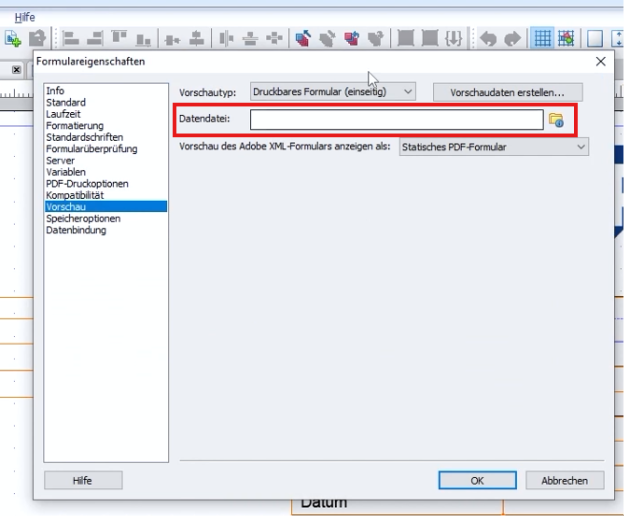
preview
The LCD allows adjustments in display mode. These CANNOT be saved!
So before working on an Adobe form, make sure that you are in “change mode” of the SFP transaction.
The interface is a standalone object with a unique name. It can be used multiple times and represents the mapping of application data—for example, from a print program—to the form.
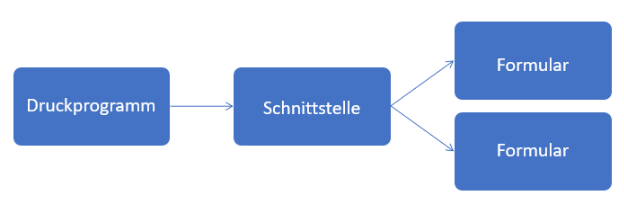
Structure
The following interface types are available:
- ABAP Dictionary-based interface
- XML Schema-based interface
- Smart Forms compatible interface
The most commonly used interface type is the “ABAP Dictionary-based” interface.
The interface consists of three specific areas:
-
Form interface
With the sub-areas: Import, Export, Exceptions -
Global definitions
For defining variables to store data in addition to the data from the form interface. -
Initialization
Option to read additional data in the form. The code should be kept short and concise. The editor has some limitations here, such as no forward navigation and no pretty printer.
Move the business logic into a class that is called here.
To keep the form-printing logic clear and manageable, decide before each implementation whether the required code belongs in the calling print program or in the form interface. This decision also depends on whether you use an SAP standard print program or a custom print program.
As with Smart Forms, Adobe Forms also require a function module generated by the SAP system in order to output the form. Since the name of this function module varies from system to system—just as it does with Smart Forms—the function module FP_FUNCTION_MODULE_NAME must be used to determine the correct name of the function module at runtime.
Basically, the generated function module has the same import and export parameters as the form interface (SFP), and the context objects are also included.
You can also enter the debugging of an Adobe form by setting a breakpoint in the generated function module.
Adobe Forms forms can be versioned using transaction SFP. This can be done manually or is done automatically as soon as a transport is created from the development system to another SAP system.
An Adobe form can be translated directly in transaction SFP (Menu: Goto > Translation) or using transaction SE63 (Menu: ABAP Objects > Other Long Texts > FS Forms and Styles > PDFB PDF-based Forms).
The SAP standard system provides various test programs and test forms. These begin with
„FP_TEST*“.
| Transaction | Description |
|---|---|
| SFP | Adobe Form Builder for Forms and Form Interfaces |
SAP S/4HANA Forms (2015 S/4HANA)
The basis is Adobe forms with gateway interfaces, the data of which is obtained using gateway services (i.e. no classic printing programs). Maintenance is carried out with Fiori apps and therefore “SAP S/4HANA Forms” are public cloud-capable.
The layout is also designed using LiveCycle Designer, but as a standalone application. It is important to note that the edited objects must be manually added to transport requests (using Fiori App ID F1589) and that there is no automatic object lock.
Just like “SAP Interactive Forms by Adobe,” SAP S/4HANA Forms require an Adobe Document Service (ADS -> SAP Forms Service by Adobe).
It should be noted here that customer-specific conditions can only be mapped to a limited extent.
This form technology is only possible in conjunction with the S/4HANA Output Control output solution.
- local editing of the layout / form -> therefore the team must coordinate!
- no automatic transport connection -> Remember that you have to manually search for all objects and include them in a transport.
| App ID | Description |
|---|---|
| F1434 | Maintain form templates |
| F2894 | Manage texts |
| F2761 | Manage logos |
| F1589 | Include objects in transports |
In order to be able to find these Fiori apps, the catalog ID SAP_BASIS_TCR_T must be assigned to the logged in user via a role (transaction PFCG).
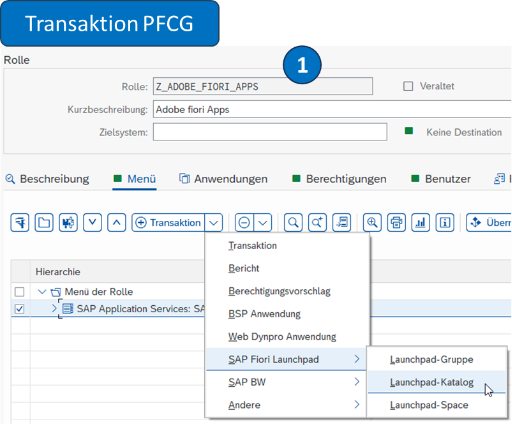
Transaction PFCG
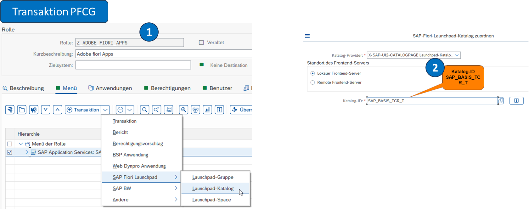
Catalog assignment
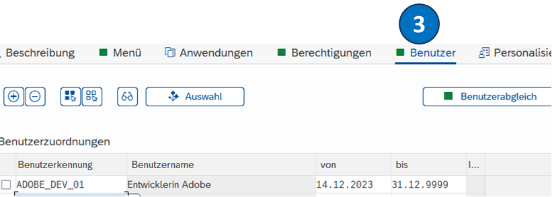
User assignment
Adobe Fragments
This involves the reuse of master form templates. This allows outputs to be assembled from different parts. A distinction is made between the following two parts:
-
Master form
Head and foot area
Determination by Customizing depending on organizational levels such as company code -
Content form
e.g. invoice or order
Determination by BRF+ depending on the output type (e.g. order)
Important fragments include:
- SOMU_FORM_MASTER_A4
- SOMU_FORM_MASTER_LETTER
Display in the SAP GUI
Displayed in Fiori
Adobe Fragments can only be used in conjunction with Output Control
Conclusion
SAP generally recommends using SAP Interactive Forms by Adobe for new forms. This is future-proof because SAPscript and SmartForms are no longer being further developed by SAP itself.
Companies that already have many Smart Forms in use are advised to continue using them, but to implement new developments using SAP Interactive Forms by Adobe.
The decision regarding which technology to use for new form development should not be based on which technology is currently used for existing forms. Above all, it is im- portant to consider maintainability and future-proofing, as well as how your company plans to strategically align its system landscape and technology in the future.
If you look at the existing system landscapes, the following recommendation emerges.
| System Landscape | Recommended Technology |
|---|---|
| SAP ECC / S/4HANA On-Premise | SAP Interactive Forms by Adobe |
| S/4HANA Cloud (Public / Private Edition) | SAP Interactive Forms by Adobe / SAP S/4HANA Forms (Cloud-Integration) |
| Legacy system with many Smart Forms | Continue to use Smart Forms, implement new developments with SAP Interactive Forms by Adobe |
| Legacy system with lots of SAPscript | Continue to use SAPscript, implement new developments with SAP Interactive Forms by Adobe |
{: .no_toc} # Output Solutions
- TOC
The following provides an overview of the available output options.
Message control (NAST)
Message control configures output types such as printing, email, EDI, workflows, system integration (ALE), and special functions for messages in modules such as SD and MM. Production output for forms and labels is controlled using condition technique. Each message is assigned a print program and form, which are triggered when the message is generated.
The transaction NACE serves as a central entry point for maintaining message determination per application. The settings maintained there are saved in the database table TNAPR.
Note:
An evaluation of all messages generated can be created using transaction TAANA for the database table NAST. To do this, this transaction must be carried out in the productive system. In order to carry out the evaluation year by year, a new “virtual field” (ERYEAR) may have to be added beforehand. The list of results can be downloaded as an Excel table and converted into a pivot table for easier evaluation.
Such an evaluation is recommended in order to get an overview of which types of messages are actually and mainly used. In which languages Will my receipts (forms) be issued and how large is the respective volume? This helps with further planning of conversion and go-live scenarios.
You can find detailed instructions on how to use the TAANA transaction as a YouTube video at the following link.

Maintenance of the table

Care of the fields
Post Processing Framework (PPF)
The PPF is used to automate certain actions in delivery processing to output documents from receipts via printer or email. It is used, for example, in eWM and TM. Maintenance is carried out using transaction SPPFCADM.
Print Workbench
Documents are issued by defining correspondence types. It is used primarily as an industry solution in the IS-U area (energy suppliers), but is also generally available outside of IS-U. The data supply of an application form is encapsulated in the print workbench. SAP standard objects or customer-specific objects can be used and stored for data determination. The relevant settings will be made using transaction EFRM.
Application-specific solutions
Application-specific Customizing determines the output of documents. This type of output solution is used, for example, in FI, PP and QM. In FI, for example, the dunning form is determined depending on the dunning level.
S/4HANA Output Control
With SAP S/4HANA, SAP offers another output solution called “SAP S/4HANA Output Management”. This includes the reusable service “SAP S/4HANA Output Control”, which can be used for many complex output scenarios. At the level of organizational units, the identification of master form templates, logos and general header and footer texts can be customized. So-called “Adobe Fragments” can be used with this output solution. See the relevant section. In comparison to message control (NAST), with output control you have the restriction that no workflows and special functions can be stored.

Output scenarios
In this context, BRFplus (or BRF+) is often mentioned as an output solution. This is wrong. BRFplus is an optional option to configure for the Document output to be stored (= a set of rules, similar to the condition technology NAST).
The settings in the S/4HANA Output Control are made in the GUI via the following path:
Transaction SPRO > Cross-Application Components > Output Control
FAQs on the topic of output control can be found under note 2791338.
<h1 class="no_toc" id="adobe-document-services">Adobe Document Services</h1>
Adobe Document Services—also known as “ADS”—is required by both SAP Interactive Forms and SAP S/4HANA Forms to generate the desired file or print formats (rendering). In other words, these are the services that create and generate the documents at runtime.
The generated file formats are PDF or PDF/A. The PDF/A format is a variant of PDF used to ensure long-term archiving. This allows documents to be reproduced repeatedly, regardless of the software used, since all relevant information is embedded in the file.
The following most important print formats can be generated by the ADS:
- PCL
- ZPL
- PostScript
Depending on the ADS version, printer languages such as IPL, DPL or TPCL are also supported.
When it comes to Adobe Document Services, a distinction must be made between two versions: a local on-premise version (“local ADS”) and a cloud version (“SAP Forms Service by Adobe” (Cloud ADS))”.
ADS On-Premise
- SAP maintenance and support
- SAP NetWeaver Application Server Java until 2027 (extended maintenance until 2030)
- SAP S/4HANA Java until 2030
- The successor solution will run on SAP HANA Extended Application Services Advanced Model (XSA) and is planned for Q1 2027 with the S/4HANA 2025 FPS03.
- License-free for print forms
SAP Forms Service by Adobe (Cloud-ADS)
- Runs as a service on the SAP BTP (Cloud Foundry Environment)
- Provision and maintenance by SAP
Additional information under note 2219598
You can quickly and reliably check whether Adobe Document Services is set up and connected in your system using the FP_TEST_00 test program (Form Processing – Central Test Program).
Other test programs are:
- FP_TEST_01 Form Processing – Central test program with archiving
- FP_TEST_02 Form Processing – test program for different data types
{: .no_toc} # Application Lifecycle Management (ALM)
Target Group
This chapter is primarily intended for product managers, quality-assurance managers, development leads, and interested developers who want to refine the software-development process within a holistic lifecycle framework and ensure effective, high-quality software development.
Contents of the Chapter
Application Lifecycle Management (ALM) encompasses all processes and tools for transparently managing the entire lifecycle of SAP and non-SAP software solutions. The lifecycle begins with requirements gathering, continues through development, implementation, testing, deployment, and operation with continuous improvement, and ends with decommissioning. ALM is a key component of modern software development and helps establish appropriate guidelines for producing high-quality software.
<h1 class="no_toc" id="alm-background-knowledge-and-tools">ALM Background Knowledge and Tools</h1>
ALM Support from SAP
SAP supports the ALM domain by providing a comprehensive range of tools, best practices, and services (see SAP Support - ALM). This became particularly evident with the introduction of SAP Solution Manager 7.0 in 2008 and the functional enhancements included in Release 7.1 (2011). Since then, Solution Manager has been used by many SAP customers as a central component of their SAP ALM strategy for on-premise systems based on SAP Business Suite 7 and, as of May 2025, will continue to be maintained by SAP until the end of 2027, with extended maintenance support available until 2030.
The successor product to SAP Solution Manager is SAP Cloud ALM. As the name suggests, it is a cloud-only solution that runs on the SAP Business Technology Platform (BTP). SAP Cloud ALM has been under development for several years and continues to be enhanced in close collaboration with the DSAG and customer organizations. Compared to SAP Solution Manager, its functional scope is currently still more limited and, as of May 2025, is primarily suited for smaller organizations without a mature ALM landscape that has evolved over many years, as well as for cloud-centric system landscapes.
Other SAP products in the ALM family include SAP Focused Run, a standalone on-premise system for monitoring, as well as the SAP Solution Manager add-ons Focused Build (for agile projects, for example) and Focused Insights (for dashboards of all kinds).
In summary, the products mentioned above cover the following range of functions:
Requirements Management
- Capture, documentation, and tracking of business requirements
- Support for aligning IT and business objectives
Change and Request Management
- Control of changes to SAP systems
- Planning and execution of releases and transports
- Minimization of downtime and risks through structured processes
Test Management
- Planning, execution, and documentation of tests
- Integration of manual and automated tests
- Quality assurance prior to production deployment
IT Service Management (ITSM)
- Support for fault management, incident, and problem handling
- Integration with ITIL-compliant processes
Project and Portfolio Management (PPM)
- Planning, steering and monitoring of IT projects
- Resource management and budget tracking
Custom Code Management
- Analysis and optimization of customer-specific ABAP code
- Assessment of system load and maintainability
Application Operations / System Monitoring
- Real-time monitoring of SAP systems
- Proactive error detection and performance optimization
Business Process Monitoring and Optimization
- Monitoring and analysis of business processes
- Identification of opportunities for optimization
Documentation and Knowledge Management
- Centralized storage of technical and functional documentation
- Reusability of information and preservation of know-how
Benefits of ALM
The added value of a comprehensive ALM approach lies in the structured recording, documentation, and traceability of all activities throughout the entire lifecycle of an application. Both internal and external stakeholders benefit equally from this.
Thus, when correctly implemented and rigorously applied, ALM enables compliance with auditors’ requirements regarding legal regulations – such as the complete documentation of all changes to systems affecting finance-related processes (Section 239 para. 2 of the German Commercial Code (HGB) and Section 257 HGB). This encompasses requirements management, traceable test and transport management, and complete documentation – including all changes – to highlight only the most important aspects.
From an SAP development perspective, Change Request Management (ChaRM) is particularly noteworthy because it integrates requirements and transport-management processes and can be extended with various consistency and quality checks.
With regard to documentation, it is possible, among other things, to automatically extract development objects from the connected SAP system and then (manually) assign them to the corresponding processes, which can simplify, for example, the modification of processes by the developer.
<h1 class="no_toc" id="quality-assurance-and-monitoring">Quality assurance and monitoring</h1>
- Continuous developer self-review
- Code Review
- Quality gates in the release process
- Holistic Approach and Continuous Quality Control
In software development, there are various testing methods used to measure the software quality of your developments at specific points in time. The use of static code analysis tools is widespread; these are employed in the software development process to review development activities at defined checkpoints (quality gates) for the validation of development guidelines. For further details on the topic of static code analysis with SAP tools, we would like to refer you to the DSAG ATC Guide linked below.
In addition, there are software analysis tools with a more holistic focus that concentrate on the monitoring and evolutionary development of the software architecture. This category of tools offers options for graphically presenting information from static code analysis and visualizing it, for example, as a trend on a timeline, as a 3D city model, or as a heatmap. To this end, additional data on usage behavior and organizational factors – such as the number of different developers or the frequency of changes to specific source code artifacts – is incorporated and used to identify potential hot spots, from which organizational measures for quality improvements can then be derived.
In addition to the processes, practices and tools listed below for identifying quality defects, what is most important is how you deal with the identified defects. In keeping with the adage “The best is the enemy of the good,” we recommend that you approach the topic of software quality in a measured and deliberate manner. A suitable definition for this is a custom code strategy tailored to your company, which specifically specifies which quality standard must be adhered to for which category of development.
Continuous developer self-review
The earlier a defect is found in software development, the less costly it is to fix. This places a high demand on the developer’s personal responsibility to adequately monitor code quality and resolve issues early on. Two factors play a crucial role:
- The developer’s discipline in continuously checking the code for defects
- The tool the developer uses
The development environment used is crucial for the early detection and elimination of defects
- Do you prefer the ABAP Development Tools for Eclipse (ADT) as a development environment for ABAP: This allows you to access integrated refactoring options, extended syntax highlighting and extended code completion, autocorrection of selected ATC occurrences through quick fixes, inline display of ATC references access the line of code that appears after the ATC test has been carried out and a freely configurable user interface.
- Use the Eclipse ecosystem to increase the efficiency of your developers: By providing the ADT-SDKs, there is the possibility of expanding the ABAP development tools via standardized interfaces. This has led to the emergence of various projects in recent years that, among other things, offer IDE extensions and simplify developers’ work in many ways. As an example of such an extension, we would like to mention the ABAP Cleaner, which supports code refactorings that primarily focus on the use of modern ABAP syntax and compliance with a uniform style guide.
- Pay attention to security-relevant conditions when using Eclipse plug-ins: This guide is not intended to be an invitation to use all open source or available Eclipse plug-ins in your productive development environment. Before installing the plug-ins, please follow your company’s established procedures for security checks and approval processes regarding the use of new software.
Code Review
Code reviews are an important tool for ensuring code quality and sharing knowledge within the team. A code review is generally defined as a process in which a person other than the author reads the code, attempts to understand it, and provides comments and suggestions for improvement.
In many software projects, code reviews are conducted based on so-called pull requests. To do this, code changes are made in the version control system on a separate branch, and as soon as the implementation is in a complete initial state, it is handed over to another team member for review. Platforms such as GitHub, GitLab, or Azure DevOps offer features to clearly display all changes on this branch and add comments. In addition, rating functions are often available, so that a pull request, for example, can only be approved if the code review has been completed with a positive result. Since there is currently no standard tool for code reviews in SAP development, coordination with non-SAP teams is recommended. If those teams use reviews on pull requests in GitHub or Azure DevOps, selecting the same tool allows you to leverage existing expertise within the company.
The following section provides some general best practices for code reviews. It then discusses the extent to which these can be applied in ABAP development and what specific considerations may need to be taken into account.
Best Practices
General principles
- Small changes, frequent reviews: Large code changes are harder to keep track of. Instead, reviews should be carried out on manageable units.
- Static analysis as an entry criterion: Only invest manual effort in code reviews when automated procedures such as unit tests and static code analysis no longer find problems in the code.
- Clear expectations: Define within the team what should be checked in a code review. For this purpose, it is recommended to create a common review guideline. Examples are linked below.
- Feedback culture: Code review should not be seen as an additional approval process, but rather as a means of exchanging experiences with the common goal of improving quality. This means that both code author and reviewer should be open to constructive criticism.
- Short review cycles: Long waiting times can slow down the development process. Care should be taken to ensure that changes are reviewed quickly and, if necessary, reworked. To this end, it is recommended to agree on and monitor internal goals, such as ensuring that no change has to wait longer than two days for a code review.
For the author
- Code comments: Explain the reasons for certain decisions and the context of the code. If a reviewer doesn’t understand the code, they probably won’t, even after a few months.
- Review yourself before reviewing: Review the code yourself thoroughly before submitting it for review.
- Be willing to accept changes: Be open to feedback and willing to adapt your code.
For the reviewer
- Focus on intention: understand what the author wanted to achieve with the code.
- Be respectful: Feedback should always be about the code, not the person. Questions for understanding are also valuable feedback.
- Be constructive: give concrete suggestions for improvement.
- Focus: Concentrate on topics such as understandability, architecture, algorithms or testability of the code.
- A sense of proportion: A flood of comments can overwhelm the author. If revision is necessary anyway, focus on the most important suggestions first.
- ABAP Code Reviews - A practical guide
- CQSE Blog “Lessons from Code Review” (Part 1, Part 2)
- Google Engineering Practices Documentation
abapGit
One way to provide ABAP code in a Git repository with support for pull requests is abapGit (see also chapter Version Management).
ABAP development teams, in particular, often rely on a process that includes abapGit for code review. This has been shown by various practical lectures in the Development working group (Event page on DSAGNet). The procedure here is similar to that in the non-SAP world: changes are made on a branch and published there via a Git commit. This happens either manually via the abapGit UI or automatically via a Background Push.
A sample project is also published on GitHub, which automatically creates or updates a pull request via abapGit when the task is released. According to the authors, however, this should not be seen as a finished product, but rather as a starting point for your own implementation, which is based on the specific requirements and processes of your own company.
Git-based CTS (gCTS)
Although the SAP style guide ABAP Code Reviews – A Practical Guide explicitly mentions gCTS, gCTS does not currently provide a viable solution for conducting code reviews (as of May 2025). Several of its characteristics conflict with the requirements described above:
- Commits are not executed until the transport is released. Ideally, a code review should be part of a transport request’s “done criteria.” Consequently, the code must be available in the repository beforehand.
- The committer in gCTS is the person who approved the transport. The repository contains no information about the person who created the code. This complicates discussions during the code review.
Custom code can mitigate these two issues to some extent, for example by creating a commit when a developer task is released. However, the greatest obstacle to code reviews in gCTS repositories is that neither the file paths nor the file contents are consistently human-readable. Some object types use technical identifiers as filenames; others represent code on a single line inside a large JSON structure. SAP and the community have defined ABAP File Formats to address these problems, but they are not yet implemented in gCTS. Although the project states that support is planned, the authors are not aware of a concrete schedule or commitment from SAP.
Conclusion
In summary, abapGit is currently the only viable solution for conducting ABAP code reviews. However, abapGit is an additional tool that developers must use. Without further customization, it does not integrate naturally into existing development processes. A successful solution for code reviews therefore requires some initial effort to ensure the smoothest possible integration into your own development process. Practical examples, however, show that this is entirely possible and can ultimately be a valuable component in the development of high-quality code. Not least, the fact that SAP itself relies on code reviews in ABAP development should be reason enough to address this topic.
Quality gates in the release process
Before a new feature is released into the release process, it is recommended to perform a final, automated quality check that scans the code for critical security vulnerabilities and blocks the release if any are found. This does not mean that you should omit security checks during continuous quality assurance or code reviews. On the contrary! Security checks must be an integral part of the other testing procedures so that you can respond to this sensitive issue at an early stage. Rather, the quality gate in the release process serves as the final control mechanism to detect and prevent the unintentional or intentional introduction of security vulnerabilities before they are imported into downstream systems. This check serves as assurance that no vulnerability detectable by static code analysis tools can slip through.
All other issues, such as violations of maintainability, robustness, and efficiency criteria, should be adequately addressed in advance through the developer’s continuous quality checks and the code review process. If you neglect these upstream checks, the result will either be dissatisfied business users whom you must put off with a new release date due to serious quality defects detected too late, or a system that becomes increasingly complex, difficult to understand, and maintenance-intensive over time. You should avoid both scenarios at all costs and conduct quality checks early and continuously.
Quality Gate Support Processes
- Define a procedure for systematically flagging false-positive reports and exceptions during quality control. Static code analysis tools typically provide mechanisms that allow you to suppress the identified findings accordingly. Avoid bottlenecks and implement this procedure before the final quality control.
- When introducing quality control processes, use the so-called baseline procedure to suppress quality reports that arose before the quality control process was implemented. This is particularly useful in legacy systems with a large codebase of older developments, where you want to distinguish reports from the legacy code from newly added quality defects. Be sure not to include security-critical checks in the baseline. These must be considered and analyzed separately and, if necessary, excluded via a false-positive report or resolved through a separate remediation initiative.
- Adopt a zero-tolerance strategy for security-critical issues in customer and partner code. SAP ERP systems are a popular target for cybercrime due to their central roles in corporate IT. An unrecognized or intentionally installed security vulnerability can lead to operational interruptions and significant financial damage. If your stakeholders nevertheless pressure you to grant an exception, seek support from your company’s information security officer and clarify whether a risk acceptance process has been defined for such a requirement. Further information on this topic can be found in chapter Secure ABAP development.
- Perform a security review of all source code artifacts before integrating them into your system. Request that SAP add-on providers provide you with deletion transports before you import their products into your system. Import and scan third-party transports for the first time only in a sandbox system if they do not provide you with a deletion transport.
Please contact your purchasing department or the contract management department in your company if the provider is uncooperative and does not provide you with corrections to the findings or detailed false positive descriptions.
Do not take any legal risks and refrain from publishing the identified vulnerabilities. Under German law (see $202c Strafgesetzbuch), the use or publication of exploits may be considered a preparatory act for a criminal offense. In hardship cases, it makes sense to speak to an IT lawyer or contact a recognized body such as the Federal Office for Information Security - BSI or a bug bounty platform.
Manipulation of Quality Gates
- Ensure that a tamper-proof review and approval process is implemented: The level of freedom a developer has within the development system can pose a significant challenge in time-sensitive situations (such as development and quality assurance spread across multiple time zones or decentralized release management, etc.). Especially in companies that lack upstream continuous self-monitoring by the developer, lack pair programming or code review processes, or have releases that are too large and spread out over long periods of time, this can lead to developers, with a fixed delivery date looming, resorting to knee-jerk reactions and using their existing debug and replace permissions to bypass quality gates and associated quality checks. Manipulation of the testing and release process can only be detected through continuous monitoring of debug and replace activities in the system log (SM21) and can only be partially prevented by restricting permissions for the release of transport requests and transport tasks. Resourceful developers almost always find a way to bypass existing quality gates.
- Address the root cause of the problem, not just the symptom: Upon discovering quality gate manipulation, it is advisable to first speak with the developer and identify the cause that led to the need for manipulation. Often, the “necessity” driving the developer’s actions stems from a lack of knowledge about the development process or a lack of flexibility within it. It is helpful to invest in lightweight and easy-to-understand onboarding materials for developers and other stakeholders involved in the process. Additionally, an awareness initiative within the product teams regarding the necessity of early and continuous quality assurance measures can be beneficial.
- Take consistent action in cases of recurrence and non-compliance with processes: To do this, you must have coordinated the process in advance with management and decision-makers and obtained authorization to act. Of course, the psychological safety of developers is a high priority, which is why, as a general rule, a confidential discussion with the developer must be sought in the event of a first or second violation. By the third occurrence at the latest, it can be assumed that there has been fraudulent misrepresentation or intentional harm to the company. Especially in the case of security vulnerabilities that have been deliberately introduced, a cybersecurity incident can be assumed, which should result in legal consequences. Such intentional security incidents should be consistently punished upon the first occurrence, unless there is a valid justification.
Holistic Approach and Continuous Quality Control
Continuous quality control is a strategic approach designed to ensure the long-term protection of your investments in custom software development. The goal is to identify potential vulnerabilities and critical development patterns at an early stage in order to systematically optimize system security, performance, maintainability, and portability.
Modern custom code analytics tools are a key instrument in this context. These offer more extensive analysis capabilities than traditional static code analysis tools. While static code analysis focuses primarily on checking syntax, style guidelines, and known programming errors, custom code analytics tools take a more comprehensive approach: They analyze customer-specific developments within the overall context of the system—taking into account usage frequency, performance impacts, upgrade compatibility, and dependencies on standard modules and other in-house developments.
Another key benefit lies in these tools’ ability to perform hotspot analyses. This process identifies code sections that are modified disproportionately often, exhibit high complexity, or have proven to be maintenance-intensive. This enables targeted prioritization of refactoring efforts and contributes substantially to improving long-term code quality and system stability.
In addition to technical optimization, the use of Custom Code Analytics also unlocks economic potential: By identifying and eliminating duplicate or unused code, as well as detecting outdated or critical standard module usages, maintenance efforts can be reduced, upgrade projects simplified, and unnecessary licensing or development costs avoided.
For SAP Business Suite customers with SAP Enterprise Support, SAP Solution Manager starting with version 7.2 SP5 includes a suite of tools that, under the term Custom Code Lifecycle Management, offer a comprehensive portfolio of analysis and management tools. A well-known example of these tools is the Custom Code Decommissioning Cockpit, which is frequently used in the preparation of migration projects from SAP ECC to SAP S/4HANA to cost-effectively decommission unused customer code prior to migration. You can find a detailed description of the functionality with presentation material and videos in the linked Expert Content Custom Code Management with SAP Solution Manager.
Unfortunately, as of today (as of May 2025), no adequate successor product for Custom Code Lifecycle Management in SAP Solution Manager has been officially announced that even comes close to covering its scope and capabilities. Instead, there are scattered, specialized siloed solutions and services that, unfortunately, only provide point-in-time analyses but do not ensure holistic and evolutionary monitoring (SAP for Me Custom Code Analytics Application, S/4HANA Readiness Check, Clean Core Cockpit, Intelligent Custom Code Management Service). Especially given the technology-agnostic ecosystem in the SAP environment, it makes sense to exchange ideas with colleagues from other technology areas and, if necessary, to use a software analysis tool with ABAP evaluation capabilities that is already available in your company as an alternative.
In addition to the tools offered by SAP, there are a number of commercial and freely available tools that differ significantly from one another in terms of functionality, scope of features, support, and further development. As potential examples—and without making any specific recommendations for these tools—we would like to briefly introduce the attached candidates:
ABAP2CodeCharta is an open-source tool that converts ABAP source code into CodeCharta format. It visualizes ABAP code structures as code cities: three-dimensional representations of characteristics such as complexity, size, and change frequency. The tool supports hotspot detection, improves understanding of large codebases, and helps prioritize refactoring work.
Teamscale is a commercial custom-code analytics tool for continuously analyzing and evaluating software quality. It supports many programming languages, including ABAP, and combines static code analysis with usage, change, and architecture metrics. Teamscale identifies technical debt, unused or redundant code, hotspots, and violations of quality policies. Its dashboards, trend analyses, and DevOps integrations support sustainable quality control, particularly in complex enterprise environments.
{: .no_toc} # Version management in SAP
- TOC
The documents that must be retained in accordance with HGB, AO and GoBS also include the repository objects in ABAP. For a long time, this was achieved through the integrated version control within the ABAP Workbench (SE80). In recent years, however, ABAP has evolved, whether through the use of an external development environment (ABAP Development Tools), the use of Git version control, or the development of additional repository objects that cannot be developed in the ABAP Workbench. This raises a key question for every ABAP developer:
- Which version control system should I use, and when?
This chapter is therefore intended to provide an overview and a comparison of version control solutions within the SAP universe for ABAP developers.
Git Basics
Git is a distributed version control system that is available as free and open-source software. It was developed in 2005 by Linux creator Linus Torvalds. In the field of programming, it is used to:
- Track your own changes
- Undo changes
- Share changes with others
- Retrieve updates from others
This results in the following advantages:
- Development can proceed simultaneously, e.g., for different features
- Version control prevents work that has already been done from being lost or overwritten
- If necessary, you can revert to earlier versions or work on different versions simultaneously
Key Terms
- Repository: A repository (or “repo”) contains all files, including their previous versions. This ensures that all changes ever committed to the repository are always available, and it allows you to track who made which changes and when.
- Branches: When using Git, branches are used to create a separate line of work. This can then be viewed as a new context in which work is carried out. For example, the development of a feature can take place in its own branch, which is then merged back into the main branch upon completion and after testing.
- Versioning: In Git, versioning logs all changes made. Using a “commit,” the changes can be added to the repository; a new version of the file(s) is then stored in the repo. Subsequently, different versions can be compared, changes can be undone, or you can revert to an earlier version.
Use of Git-Based Solutions in ABAP Development
In many programming languages, managing program code in a Git repository is standard practice. Thanks to the work of Lars Hvam Petersen, who made it possible to store ABAP code in a Git repository through his free open-source solution abapGit, Git-based solutions are playing an increasingly important role in the ABAP world. The use of Git-based solutions in ABAP development offers the following technological advantages:
- Standard version control features: By using Git, standard features can be utilized, such as rolling back changes not just for a single object, but for all objects simultaneously.
- Simultaneous collaboration among multiple developers on different requirements: Using Git allows multiple developers to work on different requirements at the same time using branches.
- Support for external tools: It is now possible to use not only SAP products for the development workflow but also external tools, for example, to test your code. Additionally, CI pipelines can be built, which is not possible with the standard transport mechanism.
- Versioning: Previously, it was only possible to track a single version of an object. Now, it is possible to version a set of objects using tags. This has the advantage that the application can now have a release-oriented structure.
- Code is centralized: The code is located in a central location, and all changes to the application are committed there. In addition to the ABAP code, other components of the application, such as Fiori or .NET developments, can also be stored in the Git repository. Documentation can also be stored in Git.
In addition to the technological advantages, there are also organizational benefits:
- Git is standard solution: It is easier to get other people excited about SAP development if they already know tools or technologies from other programming languages. Git is the standard solution for other programming languages and no new know-how needs to be developed. Especially students who already know Git can then become more enthusiastic about ABAP.
- Uniform format for programming languages: The Git repository can store not only SAP developments but also allow other development teams to centrally store their code there.
- Format: The format can be read by anyone. It is not encrypted, and all changes can be traced. This means that even an auditor can view all changes and track when and by whom they were made.
Version Control Systems in the SAP Environment
The following version control systems are available in the SAP environment:
Server-Based Version Management
Server-based version management is active for all editable objects in the ABAP Workbench. Version control can be accessed via
- SE80 - Object Navigator
- SE09 - Transport Organizer
- the display and maintenance transactions for repository objects
be called.
The corresponding objects are versioned each time a transport is released.
Local Version Control in ABAP Development Tools
The ABAP Development Tools, based on the Eclipse IDE, offer built-in version control for development resources, which can be executed using the ABAP Compare Editor and provide extensive comparison options:
-
Client-based local versioning: Eclipse provides built-in local versioning. Whenever an object, such as an ABAP class, is edited and saved, Eclipse stores a version according to your personal settings. This is useful for tracking changes made before a transport is released.
-
Server-based revision history: - This is equivalent to local version management and displays versions based on the current status and released transports. Compared to the GUI-based version, changes here, especially in classes, are much clearer and easier to understand. It is also possible to use other systems that are integrated into Eclipse as ABAP projects for version comparison (e.g. central development system line and Q system of the production line). No RFC connections between the systems are required; the comparison takes place locally.
Details can be found in ADT guidelines from DSAG
abapGit
abapGit is a Git client developed in ABAP. It was developed by Lars Hvam Petersen and is an open-source project. With abapGit, developers can connect Git version control to the SAP Application Server and create ABAP development objects in a Git repository.
gCTS
Unlike abapGit, gCTS (Git-enabled Change and Transport System) is an extension to CTS provided by SAP. It supports the integration of Git into the existing CTS to enable modern version control features.
Version Control in SAP BAS
SAP Business Application Studio provides companies with a tool for developing their applications and extensions related to SAP solutions. The provider offers this development environment as a cloud-based service.
Integration with Git is provided to simplify version management. However, versioning is also possible with other systems.
Comparison of Different Version Control Systems
SAP System and Availability
The version control system is available in the following SAP systems.
| Tool | SAP system | System availability |
|---|---|---|
| SE80 (Local version management) | SAP OnPrem | Since at least 2007 |
| ABAP Development Tools (Version Management) | SAP OnPrem/SAP Cloud | Since 2012 |
| abapGit to SAP GUI | SAP OnPrem | SAP BASIS version 702 |
| abapGit to ADT | SAP Cloud/SAP OnPre | Since 2018 |
| abapGit in the Cloud | SAP Cloud | Since 2018 |
| gCTS in the Cloud | SAP Cloud | S/4HANA EM 1909 FPS00 |
| gCTS OnPrem | SAP OnPrem | S/4HANA EM 1909 FPS00 |
| SAP BAS | SAP Cloud/SAP OnPrem | Since 2020 |
Scope of Functions
The following documentation describes the scope of functions for the respective version management tools
| Tool | Functional Scope |
|---|---|
| SE80 (Local version management) | SAP Version Management |
| ABAP Development Tools (Version Management) | ADT User Guide |
| abapGit to SAP GUI | abapGit User Guide |
| abapGit to ADT | BTP Working with abapgit |
| abapGit in the Cloud | abapGit |
| gCTS in the Cloud | gCTS |
| gCTS OnPrem | gCTS |
| SAP BAS | [Documentation still missing] |
Scope of Versioning
Version management covers the following scope
| Tool | Version Scope |
|---|---|
| SE80 (Local version management) | Each individual object |
| ABAP Development Tools (Version Management) | Each individual object |
| abapGit to SAP GUI | At the package level |
| abapGit to ADT | At the package level |
| abapGit in the Cloud | |
| gCTS in the Cloud | At the transport layer level |
| gCTS OnPrem | At the transport layer level |
| SAP BAS |
Trigger Point
Version management is triggered as follows:
| Tool | Trigger Point |
|---|---|
| SE80 (Local version management) | With every transport release |
| ABAP Development Tools (Version Management) | After each save/activation |
| abapGit to SAP GUI | When triggered manually or automatically in the background |
| abapGit to ADT | When triggered manually |
| abapGit in the Cloud | When triggered manually |
| gCTS in the Cloud | Upon release for transport |
| gCTS OnPrem | Upon release for transport |
| SAP BAS | When triggered manually |
Applications
The following applications, in addition to an SAP system, are required to use version management.
| Applications | |
|---|---|
| SE80 (Local version management) | No additional system necessary |
| ABAP Development Tools (Version Management) | ABAP Development Tools |
| abapGit to SAP GUI | Repository System as well as abapGit in the SAP system |
| abapGit to ADT | Repository System as well as abapGit in the SAP system and plugin in ADT |
| abapGit in the Cloud | Repository System as well as abapGit in the SAP system and plugin in ADT |
| gCTS in the Cloud | Repository system and gCTS configuration |
| gCTS OnPrem | Repository system and gCTS configuration |
| SAP BAS | Repository system and access to SAP BAS (licenses) |
Deployment Scenarios
Common Three-System Environment
In this deployment scenario, the code is transferred from the development system to a Git repository using the Git version management system.

Software Provider
This use case describes the exchange of source code between a software vendor and its customer via a Git repository. 
Distribution Across Different System Environments
This involves exchanging source code between different system environments. This makes it possible to use the same source code and continue working without the need for cross-system transfers.

Recovery
This scenario describes the possibility of restoring an older version from the Git repository. This does not require retrieving every repository object individually, but rather an older version of the entire application. 
Working in Parallel

Custom Code Migration

Comparison of the development process with different version management
| SAP-Standard | git-basiert |
|---|---|
| Order must be created at the beginning | Commit is performed after the change |
| Distributing code - no control over changes in other systems | Central point of contact |
| Versioning of an application is not possible | Versioning of an entire application possible via standard functionalities |
| Undoing changes to a transport is only possible manually with massive effort and limitations | Going back to the previous commit allows you to reset all changes via gCTS or abapgit |
Aligning ABAP and Non-ABAP Development Processes Using Git-Based Tools
SAP developers are caught between the need for traditional stability and the demand for faster, more flexible development processes. While DevOps practices have already been successfully implemented in many other IT departments, SAP teams are still grappling with lengthy release cycles and more complex transport mechanisms. DevOps is a combination of “Development” and “Operations” and aims to integrate development and operations processes so that software is delivered faster, more reliably, and with higher quality. By using version control, an agile and efficient development environment can also be created in the SAP world.
Integration with Other Components
SAP Version Management serves as the starting point for working with ABAP code outside of an SAP system
Azure Pipelines
Azure DevOps streamlines the deployment process by providing pipelines that you can run. Source: https://community.sap.com/t5/technology-blog-posts-by-members/sap-change-management-with-azure-devops-transforming-enterprise-operations/ba-p/14130760
Apache Jenkins
Jenkins is one of the standard tools for continuous integration. To easily apply continuous integration or daily/nightly build components to an ABAP development system, version management can serve as a starting point.
Source: https://github.com/SAP/jenkins-library https://community.sap.com/t5/application-development-and-automation-blog-posts/continuous-integration-and-abap-jenkins-the-missing-link/ba-p/13489906
Security Aspects
Auditability
By precisely and comprehensively logging all changes, version control ensures an audit trail. This is important for meeting compliance requirements, as well as for investigating security incidents or conducting audits.
Backup and Recovery
Version control systems have mechanisms for regularly backing up data. In the event of data loss or corruption, previous versions of the data can be restored. This minimizes the risk of data loss and ensures the continuity of business processes.
Access Rights Management
The use of external version control systems provides functions for managing access rights. Administrators can thus specify who is permitted to access, edit, or view which data. This prevents unauthorized access and safeguards data confidentiality.
Change Tracking
Every change is documented, including the time and the person who made the change. This ensures transparency and facilitates troubleshooting.
Protection Against Tampering
External version control systems use cryptographic hashing algorithms to protect content and change history from tampering.
Risks
- Slow release cycles: Months of development phases and manual testing cause delays.
- Complex transport mechanisms: The traditional SAP transport management is not optimized for CI/CD.
- Lack of automation: Testing, deployment and code reviews are often still manual and error-prone.
- Resistance to change: Many SAP teams work according to classic waterfall methods and are skeptical about agile processes.
Recommendation
Definition of requirements
Choosing the right version control depends on the specific requirements and development process of the respective project or company. Define your requirements and then decide which version management you want to use.
Use of additional tools
Modern development practices such as CI/CD can be used with the help of version management. Think about what your pipeline should look like
{: .no_toc} # Open Source
- TOC
Open source has had a particularly difficult time gaining a foothold in ABAP development. Some organizations still question whether publicly available software can be used responsibly in business-critical SAP systems that process company data. Many of these legitimate concerns can be addressed, reducing the risks while enabling the opportunities offered by open-source software. In other programming ecosystems, the opportunities have long outweighed the remaining risks, and processes and tools have been established to integrate open-source components effectively into development workflows. This chapter provides an overview of the current state of open source in ABAP development and introduces processes and tools to…
- …to integrate open source projects into your own solutions (Use of open source software)
- …to participate in open source projects (Participation in Open Source Software)
- …provide your own solutions as an open source project (Open source software development).
Every company has to develop an open source strategy for itself. Here you will find a working basis and experience reports.
What is Open Source?
Open source software (OSS) is software that is provided under a open source license. In all three use cases mentioned above, the license is decisive for the use, modification and further distribution of the provided coding. In addition, this must be freely available, i.e. not only made available to a certain group of people. This allows you, for example, to check the source code of an application before use and generate the binaries for execution yourself, instead of trusting that the files provided correspond exactly to the checked version of the source code. If in doubt, you can fix bugs yourself instead of having to wait for the software provider or rely on support. You can develop additional functionality and integrations yourself and also make them available to other users of the software. You can check promised features such as end-to-end encryption and disabled telemetry yourself.
You can find a comprehensive definition of open source at the open source initiative on the following website: The Open Source Definition.
SAP S/4HANA is not “open source” merely because developers can read source code written by SAP. Open source involves much more than making code visible to customers: it permits use, modification, and redistribution without requiring a customer relationship with the software provider.
Motivation and opportunities
Why should you consider open source in ABAP development? The number of scenarios in which you encounter open source, and also open source ABAP, in everyday life is slowly but steadily increasing. The number of ABAP projects available in the open source community is growing - over 300 projects are listed on dotabap.org. SAP itself publishes software as open source projects, such as Code Pal for ABAP or RAP Generator and various tutorials or learning content, such as RAP100 or Fiori Elements Feature Showcase for RAP. Categorically closing yourself off to this increasingly leads to missed opportunities…
…in optimizing your own development processes
- With tools like ABAP Cleaner, Code Pal for ABAP and abapOpenChecks you can relieve developers of the burden of implementing development guidelines and best practices by partially implementing them automatically and statically checking them in other parts and actively pointing out findings to developers. And this far exceeds the scope of the options provided in the SAP standard.
- With abapGit you have the opportunity to harmonize your development processes across technologies with uniform tooling and to manage your entire company codebase in a single source of truth, instead of viewing ABAP as a special snowflake with special rules. You can conduct code reviews with dedicated tooling. You can automatically undo changes that have been made if the department no longer wants them after development time, without major manual dismantling effort. And all of this even on systems from ABAP release 7.02.
- With abaplint, you can check and develop ABAP code outside an SAP system and even execute it using the transpiler. This enables continuous-integration pipelines without the cost of operating dedicated SAP systems and supports static code analysis and unit testing, with some limitations compared with execution in an ABAP system.
- You can generate boilerplate coding using generators like the RAP Generator or ABAP OpenAPI Generator and then just have to adapt it. In this way, development costs can be saved and, in particular, prototypes can be set up quickly.
…in the implementation of business requirements
- With abap2xlsx you can implement the creative requirements of the departments for creating, reading and modifying Excel files. And that already from ABAP release 7.31. You don’t have to adapt your processes because the OLE-based SAP-API for Excel folders does not support background jobs and expects the user to have Microsoft Office installed. In particular, you do not have to invest the development effort to implement and maintain a codebase that deals with conversion and handling of Excel files. And you don’t have to reject the requirement as not proportionally feasible given the implementation effort; you can build on the work that others have already done.
- The situation is similar with other technical problems for which there are already established open source solutions. For example, ABAP Logger instead of separate wrapper classes around the function modules of the Business Application Log. Or ajson as a JSON library for ABAP release 7.02.
…in external representation
- You can evaluate whether reusable components of your ABAP-based solutions would also make sense as an open source project. Coding that does not implement your business model in competition, but rather serves to optimize the development process or overarching topics such as user experience, revision security or operations, could also be used by other companies. If you publish these components as available software, you enable external participation in the development from which you can benefit.
Additionally, this can serve as a selling point when recruiting new developers. They can see right away that you use modern development practices and aren’t afraid to share your source code with the outside world.
Examples: IBM, Microsoft, rku.it, Schwarz IT - If your company provides services that are implemented through interfaces with partners/customers who also implement them in your SAP systems using ABAP, you can provide an open source SDK that implements your API. Users of the SDK have the opportunity to open issues or suggest additional features themselves via pull requests and reduce your implementation effort or offer more functionality in your software. You can deploy the SDK internally yourself or use it for integration testing.
Examples: ABAP SDK for Azure, ABAP SDK for Google Cloud, AWS SDK for SAP ABAP, Microsoft AI SDK for ABAP, ABAP SDK for IBM watsonx
…in upskilling developers
- By engaging with external libraries and their implementation, you can expand your knowledge of object-oriented design and software architecture. You can become familiar with new technologies or approaches, working directly with production-ready source code rather than demo examples. This effect is particularly amplified when you contribute your own features, bug fixes, and code reviews.
As you can see, there are many places where open source can provide significant added value, including in ABAP development. It is therefore always worth considering the topic, even if only some of the points mentioned above are specifically relevant to you.
Maturity Levels
One possible approach to this topic is to view the various use cases as successive stages that build upon one another:
- You can first deal with the topic of how you can integrate open source tools into your development process and thus immediately achieve added value. Initially, it’s not about open source software components that are in your coding, but simply about tools that are part of your development process and therefore only in your development system landscape. This is often the easiest case to look at and a good entry point into the topic.
This expansion stage is described in Use of open source software.- This level can optionally be expanded with the use of open source projects in your developed software solutions. In this case, the open source components also reach your productive system or are delivered as part of your software.
-
Next, you can consider participation in open source projects. You expand or modify an open source project and make these adjustments available to the community so that other companies can also benefit from them. In order for developers to be able to participate in this way, your company must have a guideline on how this can be specifically designed.
This stage is covered in Participation in Open Source Software. - The final stage is developing your own software as open source software. In this case, you offer selected components of your own software solutions as open source software, thereby enabling others to use them and also participate in them.
This stage is discussed in Open source software development.
The individual stages offer different opportunities but also come with different risks and costs. These are addressed in the aforementioned subchapters.
# Licenses
- TOC
Aspects of software licenses
A software license determines how you can use the software. Specifically, in the context of open source, an open-source license is what makes a software program open-source software. Open-source licenses explicitly grant rights to the licensee, but also impose obligations on them regarding how they must handle the software. If you find a software project that has published its source code publicly but no license is available, then it is not open source, but merely Source Available. When introducing open source, you should find out within your company whether anyone is handling the licensing issue and, if so, who.
Especially in larger companies that use many different programming languages, there may be a central authority responsible for ensuring license compatibility when using open-source components.
Overview of open source licenses
In the table below you will find popular open source licenses that are also used in ABAP development (source dotabap.org). Details can be found, for example, under choosealicense or choosealicense Appendix.
| MIT | Apache 2.0 | GPL 3.0 | GPL 2.0 | |
|---|---|---|---|---|
| Rights | ||||
| Commercial use | Allowed | Allowed | Allowed | Allowed |
| Redistribution | Allowed | Allowed | Allowed | Allowed |
| Modification | Allowed | Allowed | Allowed | Allowed |
| Obligations | ||||
| Publication of source code for modifications | Required | Required | ||
| Indication of the license / copyright in your own product | Required | Required | Required | Required |
| Use of the same license for modifications | Required | Required | ||
| Limitations | ||||
| Liability | Limited | Limited | Limited | Limited |
| Warranty | Limited | Limited | Limited | Limited |
{: .no_toc}
Use of open source software
This section describes how to integrate open-source software into your development process or custom-developed software. It addresses the first maturity level.
- TOC
abapGit for obtaining open source software
The linchpin in the context of open source in ABAP development is abapGit. Without the Git client for ABAP, collaboration on a software product across system boundaries is not possible. In our use case—the use of open-source components—obtaining these components is very easy with the help of abapGit. The installation instructions can be found at Installation. The standalone version is usually sufficient.
With abapGit you install a tool in your system that allows versioning of objects in a package hierarchy with git. To do this, it either connects directly to a Git host using online repositories, such as github.com, or exchanges ZIP files, in the case of offline repositories. The latter are particularly helpful when network connectivity between the SAP system and the Internet is not desired.
Bulk processing with abapGit
In both cases, the tool allows you to import large amounts of development objects into your system or to export development objects from your system. This may be an unwanted effect for some people, whereas otherwise all development activities in the ABAP platform can be comprehensively protected and restricted via permissions.
However, you should say goodbye to this idea. Although you can also restrict the use of abapGit based on permissions, even Exits can be implemented to further refine the permission logic. However, as long as developers have the opportunity to develop in the system what their actual activity is, they can implement their own data export program or assign themselves the necessary authorizations with just a few lines of coding, bypassing all authorization checks. Too extensive regulation of tooling inevitably leads to the construction of workarounds and hinders the development process.
It is therefore recommended to define a process for how the available tooling can be used sensibly and in a coordinated manner within the team.
Who provides ABAP open source software?
A comprehensive list of open source ABAP projects published on GitHub can be found on dotabap.org. You can submit your own projects that meet the requirements for listing to dotabap-list via a pull request.

Screenshot dotabap.org
Who uses ABAP open source software?
On page Who Uses abapGit? of the abapGit documentation you will find a list of companies that use abapGit and have actively decided to be listed. From this it can be deduced that they use at least abapGit itself as open source software. SAP also uses open source ABAP. abapGit is in a customized version in SAP S/4HANA Cloud Public Edition and the SAP BTP ABAP Environment preinstalled. Projects such as Code Pal for ABAP, Project Kernseife and RAP Generator are available on GitHub and are provided with the Apache 2.0 open source license.
Integration of open source tools in the development process
You can take a first step towards dealing with open source software in ABAP development by considering the use of open source tools in your development process. This can result in a reduction in effort without having to develop an extensive open source strategy.
- Opportunities
- Reduction of expenses through the use of generators
- Increasing code quality through the use of additional code analysis tools
- Risks
- Installation of third-party software in the development system / developer PCs / continuous integration environments
Many of the opportunities of this use case have already been mentioned with examples under Motivation and opportunities. In summary, the use of open source tools in the development process relieves the burden on developers, as work steps are automated or the quality specifications are automatically checked / violations of the specifications can be corrected early and in some cases automatically.
In order to take advantage of the opportunities, the selected open source software must be installed. Depending on the software, this happens on developer PCs, in continuous integration environments or in the SAP system. As can be seen at Licenses, open source licenses exclude liability and warranty unless a separate agreement is made. There are consequently security-relevant implications for the installation and use of the software. This topic is discussed in more detail in Assessment and life cycle of an external dependency.
Use of open source libraries in your own software
An optional extension of this implementation stage is the use of open-source libraries in your own software. In this case, you integrate the selected libraries via API calls and include them in your software. This provided even greater added value, as it allows you to provide functionality in your applications that would otherwise have been difficult or impractical to develop or maintain. However, the question inevitably arises as to how such open source components are handled in productive environments and in the delivery of software. This significantly increases the importance of Assessment and life cycle of an external dependency.
- Opportunities
- Reduction of effort through integration of finished components
- Increasing the functionality of your applications
- Risks
- Installation and delivery of third-party software
Assessment and lifecycle of an external dependency
To use externally developed open-source dependencies (in the following also referred to as “components”) profitably in the long term requires a thorough assessment in advance to weigh the opportunities and risks mentioned in the previous sections against one another.
There are already published criteria, particularly with regard to risks, which can be used to make such an assessment can be, e.g. Bauer et al., “A structured approach to assess third-party library usage”. Criteria include:
- Adequacy captures how well the selected component helps solve the problem at hand.
- Documentation summarizes the availability, completeness and quality of the documentation.
- License compatibility records whether the license of a component is suitable for the application scenario and whether the license is compatible with the licenses of other components used.
- Degree of distribution summarizes the market penetration of a component.
- Tool support records whether the component is specifically supported by tools such as development environments or whether their use even hinders them. This criterion is not equally applicable to all components.
- Manufacturer support describes the extent to which maintenance and further development of a component by the manufacturer (the publishing company or the open source community) is guaranteed in the long term.
- internal quality and security records the extent to which a component takes into account internal quality criteria such as maintainability, understandability and whether mechanisms exist to check security and react to security deficiencies.
To adequately assess the criteria, a thorough review (due diligence) is required. Some red flags for enterprise use are easy to identify and can be considered initial exclusion criteria: Was the last commit a long time ago? Are there open issues that have gone unaddressed for a long time? Is there no license information available, or does the license conflict with the company’s own policies? In these cases, the component should not be used.
The decision to use an open-source component requires a number of additional considerations and is always the result of a cost-benefit analysis: How much in-house development effort can be saved by using the open-source component, and what risks does this entail?
Best Practices: Assessment Criteria
Appropriateness: To identify the component that best meets your requirements, you should first conduct research that ideally yields several candidates. In addition to pure functionality, you should also estimate the effort required to implement the functionality – compared to licensing a commercial component. Especially for common functionality. Using a third-party component is often recommended over an in-house implementation. Nevertheless, the expected effort of in-house development should be factored into the decision, as should the expected risk. In particular, if third-party code in a production system has potential access to business-critical data, this must be part of the assessment.
Appropriateness describes the extent to which the planned intended use corresponds to the scenario intended for the component. If only a few details are missing from an identified open source component to meet your own requirements, it is also possible to provide these as your own contribution to the open source component (see Beteiligung an Open Source). In this case, it is recommended that you return the customization or addition to the original project to ensure that it remains compatible with future updates.
An important aspect of suitability is the extent to which the component is intended to become part of your own application – that is, to run in the production system - or whether it will be used exclusively for development, such as for generating code from API descriptions. This also plays a key role when considering the license (see “License Compatibility”).
Internal quality and security: Since open-source components are published as source code, the code should be reviewed carefully before a decision is made to use the component. For larger components in particular, the use of code analysis tools is recommended. In some cases, the component repositories may already contain result reports from tools such as abaplint. In any case, automated checks should be performed against the organization’s own security requirements, provided that appropriate tools are already in use. The existence of automated tests is also a good indicator of the reliability and maintainability of an open-source component.
In addition, the understandability of the code should be considered. On the one hand, this concerns the clarity of the interfaces (APIs) of the component used in order to integrate them as easily as possible, and on the other hand also internal features such as the commenting of classes and methods or the descriptive naming of classes or variables. Understandable code makes it easier to find errors and, if necessary, make future extensions or adjustments. See also the section on Code Reviews. This is an important aspect, especially if the component is to be expanded in perspective (see above).
Documentation: The documentation provided for an open-source component is a key success factor, especially with regard to the APIs exposed by the component. Particular attention should be paid to its scope, clarity, and currency. On the one hand, documentation helps ensure the correct use of the component and often avoids the need for time-consuming analysis of the source code. On the other hand, it demonstrates that the component is intended for public use and may also indicate that the component is actively maintained (see also “Vendor Support”).
Even in the event that improvements, adjustments or additions are to be restored, it is advisable to pay attention in advance to documentation on how to contribute changes. Open source projects often contain a “contribution guide”, for example in the form of a file Contributing.md.
License Compatibility: Particularly in an enterprise environment, the license of an open-source component is of critical importance. It should always be verified that the component is published under a license that is compatible with the intended use case and complies with the organization’s internal policies. Some licenses may require that, if a component is used and distributed as part of a larger application, the entire application must be distributed under the same license, including disclosure of the complete source code. If the component is used solely as a development tool and is not deployed to a productive system, such clauses may not apply. In any case, consultation with the organization’s legal department is recommended.
It should also be verified that the license permits modification of the component. This may be essential for fixing bugs or adding functionality if community support declines. When multiple open-source components are used, their licenses must also be compatible with one another and not contain conflicting requirements. Furthermore, it should be noted that open source does not automatically mean free of charge. Some components may permit free use only for private purposes, while commercial use may require the payment of licensing fees. Different licenses are often available depending on the intended use case (private or commercial).
Usage and Adoption: The level of adoption of an open-source component is an important consideration during evaluation. One of the primary reasons for selecting widely used components is the reduced dependency on a specific provider.
Various criteria can be used to assess adoption, such as the number of GitHub stars or forks, or the number of results returned by an internet search. During such research, the nature of the search results should also be evaluated. Active discussions or blog posts describing successful implementations can be positive indicators, while repeated requests for help or frequent complaints may indicate potential issues. In the context of ABAP development, SAP’s position toward a project is also an important consideration. If SAP itself references the project or even uses it in its own products, this can be viewed as a strong indication that adopting the component in your own projects carries relatively low risk.
Tool support: An important feature when selecting open source components is the ability to integrate with the existing development infrastructure. Since this is quite uniform in the ABAP world, this criterion plays a minor role. A plus point would be if ATC checks were included directly for common sources of error in relation to the use of the component. Another example of tool support is portability to your own namespace as described under Delivery in our own products. The approach outlined there via abaplint in a pipeline basically works, but does not support all types of code objects.
Vendor Support: The use of an open-source component inherently creates a dependency on its provider. Therefore, it is advisable to evaluate whether the component is actively maintained and further developed. This helps ensure that defects and security vulnerabilities are likely to be addressed in a timely manner. Indicators include the number of contributors, the frequency of commits, and the release cadence. In addition to activity levels, the release and versioning strategy should also be considered. Are there major and minor releases? Are release changes clearly documented? Are incompatible changes explicitly identified?
The terms “Vendor” or “Provider” do not necessarily imply a commercial company. Many successful open-source components are maintained by volunteer communities and can still be used confidently in enterprise environments, provided there is sufficient continuity and no conflict with corporate policies. Community-driven projects often do not offer commercial support agreements, which may complicate their adoption in some organizations. Conversely, if a component is provided by a well-known company such as SAP itself, internal approval processes are often easier. On the other hand, community projects are frequently very responsive when it comes to resolving issues.
Best practices: approach and process
Periodic Review: When using open-source components, it is generally recommended to periodically reassess all of the criteria described above in order to react to changes within the open-source project or within the organization’s own application landscape. Changes in application functionality may lead to a different assessment of a component’s suitability. Likewise, changes in project structure, activity level, or licensing may result in a revised risk evaluation. Ideally, such reviews should also include researching newer open-source projects that may be better suited to the intended use case.
Competence: Working with the open-source community requires certain skills within the development team, such as reporting bugs, submitting enhancement requests, or creating pull requests to contribute improvements back to the project. If the necessary experience is lacking, appropriate training should be planned to enable effective collaboration with open-source projects.
Updates: Processes and responsibilities for updating external dependencies should be clearly defined. Whenever a new version of a component becomes available, its relevance to the organization’s applications should be assessed. If an update is deemed relevant, it should be integrated, tested, and eventually deployed to productive environments. An established update process is particularly important when security vulnerabilities become known, enabling rapid and controlled response.
Delivery of open source dependencies in your own products
One challenge associated with using open-source components in proprietary software arises when distributing software to external systems. If you develop a product or add-on that is installed in customer systems, special consideration must be given to the distribution of dependent open-source components.
Most open source ABAP projects use the customer namespace (Z/Y). Customers to whom your software is delivered also use the customer namespace. If your add-on uses a reserved namespace (/NSPC/) to prevent name collisions, this guarantee does not apply to the dependent open source components. In addition, customers may express concerns if software providers “invade” their customer namespace. It may even be that the open source component is already installed in the customer system and is being actively used there, but in a version that is not suitable for you.
A possible solution is to copy the open source component into your namespace and thus deliver and update it in isolation. With abaplint it is possible to set up a CI pipeline that sets up and automatically updates a mirror repository of the open source component in your reserved namespace. You can then deliver this repository. abapGit uses this technique to ship the ajson-Projekt together with abapGit. You can read details in the following blog post: Automagic standalone renaming of ABAP objects.
<h1 class="no_toc" id="participation-in-open-source-software">Participation in Open Source Software</h1>
This section describes the use case of participating in open source projects as a company. He thus addresses the second maturity level.
- Opportunities of Participating in Open-Source Development
- Possible Organizational Challenges
- Types of Participation
Opportunities of Participating in Open-Source Development
By participating in open-source projects, you actively influence their development. This may be done by providing code segments that functionally extend the application, but it may also be something much simpler, such as creating an issue describing an error scenario or contributing documentation or tests. A large proportion of open-source ABAP projects are maintained in the contributors’ spare time, and maintainers are generally pleased about any kind of participation. The barrier to entry is therefore relatively low.
Your participation also brings several advantages. By contributing to such external projects, you inevitably come into contact with other technological challenges, libraries, and frameworks, allowing you to further develop your own skills. If you contribute code, it will be subjected to a code review, through which you receive feedback that you can incorporate into your work. You can also participate in an open-source project by testing and reviewing pull requests, thereby gradually becoming familiar with the code base.
Possible Organizational Challenges
Participation of this kind is generally possible in personal time, which is how many open-source maintainers contribute to their projects. The situation is different during working hours. If your company wants to invest in the maintenance and further development of open-source projects that it may also use itself, appropriate guidelines should be in place to provide orientation for the respective employee. In addition to questions regarding working time, licensing and copyright issues must also be clarified.
Types of Participation
Participation can take place in many different ways.
- Opening issues
The easiest way to get involved is to report bugs or submit feature requests. The vast majority of open source projects offer a tracker in which issues can be recorded and discussed with the community. If necessary, you can also offer to solve the problem yourself and submit a pull request. Make sure that your issues are well formulated and represent the problem in a reproducible way. If necessary, the project provides a template for structuring the issue. - Addition of documentation and tests
Most open source projects include documentation on how to use the software and contribute to its development. As a user who has used the documentation to set it up himself, it is easy to close gaps and improve the documentation. In addition, there are often automated software tests that can be supplemented with additional test cases. In both cases, the actual coding is not yet touched, but the project itself is increasingly improved. - Performing bug fixes
To actually get into the codebase, you can edit simple issues. Some open source projects offer issues with the labelgood-first-issuefor exactly this use case, which are particularly suitable for getting started. Please pay particular attention to the contribution guidelines of the respective project when making coding changes. A useful extension is often the addition of a unit test to prevent the problem from recurring in the future. - Addition of new features
The most comprehensive option to participate is to contribute your own features. In this case, you add new functionality to the open source project. You can already do this internally, independently of the project - but you should also make your extensions available in the project so that others can also benefit from them. Always create an issue first to discuss your desired extension with the maintainers and the community and to coordinate a possible implementation approach. Here too, the contribution guidelines are very important. You can then propose the extensions and respond to code reviews via a pull request.
<h1 class="no_toc" id="open-source-software-development">Open source software development</h1>
This section describes the use case as a company developing its own components as an open source project. This corresponds to the third maturity level and therefore the most demanding.
- Value from a Company’s Perspective
- Adapting the Development Process to Accommodate External Contributors
Value from a Company’s Perspective
In this use case, you decide to publish and further develop an ABAP-based component of your software as an open-source project. This means that you make this component available to users outside your company. You choose an open-source license and thereby explicitly permit the use, modification, and redistribution of the component’s source code within the scope of the applicable license terms.
At first glance, this may not seem like a particularly desirable model. In practice, however, you would not open-source the proprietary implementation of your company’s business model. Instead, you would select suitable components. The following types of components are particularly well suited:
- Reusable components (“reuse services”) that solve recurring technical problems (e.g., logging, maintenance dialogs, unit testability, etc.)
- SDKs for connecting your customers, for example to integrate web services that you provide
- Proofs of concept and technical demos
Developing a component as an open-source project offers the following advantages:
-
Participation by External Developers External developers can test your component in other systems with different release levels or installed dependencies. They can propose features or, with your support, implement them directly in the component. As a result, your open-source component gains quality and functionality without necessarily creating development effort within your own company.
This scenario is described from the perspective of the contributing developer in the section Participation in Open-Source Software.
- Developer Perspectives Beyond Your Own Environment Through external participation, you gain new perspectives. These may arise because external users operate on a different release level, use a different runtime environment, or use a different SAP product when working with your component. They may also have different technical experiences and be familiar with alternative architectures or design patterns. You become familiar with these perspectives and can evaluate them and, where appropriate, apply them to other projects, including internal ones.
- Development as a Standalone Component In order to publish a component as an open-source project, you inevitably have to address a number of technical software architecture questions that typically do not arise in internal development. Addressing these topics can improve the quality of your software. Some of these considerations are discussed in the section Architecture.
- External Visibility By publishing your component as open-source software, you demonstrate as a company that you have confidence in your development capabilities and processes and that you are able to create high-quality software. This can serve as a showcase for your company and may also have a positive impact on recruiting.
Adapting the Development Process to Accommodate External Contributors
Once you have selected a component that you would like to open source, there are several aspects to consider in order to make participation by external contributors as straightforward as possible.
Documentation
Provide documentation describing how external contributors can participate in your project. This includes a README file containing installation instructions and details about dependencies, supported products, and supported releases. It also includes, for example, issue templates for bug reports and contribution guidelines describing naming conventions and architectural patterns used within the project. This is not specific to ABAP. Useful recommendations can be found, for example, in the Open Source Guides.
Namespaces
The namespace concept in ABAP means that participation without additional steps is only possible within the customer namespace. However, the customer namespace increases the likelihood of naming conflicts across different projects. There are two different approaches to addressing this issue:
Collision Check on dotABAP.org
If your project is listed on dotabap.org the included objects are automatically checked for naming collisions against all other projects listed there. In addition to the namespace, the names of your development objects should include a project abbreviation, often a three-letter acronym, that is not already in use.
Your Own Reserved Namespace
You can use a self-reserved namespace (/NSPC/). However, in this case, you must provide the external developers with a development or repair key to participate. abapGit offers built-in support for this and automatically serializes/deserializes the repair license in the community version (documentation). The SAP version of abapGit in the public Cloud systems does not provide the functionality. The intended way to install namespaces via the Maintain Namespaces app is also unsuitable because you cannot share the namespace with just any person or company (documentation). A solution for this is the ABAP open source namespaces.
ABAP Open-Source Namespaces
An ABAP Open-Source Namespace is a reserved namespace whose repair license is publicly available. Such namespaces are automatically available in the Maintain Namespaces app and therefore solve the installation issue in public cloud systems. However, the level of complexity remains higher than when using the customer namespace, as authorizations for accessing the app are typically highly restricted within companies. Such a namespace can also be requested without access to the Maintain Namespaces app in SAP for Me or without business relationship with SAP. Further details can be found under ABAP Open-Source Namespaces.
Architecture
Your component should be usable by external developers outside your development system. It must therefore avoid dependencies on objects that are unavailable in the supported SAP product and release. This includes your own utility libraries: they must either be published as installable open-source dependencies or removed from the component. Consider restrictions even within the SAP standard. For example, a technical helper library should avoid unnecessary dependencies on objects in software components such as SAP_APPL or S4CORE. Such dependencies restrict participation to people with access to an SAP ERP or SAP S/4HANA system and prevent use of the ABAP Cloud Developer Trials, which are popular in the open-source community because they can run locally, are free, and do not require an active business relationship with SAP.
Support for Different Releases
Regardless of product support (ABAP Cloud Developer Trial, SAP ERP, SAP S/4HANA, industry solutions) and the software components generally available in those products, you should also consider release support—that is, the release level and patch level of the software components that you intend to support as a minimum. It is unlikely that external developers will be using exactly the same release level as your development system. The more releases you support, the easier participation becomes. However, development also becomes more challenging because you may have to forgo newer features and APIs.
For example, abapGit and abap2UI5 both still support the ABAP release 7.02. Technically, you use two different approaches for this:
abapGit is limited to the syntax and APIs available in ABAP 7.02. Continuous integration with abaplint, which checks release-specific syntax, ensures that contributors do not accidentally use newer syntax. If an API is technically required but unavailable in the supported release, the call is implemented dynamically.
abap2UI5 uses a different approach. The syntax used is checked for compatibility with ABAP 7.50 using abaplint. The syntax is also automatically downloaded using abaplint via a CI-Pipeline and committed to a separate branch. Details about this approach can also be found in this article from the maintainer.
Support for Different ABAP Language Versions
Another source of complexity is supporting multiple ABAP language versions. For example, you may restrict yourself to ABAP-Release 7.50, and a particular SAP-API may already be available there and also be included in the ABAP Cloud Developer Trial. However, it may not be released for use in ABAP Cloud. In this case, according to the Clean Core Level Concept, you would normally create a wrapper. However, this wrapper would no longer be at Level A and therefore could not be delivered to public cloud systems. At the same time, a newer API may exist in ABAP Cloud that is released for use there, but this API may not be available in ABAP 7.50. If you want to support this scenario, several options are available:
- Branching You can use a separate Git branch for each distinction based on release or ABAP language version. This has the advantage that specific APIs and features can be used normally and be checked statically. Installation is also simple for users of your component, since they only need to select the appropriate branch. However, maintaining such a setup is effort-intensive because all new features and bug fixes must continuously be ported across multiple branches.
- Standard ABAP as a Dependency in a Separate Repository You can implement the primary coding of your application using the ABAP for Cloud Development language version and move all release-, product-, or lan- guage-version-specific calls into separate repositories. These repositories can then be installed as dependencies in the respective systems.
- Dynamic API Usage
You can dynamically call APIs that are available only in Standard ABAP or only in ABAP Cloud and use the ABAP Cloud API as a fallback. This largely sacrifices static syntax checking but simplifies installation and repository setup. Examples of this approach are available in steampunkification.
abapGit also offers further options for handling the ABAP language version. You can find these under abapGit Docs - ABAP Language Version.
Continuous Integration Without an SAP System
The next challenge is tooling for static and dynamic source-code analysis as part of quality assurance. Under normal circumstances, the ABAP Test Cockpit (ATC) would be used for this purpose. In open-source development, however, ATC is not available as an integrated solution because there is no designated original development system; the Git repository is the single source of truth. You can use ATC in your own development system, but external contributors do not benefit from it and receive no direct feedback in pull requests. Although connecting a development system to a Git provider such as GitHub is technically straightforward, this setup is generally not covered by SAP licensing. The solution is to use source-code analysis tools outside the SAP system.
abaplint can be integrated natively into continuous integration environments such as GitHub Actions and provides functionality for static source code analysis comparable to standard ATC checks or Code Pal for ABAP. In addition, its built-in transpiler makes it possible to execute unit tests outside the SAP system, thereby providing comprehensive support for the development process. Syntax validation across multiple repositories is also supported.
<h1 class="no_toc" id="challenges">Challenges</h1>
- Source Code Stored in the Database
- Unsuitable Built-In Version Management
- Proprietary Programming Language
- Monolithic Architecture
- Namespaces
ABAP faces several challenges when it comes to establishing itself in the open-source ecosystem due to a number of underlying conditions.
Source Code Stored in the Database
The source code of source-based development objects is stored in the REPOSRC table of the SAP system’s primary database. Metadata and non-source-based development objects are represented in a relational model within the database. From the perspective of other programming languages, this is unusual. Standard tooling used in open-source development expects source code to be managed in a file system using files and folders and is therefore initially incompatible with ABAP development.
abapGit serializes database content and relational development objects into files and folders. Through deserialization, it can also return those files and folders to the SAP system’s object model. abapGit therefore bridges the two formats and enables the use of file-system-based tools. The Git-Enabled Change and Transport System (gCTS) provides an alternative or complementary approach. See Version Management.
Unsuitable Built-In Version Management
A version control system is the central cornerstone of open-source development. It enables the distribution and exchange of source code and thus collaborative work on a project without requiring a central development system. The version control functionality built into the ABAP platform is not suitable in this context. Its primary focus is the audit-proof tracking of changes rather than the exchange of source code beyond the boundaries of the system. The transport system, with its proprietary binary exchange format, is likewise unsuitable.
With abapGit, development objects can be versioned and exchanged across ABAP runtime environments using the de facto standard version-control system Git. abapGit supports a wide range of object types. In a corporate environment, it can complement built-in version management and traditional transport systems and can be introduced incrementally by team or project. See Version Management.
Proprietary Programming Language
ABAP is proprietary. There is no freely available specification of the programming language. This limits the development of tooling required in the open-source ecosystem. Without a language specification and without a compiler available outside an SAP system, it is difficult to integrate continuous integration measures into the development process. SAP systems are also difficult to incorporate into such processes because, from a licensing perspective, allowing unknown users to access a system is difficult to realize. However, this is precisely the goal of open-source development: to enable anyone to participate in the development of the software.
Despite the limited information available from SAP, developers in the open-source community have created their own tooling. abaplint deserves special mention: it can check syntax, code style, and CI rules without an SAP system. It can even execute ABAP code by transpiling it to JavaScript, allowing unit tests to run in a pull-request-based CI environment without access to an SAP system.
You can use the ABAP Feature Matrix to find out which features are available in which release. This is important in the open source context because releases that are lower than the release of the system being developed on are often required to be supported. abaplint also offers the option of automatically checking for compatibility with lower releases or even carrying out automatic downports. This means that different systems do not have to be maintained.
Monolithic Architecture
Applications developed traditionally in ABAP are often not self-contained and are not equipped with clearly defined interfaces. Particularly in custom enhancements, insufficient attention is often paid to the software components in which external objects reside or to the dependencies of the organization’s own objects and packages. Open-source projects should minimize their dependencies and document existing dependencies, including their versions, so that as many users as possible can adopt them. This must be taken into account when developing open-source projects. From a technological perspective, ABAP is not inherently unsuitable for developing encapsulated, reusable components. However, neither is this approach directly enforced by the technology, and in day-to-day development it is often not required to fulfill business requirements. As a result, additional consideration of this topic may be necessary. When using such reusable components, another challenge arises: issues within the component can directly affect all consuming applications, since these applications do not each use their own installation of the component but instead rely on the centrally installed version within the system. The same issue also arises when delivering your own software, whether open source or proprietary, because the target system must contain the component in the appropriate version.
For architectural considerations and support for multiple releases and products, see use case Open source software development. For solutions regarding installing multiple versions of a component in the system, see Delivery of open source dependencies in your own products.
Namespaces
The namespace concept is generally unsuitable for cross-company participation in development projects because of the risk of naming conflicts within the customer namespace. In addition, dependencies cannot be installed multiple times in different required versions within the same system.
To solve the problem, there is tooling in the form of automatic name conflict checking on dotabap.org, automatic copying of dependencies to other namespaces / prefixes with abaplint and the ABAP open source namespaces. For details see Namespaces and Delivery of open source dependencies in your own products.
{: .no_toc}
Integration
- TOC
The integration of SAP systems, and also non-SAP systems, would itself go beyond the scope of this guide. Therefore, here you will primarily find technologies currently in use and an approximate direction as to which technologies will exist in the next few years. You should always keep in mind that middleware also plays an important role in distributing data and monitoring. See also section Chapter Clean Core
Additionally, you should note that with the increasing migration of SAP systems to the Cloud, non-functional requirements (NFRs) such as availability, security, scalability and observability must be taken into account from the outset. These aspects are often self-evident in on-premise environments, but must be rethought and actively integrated in the Cloud. Inadequate planning can lead to high costs for improvements, especially if a system only shows its limits when the number of users increases or in an emergency. See article “The Seven Reasons Your SAP Tech Initiatives Are Failing”
Business Accelerator Hub
The Business Accelerator Hub from SAP provides standardized documentation for all types of interfaces. If you would like to find out more about the available standard interfaces for your SAP product, you should first check the options here. Searching by product, technology and module makes it easier to find the right interfaces.
Technology
This section covers various interface technologies and provides a general overview of the most common ones.
IDoc
Intermediate Document, or IDoc for short, is a data exchange format from SAP designed to integrate different systems. Data can be loaded into the system or exported from it. Most IDocs are created on a line-item basis, meaning the entire data record is on a single line, and the data format is derived from an identifier (usually the first part of the line). In more recent systems, there are also IDocs in XML format.
RFC
Remote Function Call (RFC) is the use of classic function modules for communication across system boundaries. So-called destinations can be used to call a function module in another system.
It is also possible to call function modules from non-SAP systems; adapters are available for the various programming languages, most of which are provided by SAP. Here are a few examples
- JCo (Java)
- SAP Connector for Microsoft .NET
- SAP Cloud SDK (Java)
- @sap/cds-rfc (Node.js for CAP)
SOAP
Simple Object Access Protocol, or SOAP for short, is a standardized interface format for exchanging XML messages between different systems. The technology is also used for interfaces outside the SAP ecosystem. The payload format is not limited to XML; CSV or BASE64 data can also be used.
OData
The Open Data Protocol, or OData for short, is a standardized protocol for HTTP communication. It defines standards for how requests and responses are provided by interfaces and how integration with the HTTP protocol works. Communication can take place in XML format, but also in JSON. OData has now become the standard for building UI and API interfaces in the SAP system. The currently available version is “OData v4,” which offers additional possibilities for application integration compared to “OData v2”.
HTTP
In principle, all interfaces that use Hypertext Transfer Protocol (HTTP) can also be accessed via SAP and an HTTP client. However, implementation is usually limited to custom development, and you should first check whether standard exchange formats such as OData or SOAP are available.
Event
You can achieve the current integration using events. In this process, an event is generated at defined points in time within the standard or customer process and made available in a queue (e.g., via SAP Event Mesh). Interested applications and processes can register with the queue and are then notified of new events. An event is usually a simple message containing the triggering event, the object’s key, and a payload.
Clean Core
Which technologies are actually still relevant when switching to Clean Core and which ones should you best avoid today? In this section, you will learn about the recommended technologies when building or migrating to Clean Core. You will find information about this in the SAP guide “Supporting Business Transformation with a Cloud ERP Clean Core Strategy”.

Recommendation for Clean Core integration
Here is an overview of the technologies mentioned above, categorized into those that should be continued and those that should be avoided. This classification is based on the recommendations in the guide.
| Use | Avoid |
|---|---|
| OData | RFC |
| SOAP | IDoc |
| Events | |
| HTTP (REST) |
Recommendations for Borderline Cases
When integrating SAP systems, there are borderline cases in which not all standardized SAP integration types can be utilized optimally. In such scenarios, it is essential to carefully distinguish between other SAP and non-SAP tools.
Consideration of Future Developments
SAP continuously develops its integration solutions. Therefore, it is important to always assess which technologies will gain significance in the future and which may be replaced by newer solutions. Future-oriented planning helps avoid technological dead ends and ensures that the integration remains stable and sustainable in the long term.
Existing legacy technologies
Although SAP continues to provide new integration solutions, some older technologies remain valuable and cannot yet be fully replaced. It is therefore important not to decommission existing solutions too quickly, but rather to assess their relevance in the respective corporate context. For example, IDoc and RFC are deeply rooted in many legacy systems and continue to provide reliable communication options.
Sustainable architecture and Clean-Core strategy
The design of sustainable architecture should be done taking into account the Clean-Core strategy. The Public Cloud often serves as a model for sample integrations that are characterized by high standardization and ease of maintenance. The aim is to keep the amount of individual code low and to give preference to standard solutions.
Important decision factors in borderline cases
- Costs: The financial effort for development (resources), operation, licenses and maintenance must be weighed against the benefits.
- Features: Check whether existing integration solutions cover all required functions or whether adjustments are required.
- Vendor Lock-In: Dependencies on certain SAP or third-party technologies should be viewed critically.
- Monitoring: Effective monitoring of the integration is essential to identify and resolve problems at an early stage. Reprocessing scenarios must be provided in the event of system failures.
Example: mass data transfer
EDI (Electronic Data Interchange) in S/4HANA
(Web) APIs based on REST or SOAP have their limitations. Other technologies should be used for this. For example, SAP EDI is designed to process large amounts of electronic data for 100,000+ messages per day - and is done with numerous B2B partners using standardized formats such as EDIFACT.
In a direct comparison, it quickly becomes clear why IDocs are the better choice for SAP EDI: They are asynchronous, designed for mass data and offer predefined validations as well as robust monitoring and reprocessing mechanisms. APIs, on the other hand, are mostly synchronous, process messages individually and require additional effort for error handling and mappings. Therefore, in high-load scenarios, a API-based EDI integration can cause significant performance issues and high operating costs.
Additional solutions for mass data transfer
- SAP Landscape Transformation Replication Server, ABAP and NetWeaver based
- SAP HANA Smart Data Integration (SDI), SAP HANA database-based
- Master Data Governance (MDG), based on the Data Replication Framework in ERP
Cloud Connector
If you are working with the Business Technology Platform (BTP), you also need a Cloud Connector in your infrastructure to establish a connection from the cloud to on-premises systems. The Cloud Connector acts as a gateway and proxy, routing network traffic from the internet to the correct systems in your landscape behind the firewall.
Setup
When setting up your Cloud Connector landscape, you should ensure that system tracks are separated, as stricter rules for resource access typically apply in production. In this case, at least two instances are recommended: one for DEV/TEST and one for PROD. Depending on running processes and importance, you should consider an appropriate fail-safe structure (high availability).
Protocols
Currently, there are two protocols used in most use cases and access scenarios.
- HTTP – the leading protocols here are OData and SOAP, but Plain HTTP is also possible for accessing data and systems on-premise.
- RFC – RFC-enabled function modules can also be consumed; even though they are no longer part of SAP’s strategic direction, they make many system functions available without violating the Clean Core principle.
Resources are exposed in the respective configured systems within the Cloud Connector. For HTTP, corresponding paths/URLs are exposed; for RFC, the corresponding function modules. In production, it is recommended to explicitly expose resources and avoid wildcards (*).
Extensions
When creating extensions in BTP, you typically do so using CAP (Cloud Application Programming Model) or RAP (ABAP RESTful Application Programming Model). To access data, you need a configured Cloud Connector on the sub-account. The configuration is not covered in this guide, as it is usually performed by your SAP Basis team.
In most cases, you will configure the connection to the on-premise system in the BTP Destination Service. If you use the SAP BTP ABAP Environment to create your extensions, you can also map them in the system as Communication Arrangements and Communication Systems and do not need the configuration in the Destination Service. However, if you want to extend standard Fiori applications, you need access via the sub-account to access your systems.
Access Direction
So far, you have mainly read about access from the Internet or the BTP to the on-premise environment. However, the Cloud Connector can also be used as a proxy to route traffic from an on-premise system to a cloud system and avoid a direct connection to the cloud system. The ABAP Test Cockpit on the ABAP Environment is an example of such a case.
{: .no_toc} # Security
- TOC
This chapter covers several topics related to ABAP development and explains a number of concepts. The focus here is on application security; SAP Basis and system security topics are not addressed in detail. We recommend that you conduct a threat modeling workshop to identify SAP system attack scenarios and determine how to mitigate them.
The topic of security in ABAP development is complex and the security topics listed here are a good start. If you have any further questions, the guide points to references and further literature.
{: .no_toc}
Overview
- TOC
ABAP Security: Why Secure Programming in SAP is Critical
An SAP system or ABAP runtime environment includes various functions for managing the identities and access of users who execute ABAP programs. These functions include:
- User management tools, such as creating, locking, and deleting users in accordance with current compliance standards
- Various authentication protocols, including single sign-on options
- Enforcement of password policies and credential management for users
- An extensible role and authorization management system with the ability to design and assign custom roles to users
- Implicit access control at the program level when an ABAP program is started by checking the user’s startup authorizations
- APIs for access control within a program and implicit access control at the statement level for specific APIs (e.g., access to the file system)
Over time, SAP has implemented various security APIs and security features into the functional core of the language and into the promoted frameworks to enable programmers to implement security requirements in ABAP programs. An ABAP developer can often choose from several statements or APIs to implement specific functions. Implicit security features such as input validation and encryption also vary depending on the chosen framework. The following APIs and security frameworks are available for reuse:
- OS command restriction
- RFC callback whitelisting
- Unified Connectivity Protocol (UCON)
- HTTP path whitelist
- Output encoding and
- Input validation utilities
- Virus Scan Interface (VSI)
- access control API
- Logging APIs (a variety) and implicit logging
From Working Code to a Secure Application
As an ABAP developer, you know the drill: A new project is on the horizon, the requirements are clearly defined, and the time pressure is high. Priorities are quickly set—the functionality must be implemented, and the code should be maintainable and performant. But where does security fit into all this?
In the reality of many SAP projects, code quality checks play a secondary role. While we spend a great deal of time thinking about data structures, algorithms, and performance optimization, security is often viewed as a “nice-to-have” or overlooked entirely. Yet SAP systems, in particular, are worth protecting—they house a company’s most valuable data.
ABAP Code: The Key to the Crown Jewels
Your ABAP code is more than just program logic. It is the key to your company’s digital crown jewels:
- Full access to company data: master data, financial data, personnel information – everything is accessible via ABAP
- Cross-system connections: RFC calls, web services and interfaces connect your SAP system with the entire IT landscape
- Privileged System Access: ABAP programs often run with elevated privileges and can bypass security barriers
Insecure ABAP code can undermine nearly all established security measures:
- Role and profile permissions are bypassed
- Client separations lose their effect
- Operating system permissions are skipped
- Firewall rules and network blocks are circumvented
The Vicious Cycle of Post-Implementation Security
Many development projects follow a familiar pattern:
- Implement function – The program must run first
- Ensure maintainability – Code quality and documentation
- Optimize performance – If it becomes too slow, improvements will be made
- Upgrade security? – There is often no time or budget for this
This approach is problematic because implementing security retroactively is not only costly but often impossible without a fundamental reimplementation. What was planned as a small “security fix” quickly turns into a complete architectural overhaul.
Why Security Must be Considered From the Very Beginning
Economic reasons clearly favor “Security by Design”:
- Cost factor: Closing security gaps afterwards is 10-100x more expensive than secure programming from the start
- Risk minimization: A single security incident can cause millions in damages
- Compliance: Regulatory requirements (GDPR, SOX, etc.) require demonstrably secure development processes
- Reputation: Data breaches permanently damage the trust of customers and business partners
Technical advantages of secure programming:
- Data economy: Secure code only processes necessary data and conserves server resources
- Stability: Security-aware programming leads to more robust code
- Maintainability: Explicit security checks make code more understandable and comprehensible
Your Contribution to Enterprise Security
As an ABAP developer, you bear a special responsibility. Your code runs at the heart of the enterprise IT infrastructure and has access to the most valuable data. With the knowledge from this chapter, you can:
- Avoid security gaps during the development phase
- Analyze existing code for potential vulnerabilities
- Create awareness of security aspects in your development team
- Contribute to the overall security of the SAP landscape
Secure ABAP code is not a luxury—it is a necessity in today’s interconnected business world. Let’s work together to ensure that your developments are not only functional and high-performing, but also secure.
The following sections guide you through specific security aspects with practical ex- amples and solutions. Each code snippet has been selected to reflect real-world challenges from everyday development.
{: .no_toc}
Fundamentals
- TOC
The most common ABAP security vulnerabilities at a glance
After introducing the importance of secure ABAP programming, it is important to understand the specific threats that SAP systems face on a daily basis. Experience from hundreds of SAP security audits shows a clear picture: certain vulnerability patterns repeat again and again in ABAP code.
The top ABAP vulnerabilities
1. SQL injection via dynamic database queries The classic security vulnerability: User input is incorporated unfiltered into SQL statements. A harmless-looking report can become a gateway for data theft. Particularly tricky: Most developers know SQL injection from web development, but overlook the ABAP-specific variants in Open SQL and Native SQL. ABAP protects against the most serious issues here, such as web development with “DROP DATABASE.” However, the SAP system always contains the crown jewels of data, so unauthorized access has more serious consequences in the business context.
2. Missing or incomplete authorization checks ABAP programs often run with elevated system privileges (including in batch mode or against the operating system). If explicit checking of user permissions is missing or incompletely implemented, users can access data and functions that they should not be able to access. It becomes particularly critical with RFC-capable function modules that can be called via the network.
3. Cross-Site Scripting (XSS) in Web Dynpro and BSP applications As soon as ABAP code outputs data to web applications, there is a risk of XSS. Unfiltered HTML code in user input can lead to various problems in the backend. Many SAP systems do not “sanitize” user input, and the problem is further amplified by the increasingly widespread use of modern front-end technologies such as Fiori and UI5.
4. Code injection in dynamic ABAP constructs ABAP offers powerful features for dynamic programming: GENERATE SUBROUTINE POOL, dynamic method calls, RTTI (Run-Time Type Information), or XCO. This flexibility can become a security risk if user input is used unfiltered in dynamic code constructs.
5. Directory traversal (write access) Directory traversal attacks work by manipulating the filename or path information through the insertion of special characters into a string that serves as a file locator. If such a string is used to modify the contents of a file, an application can be tricked into modifying files that the user should not have access to. This attack is possible because the application fails to detect and remove command characters in inputs that are used as part of the file locator.
Why do these vulnerabilities keep emerging?
The causes are varied but predictable:
Time constraints and project pressure: Security checks are viewed as “extra effort” and are cut when deadlines are tight. Yet secure code is often no more complex than insecure code—it just requires the right mindset.
Lack of security awareness: Many ABAP developers come from traditional business application development or were technically inclined key users and never systematically learned security aspects. What is standard in the Java or .NET world is often unknown in the ABAP world.
Complexity of SAP authorization concepts: SAP authorizations are complex and multi-layered. Developers rely on the assumption that “the system is already configured correctly” without understanding where their responsibility begins.
Legacy code without a security focus: Many SAP systems contain code from the 1990s, when security was not yet a priority. This code is often copied and used as a template for new developments - including its vulnerabilities.
Security mindset: From reactive to proactive thinking
The crucial difference between secure and insecure software does not lie in the technology—it lies in the developers’ mindset. A “security mindset” means viewing security not as an afterthought, but as an integral part of the development process.
Reactive vs. proactive security thinking
Reactive approach – “Security as a Fire Department”:
- Vulnerabilities are only fixed when they are discovered
- Security testing only takes place at the end of development (or not at all)
- Vulnerabilities often require fundamental code changes
- High costs due to fixes and potential security incidents
Proactive approach – “Security by Design”:
- Security requirements are considered from the very beginning
- Every feature is designed with security in mind
- Continuous security testing during development
- Lower overall costs by avoiding fixes
The principles of the security mindset
1. Never trust, always verify – Every input is potentially dangerous – regardless of whether it comes from a trusted system or an internal user. Implement validation and sanitization for all inputs, including internal interfaces. The worst thing a developer can hear is: “I don’t need to test this – I trust you!” This shifts the responsibility solely onto the developer.
2. Minimize the attack surface – Expose only the functions that are truly needed; remove what has become redundant. An RFC-capable function module that is used only internally is an unnecessary vulnerability. The old, obsolete report that is still left in the system for “documentation reasons” becomes a trap. Implement the principle of least privilege—for both code and users. Furthermore, UCON can also help you control access to standard function modules that may not even be used in your processes.
3. Think like an attacker – Ask yourself for every function: “How could someone abuse this?” Consider not only the intended use case, but also possible misuse scenarios. What happens if someone enters unexpected data or calls multiple functions in an unforeseen order? Are all errors caught?
4. Implement defense in depth – Never rely on a single security measure. Combine input validation, authorization checks, output encoding and logging. If one protective measure fails, others should kick in. Ensure a consistent logging approach within your department so that issues become visible quickly.
5. Make security transparent – Document your security measures in the code. Use meaningful variable names and comments that also show future developers why certain checks were implemented.
The path to a security culture in the team
Developing a security mindset is not just an individual task—it requires a cultural shift across the entire development team. It therefore makes sense for you to think about the following topics in advance:
Knowledge building: Regular security training and discussions about current threats raise awareness. Use internal presentations to discuss concrete examples from your own systems.
Integration into the development process: Make security checks an integral part of your code reviews. Develop checklists and guidelines that help every developer take security-relevant aspects into account.
Positive error culture: Treat discovered security vulnerabilities as learning opportunities, not as failures. Teams that can speak openly about vulnerabilities develop a stronger security awareness.
Continuous improvement: Regularly analyze security issues that have arisen and derive systematic improvements. Which vulnerability patterns occur repeatedly? How can you avoid these in the future?
The security mindset is not a goal to be achieved once and for all—it is an ongoing attitude that must be practiced every day. With knowledge of the most common vulnerabilities and the right mindset, you can help ensure that your ABAP developments are not only functional and high-performing, but also secure.
{: .no_toc}
Threats
- TOC
SQL Injection in ABAP: Attack Vectors and Countermeasures
SQL injection is one of the most dangerous and, at the same time, most frequently overlooked vulnerabilities in ABAP systems. While many developers believe that OpenSQL automatically protects against injection attacks, real-world experience tells a different story. Below you will find various examples from the field of ABAP development illustrating how you should not design your code and what countermeasures are effective.
Attack vectors in ABAP
Native SQL – The Obvious Risk Factor:
" DANGEROUS: Direct inclusion of user input
DATA: lv_where TYPE string.
lv_where = |MANDT = '{ sy-mandt }' AND KUNNR = '{ p_kunnr }'|.
EXEC SQL.
  SELECT * FROM KNA1 WHERE :lv_where
ENDEXEC.
An attacker could fill p_kunnr with ' OR '1'='1 and gain access to all customer data. It becomes even more critical with UPDATE or DELETE statements.
OpenSQL – Supposedly safe, but treacherous: Even OpenSQL is not automatically immune to injection attacks, especially with dynamic WHERE clauses:
" DANGEROUS: Dynamic WHERE clause without validation
DATA: lv_where TYPE string.
lv_where = |KUNNR = '{ p_kunnr }'|.
SELECT * FROM kna1 WHERE (lv_where) INTO TABLE lt_customers.
RFC function modules as a gateway: SQL injection vulnerabilities become particularly critical when they can be exploited through RFC interfaces. An insecure function module can become a springboard for attacks from across the network. The RFC_READ_TABLE function module is one example that uses dynamic programming.
Effective defense measures
1. Use parameterized queries:
" SECURE: Use host variables
SELECT * FROM kna1
  WHERE kunnr = @p_kunnr
  INTO TABLE @lt_customers.
2. Implement input validation:
" Validate input before database access
IF p_kunnr CA ';''"`*%_'.
  MESSAGE 'Invalid characters in input' TYPE 'E'.
ENDIF.
3. Use escaping functions: For unavoidable dynamic constructs, SAP’s own escaping functions should be used to neutralize dangerous characters.
Cross-Site Scripting (XSS) in SAP Web Applications
With the growing adoption of web-based SAP applications such as Fiori, UI5 and Web Dynpro, XSS-attacks have become a significant security risk. ABAP developers must understand how backend logic contributes to the frontend security.
XSS attack vectors in SAP
Stored XSS in master data:
" DANGEROUS: Unfiltered HTML code in output
DATA: lv_name TYPE kna1-name1.
lv_name = '<script>alert("XSS")</script>Example Corp'.
" Direct output without encoding leads to XSS
When this customer name is later displayed in a web application, the JavaScript code is executed. Particularly treacherous: The malicious code is stored persistently in the database and affects all users who view this data.
Reflected XSS in URL parameters: Web Dynpro and BSP applications that include URL parameters directly in HTML output are vulnerable to Reflected XSS. A crafted link can be enough to inject malicious code.
DOM-based XSS in modern UI5 applications: When integrating ABAP backend data into modern frontend frameworks, new attack vectors emerge when JSON responses contain unfiltered user data.
Protection measures against XSS
1. Implement output encoding:
" HTML encoding for web output
DATA: lv_encoded TYPE string.
lv_encoded = cl_http_utility=>escape_html( lv_user_input ).
2. Use Content Security Policy (CSP): Configure CSP headers in your web applications to prevent inline JavaScript execution.
3. Input validation in the backend: Implement strict validation rules for all input that will later be presented in web applications.
Insecure Direct Object Access and Authorization Bypass
This class of vulnerability arises when ABAP programs directly accept object references from user input without verifying whether the user is authorized to access those objects.
Typical attack patterns
Horizontal privilege escalation: A clerk changes a customer number in a URL parameter and suddenly gains access to other customers’ data for which he does not have authorization.
Vertical privilege escalation: By manipulating organizational units or company codes in parameters, a user can access data that does not correspond to their hierarchy level.
Session Hijacking through Predictable IDs: When internal object IDs or session identifiers are predictable, attackers can systematically try different values.
Effective authorization checks
1. Explicit authorization check:
" Always perform an explicit authorization check
AUTHORITY-CHECK OBJECT 'F_KNA1_BEK'
  ID 'KUNNR' FIELD p_kunnr
  ID 'ACTVT' FIELD '03'.
IF sy-subrc <> 0.
  MESSAGE 'Not authorized' TYPE 'E'.
ENDIF.
The following applies to all objects with ABAP code: 1) do the authorization check 2) Don’t forget SY-SUBRC evaluation 3) Expand ranges accordingly with SIGN = ‘E’ and ‘EQ’ 4) Make SELECT on the main table
In many cases, business departments have debugging authorizations to that development teams can provide support more efficiently. In such cases, a user could set a breakpoint and download the entire table through the debugger before the authorization check is executed.
2. Contextual authorization: Not only check the authorization for an object, but also the context of the request (organizational unit, time period, etc.). Don’t be afraid to run a query multiple times.
Code Injection and Dynamic Programming Risks
ABAP provides powerful dynamic programming capabilities that can lead to serious security vulnerabilities if used improperly.
Dangerous dynamic constructs
GENERATE SUBROUTINE POOL:
" EXTREMELY DANGEROUS: Direct code generation
DATA: lv_code TYPE string.
lv_code = |FORM test. WRITE '{ p_input }'. ENDFORM.|.
GENERATE SUBROUTINE POOL lv_code NAME lv_prog.
If p_input contains malicious code, it will be executed at runtime.
Dynamic method calls:
" DANGEROUS: Uncontrolled method calls
CALL METHOD (p_class)=>(p_method).
An attacker could call critical system methods or manipulate data.
Secure alternatives
1. Whitelist approach: Allow only defined values, methods and parameters and block all unknown options.
" Allow only permitted values
CASE p_method.
  WHEN 'GET_DATA' OR 'SAVE_DATA'.
    CALL METHOD (lv_class)=>(p_method).
  WHEN OTHERS.
    MESSAGE 'Method call is not permitted' TYPE 'E'.
ENDCASE.
2. Use the factory pattern: Implement factory classes that only return safe, predefined objects.
3. Use reflection APIs securely: If RTTI (Run Time Type Information) is used, implement strict validation and authorization checks.
Preventive measures
The most effective defense against these threats is a combination of technical measures and organizational processes:
- Security-focused code reviews: Train your team to recognize these vulnerability patterns
- Automated security testing: Use tools like the SAP Code Vulnerability Analyzer
- Penetration Testing: Have your systems and applications tested regularly by SAP specialized security experts
-
Incident Response Plan: Define processes for dealing with discovered vulnerabilities
{: .no_toc}
Secure Development
- TOC
In an increasingly digital business world, securing ABAP applications is essential. Security begins right at the development stage—through the consistent application of secure programming practices.
Input Validation: The First Line of Defense
Validating user input is one of the most effective lines of defense against attacks. Without validation, manipulated inputs can lead to code injections or unauthorized access. In ABAP, therefore, only known and expected values should be accepted. Whitelists, input masks, and type checks are useful tools here. For dynamic SQL statements or file operations, a prior plausibility check is essential.
Prefer a whitelist approach:
" SECURE: Allow only permitted characters
IF p_kunnr CO '1234567890'.
  " Process only numeric customer numbers
ELSE.
  MESSAGE 'Customer number may contain digits only' TYPE 'E'.
ENDIF.
Data type and length check:
" Explicit length and format validation (a regular expression can be used)
IF strlen( p_email ) > 50 OR p_email CN '@.'.
  MESSAGE 'Invalid email address' TYPE 'E'.
ENDIF.
Harden web service inputs: For SOAP and REST services, in addition to the above input validations, XML/JSON content passed as a string may also need to be checked for structural integrity before it is deserialized into ABAP structures.
Output Encoding: Secure Data Output
In web technologies such as BSP, Web Dynpro, or UI5, insecure output can lead to Cross-Site Scripting (XSS) vulnerabilities. To prevent this, consistent output encoding is required. The SAP-provided method cl_http_utility=>escape_html offers a simple way to secure HTML output. All potentially dangerous characters should be neutralized before output, especially when user input is displayed in HTML, JavaScript, or XML contexts.
HTML Encoding for Web Applications
" HTML encoding for web output
DATA: lv_encoded TYPE string.
lv_encoded = cl_http_utility=>escape_html( lv_user_input ).
Secure Database Access: Open SQL Best Practices
OpenSQL provides an abstracted and secure way to access data. However, security risks arise from dynamic statements, especially when table or WHERE conditions are generated from user input. Using CLIENT SPECIFIED or direct SQL manipulation (e.g. EXEC SQL) can lead to tenant overruns and audit bypass. Best practices here include:
- Use of fixed table and field names
- No dynamic WHERE clauses from user input
- No direct access with native SQL
- Waiver of
MODIFYwithout checking permissions - Do not use tenant exceedances
Securing Dynamic WHERE Clauses
" Secure implementation of dynamic queries
DATA: lt_where TYPE stringtab,
      lv_where TYPE string.

" Whitelist of permitted fields
CASE p_field.
  WHEN 'KUNNR' OR 'NAME1' OR 'ORT01'.
    APPEND |{ p_field } = @p_value| TO lt_where.
  WHEN OTHERS.
    MESSAGE 'Field is not permitted in the query' TYPE 'E'.
ENDCASE.

SELECT * FROM kna1 WHERE (lt_where) INTO TABLE @lt_result.
Implementing Authorization Checks Correctly
A common mistake is missing or incomplete authorization checks. Every security-relevant access must be protected by an AUTHORITY-CHECK, and the return value sy-subrc must be evaluated immediately. Particularly problematic are:
- Checks with DUMMY fields (e.g.
ACTVT = ' ') - Checks for superuser permissions (
*) - missing check after
AUTHORITY-CHECKonSY-SUBRC - Use of alias users in
SUBMIT ... USERstatements
It must also be ensured that customer programs are provided with an authorization group in order to trigger implicit checks. For a good UI and secure programming, it is recommended to check the most important authorization objects with DUMMY immediately after the start, before the user input, in order not to burden both the application server and the database server with requests that are not authorized afterwards anyway. For example, a report may display customer data within a sales organization. The report uses a custom authorization object to verify whether the user is allowed to view the customer. During the initial call (for example, in the INITIALIZATION event of the report), the authorization object can already be checked against dummy values. If the check fails at this stage, the user does not need to spend time trying to find a valid input combination.
" Complete authorization check
AUTHORITY-CHECK OBJECT 'Z_KNA1_BEK'
  ID 'KUNNR' FIELD lv_kunnr
  ID 'ACTVT' FIELD '03'
  ID 'VKORG' FIELD lv_vkorg.

CASE sy-subrc.
  WHEN 0.
    " Authorization granted
  WHEN 4.
    MESSAGE 'No authorization for customer' TYPE 'E'.
  WHEN 12.
    MESSAGE 'Authorization object is not maintained for the user' TYPE 'E'.
ENDCASE.
Authorizations in CDS Views
CDS views introduce a paradigm shift in SAP authorization concepts through the use of Data Control Language (DCL). Whereas traditional ABAP programs must implement authorization checks explicitly in the code, authorizations in CDS views are defined declaratively at the data level. DCL makes it possible to define authorization logic directly within the data structures rather than implementing it separately in every consuming report or application. This reduces redundancy and implementation effort while increasing the consistency of authorization checks.
By consistently applying DCL, designing well-thought-out authorization concepts, and performing regular security reviews, you can fully leverage the benefits of CDS.
The investment in secure CDS development pays off in the long term. It enables the development of modern SAP applications that are both performant and secure.
Always Check Organizational Authorizations Completely
" Multi-level authorization check
" 1. Functional authorization
AUTHORITY-CHECK OBJECT 'Z_BKPF_BUK'
  ID 'BUKRS' FIELD lv_bukrs
  ID 'ACTVT' FIELD '02'.
IF sy-subrc <> 0.
    RAISE EXCEPTION TYPE zcx_no_authority.
 ENDIF.

" 2. Organizational authorization
AUTHORITY-CHECK OBJECT 'Z_BKPF_GSB'
  ID 'GSBER' FIELD lv_gsber
  ID 'ACTVT' FIELD '02'.
IF sy-subrc <> 0.
    RAISE EXCEPTION TYPE zcx_no_authority.
 ENDIF.
Secure RFC and Web Service Communication
Remote Function Calls (RFCs) are a central communication mechanism but are authorized only in the target system. The use of trusted RFC connections increases the risk of uncontrolled function calls. Therefore, RFCs should:
- Be additionally secured through authorization checks,
- Be explicitly authorized through role assignments,
- Be protected through whitelisting when used for external communication.
For web services, particular attention should be paid to the secure handling of parameters and to proper serialization and deserialization.
Securing RFC Function Modules
FUNCTION z_secure_customer_read.
  " Berechtigungsprüfung am Funktionseinstieg
  AUTHORITY-CHECK OBJECT 'Z_FUNC'
    ID 'ACTVT' FIELD '03'.

  IF sy-subrc <> 0.
    RAISE EXCEPTION TYPE zcx_no_authority.
  ENDIF.
Client Security: Ensuring Data Separation
SAP systems are based on the strict separation of clients. However, this separation can be bypassed through improper use of CLIENT SPECIFIED. Programs should not contain cross-client access unless it is absolutely necessary and properly authorized. Data integrity and compliance requirements mandate that client boundaries are respected and regularly audited.
Secure File Access and Protection Against Path Traversal
File access is security-critical because it provides direct access to the server file system.
ABAP provides statements such as OPEN DATASET, READ, TRANSFER etc., all of which are protected through authorization object S_DATASET. Recommended security measures include:
- Use of
AUTHORITY_CHECK - Use of logical file names (Transaction FILE)
- Prevention of directory traversal by blocking sequences such as “..” or
/ - Maintenance of table
SPTH
In addition, file uploads and downloads should only be performed through the dialog functions of CL_GUI_FRONTEND_SERVICES, enabling security checks on the client side.
Implement path validation
" Secure path validation
DATA: lv_safe_path TYPE string,
      lv_filename TYPE string.

" Allow only permitted characters in filenames
IF p_filename CA '\/:*?"<>|'.
  MESSAGE 'Invalid characters in filename' TYPE 'E'.
ENDIF.

" Prevent path traversal
IF p_filename CS '..'.
  MESSAGE 'Path traversal attempt detected' TYPE 'E'.
ENDIF.

" Use a secure base path
lv_safe_path = |/secure/upload/{ p_filename }|.
General
In general, current techniques in other languages should always be checked to see whether and in what way they are relevant in ABAP. With some techniques the risk shifts but remains the same.
{: .no_toc}
Secure Development Process
- TOC
Secure Code Reviews: Systematic Security Checks
Code reviews are already established in ABAP development—but are they also used systematically for security aspects? An effective secure code review goes beyond mere functionality testing and integrates security aspects as an integral part of the quality assurance process.
Structure of a Security-Focused Code Review
Before the review: Preparation is everything The reviewer should first familiarize themselves with the application’s context: What sensitive data is processed? Through which interfaces is the program accessible? What permissions are required? This information determines the risk profile and thus the intensity of the security review.
During the review: systematic approach A structured process prevents important security aspects from being overlooked. Start with the critical areas: input processing, database access, output generation, and authorization checks. Work your way systematically through the code, documenting not only any issues found but also positive security measures.
After the review: follow-up and learning Every secure code review should be documented. What vulnerabilities were found? Which security measures were positively evaluated? This information helps identify recurring problem patterns and continuously improve the team.
Best Practices for ABAP Secure Code Reviews
Focus on critical paths: Not every line of code poses the same security risk. Concentrate on areas involving user input, database access, RFC interfaces, and privileged operations.
Dual-review principle with security expertise: Ideally, at least one reviewer should have in-depth security knowledge. If that is not possible, use checklists and tools to compensate for the lack of expertise.
Documentation of security logic: Verify whether security-critical decisions are documented in the code. Why was a specific validation implemented? What attack vectors is it intended to defend against?
Automated Security Testing in ABAP Development
Manual code reviews are indispensable, but they scale poorly and are prone to errors. Automated security tests can handle recurring checks and support the development team in continuous quality assurance.
Static Application Security Testing for ABAP
Integration into the development environment: Modern static application security testing tools can be integrated directly into the SAP development environment. They analyze the ABAP code during development and flag potential security vulnerabilities before the code reaches the production system.
Automated pattern detection: These tools detect known vulnerability patterns such as potential SQL injection, missing input validation, or insecure cryptography usage. They can also enforce compliance-relevant coding standards.
Continuous monitoring: In the development environment, static application security testing tools can be run automatically with every transport. Critical security vulnerabilities can thus block the transport and force a fix before the code goes live.
Integration into the Development Process
Regular scans: Perform scans at regular intervals—ideally automated after major code changes or before important releases.
Developer feedback: Ensure that results are communicated promptly to the responsible developers. The faster feedback is provided, the more effective the learning process is.
Security Checklists for ABAP Developers
Checklists are a proven means of systematically and thoroughly working through complex processes. They are valuable for ABAP security because they help even less experienced developers avoid overlooking important security aspects.
Development Checklist: Before Implementation
Define security requirements: What sensitive data is being processed? Which user groups should have access? What regulatory requirements must be observed? Have relevant authorization objects been identified? Do custom authorization objects need to be created?
Threat modeling: Which attack vectors are relevant for this specific application? Where are the critical security boundaries?
Implementation Checklist: During Development
Input validation: Are all user inputs validated and sanitized? Are the validation rules sufficiently strict?
Authorization checks: Are all security-critical operations protected by explicit authorization checks?
Secure database access: Are parameterized queries used? Is dynamic SQL avoided or securely implemented?
Output encoding: Is all output encoded context-specifically?
Test Checklist: Before Going Live
Security tests performed: Have all relevant automated security tests been run?
Code review completed: Has a qualified reviewer checked the code for security aspects?
Penetration testing: Have critical applications been validated through sanitization?
Documentation complete: Are all security measures and decisions documented?
Maintenance Checklist: After Going Live
Monitoring active: Are all security-relevant events integrated into monitoring?
Update processes: Are processes for security updates and patch management established?
Regular reassessments: Are regular security reviews planned?
The combination of systematic code reviews, automated tools, and structured checklists creates a robust safety net for your ABAP development. No single tool or process can prevent all security vulnerabilities—but the intelligent combination of different approaches minimizes risk and fosters a culture of continuous security improvement.
{: .no_toc}
Examples
- TOC
Here you will find additional examples and descriptions of security vulnerabilities.
Directory Traversal (Write Access)
Directory traversal attacks work by manipulating the filename or path information through the inclusion of special characters in a string that serves as a file locator.
If such a string is used to modify the contents of a file, an application can be tricked into modifying files that the user should not have access to. This attack is possible because the application fails to detect and remove command characters in inputs that are used as part of the file locator.
This affects files in all directories to which the vulnerable application has write access. This may also include files on the corporate LAN. By controlling which files an application modifies, at least the following attacks are possible:
- Write access to critical configuration files. This can allow attackers to penetrate an already compromised system even further.
- Write access to log files.
- Write access to the data persistence layer of a production database.
All of these risks compromise the integrity of the production SAP server. Many applications access files on the SAP server to write data. Typical use cases include the temporary storage of file uploads and the export of business data for transfer from a legacy system. At the operating system level, files are identified by file locators. These file locators contain information about the drive or file share, the directory, the name, and the extension of a specific file. There are cases where part of this file locator information is based on external input. For example, the name of a file uploaded to the server can also be used to save it to a temporary folder. However, external input may contain special characters that can be used to manipulate the file locator. As a result, files on other drives, file shares, or other directories may be altered. Files of other types or with different extensions may also be accessible. Such an attack is known as a directory traversal attack. By performing unauthorized directory traversals, an unauthorized user can modify any files on the SAP server where the vulnerable application is running. Depending on the file access mode, an attacker can either modify or delete data. This vulnerability results from the improper use of the ABAP commands OPEN DATASET FOR OUTPUT, OPEN DATASET FOR APPENDING, DELETE DATASET, TRUNCATE DATASET, and TRANSFER. Such security vulnerabilities can compromise the integrity of a production SAP server. An attacker can delete or modify files that are critical to proper system operation. Additionally, an attacker can modify and delete files containing business data. In any case, unauthorized write access to any file on a server represents a critical security risk. The likelihood of a particular problem changes if a postfix is added to the input.
Generic ABAP Module Calls
By controlling which ABAP modules run on an SAP system, an attacker could cause at least the following:
- A crash of the SAP application server
- A malfunction in the business logic, resulting in inconsistent data
- Manipulation of the business logic, resulting in unauthorized access to protected functions
Some of these risks may violate legal requirements because such vulnerabilities allow unauthorized access to critical business logic.
Details
ABAP provides statements that dynamically call transactions, function modules, methods, forms, and reports. “Dynamically” means that the name of the module to execute is determined at runtime based on user input. Dynamic module calls are useful for writing flexible and reusable code. However, they can be dangerous if a malicious user can control which module is called. Findings take into account the presence of an AUTHORITY-CHECK, including indirect checks performed in called modules. The likelihood of a specific issue changes if a prefix or suffix is added to the input.
OS Command Injection (CALL ‘SYSTEM’)
This test case checks whether external input is executed as an operating system command using the kernel function SYSTEM. If so, an attacker could execute arbitrary commands on the SAP application server.
Risk
Executing arbitrary operating system commands can lead to the following risks:
- A crash of the SAP application server
- Installation of malware
- Creation of privileged user accounts
- Read/write access to all files on the SAP application server
Details
The kernel function SYSTEM allows arbitrary operating system commands to be executed. If external input is processed in this way, the standard SAP security mechanism for executing operating system commands is bypassed. Using transactions SM49 or SM69, administrators can maintain a list of permitted operating system commands and assign the appropriate authorizations for their execution. This allows administrators to restrict access to dangerous commands. However, the kernel function SYSTEM bypasses the command list from SM49/SM69, creating a critical security risk.
ABAP Command Injection (Report)
The ABAP statements INSERT REPORT and SUBMIT can work together to generate and execute dynamic ABAP code at runtime. If user input is included in such a report, this poses a significant security risk.
Risk
If a user can execute arbitrary ABAP statements on an SAP system, the system must be considered fully compromised. An attacker could:
- Read and modify any business data in the database
- Execute arbitrary business logic
Such security vulnerabilities may also constitute compliance violations.
Details
The statement INSERT REPORT is used to generate an ABAP report dynamically. This is done by concatenating strings, which are typically read from a data source. Once the ABAP report has been assembled, it can be executed using SUBMIT or compiled using GENERATE REPORT. This programming approach is dangerous because it allows malicious code to be created and executed without leaving the source code permanently stored in the system.
Dangerous ABAP Commands
This test case checks the use of the ABAP statements EDITOR-CALL FOR REPORT and COMMUNICATION. It identifies starting points for further testing and requires manual follow-up.
Risk
The business risk depends on the identified functionality and must be determined through manual analysis.
Details
The statements EDITOR-CALL FOR REPORT and COMMUNICATION are either security-critical or obsolete and should not be included in custom-developed code. EDITOR-CALL FOR REPORT opens an ABAP source-code editor, although special development authorizations are still required. Custom code should not provide such an editor; source-code editing should remain limited to standard SAP functions that can be properly restricted and audited.
COMMUNICATION was used to exchange system data before RFC became available. This form of data exchange is obsolete and cannot use security features such as Secure Network Communications (SNC).
{: .no_toc}
ABAP Test Cockpit
- TOC
Overview
The ABAP Test Cockpit (ATC) is a tool for performing static and dynamic quality checks on ABAP source code and associated repository objects.
SAP recommends a central ATC system; this system should be kept fairly “lean,” meaning only an ABAP NetWeaver system with the corresponding database and the SAP_BASIS software component. SAP states: “You only need to install and configure a central ATC test system: the pure SAP Basis system (SAP_BASIS >=7.51) within your SAP system landscape.” It follows that: You only need an AS-ABAP system with the SAP_BASIS software component
However: The central ATC system should be the most up-to-date system in the entire system landscape in terms of software, which has the advantage that the latest checks are available there and remote checks run more smoothly. Therefore, if you are having trouble keeping your ATC test system up to date, you should consider the SAP BTP ABAP Environment as an option.
SAP delivers all checks via the SAP_BASIS component; therefore, it is recommended to use the latest version so that you are working with and testing using the most current checks. Another advantage of the “lightweight” system is that the ATC system can be updated quite “easily” as needed (Support Package Update). In general, you should update the ATC system once or twice a year (the “application” and the database).
Once the checks are integrated into the “Code Inspector”—a feature within the SAP development environment and SAP ADT (ABAP Development Tools—Eclipse extension)—they can be triggered via the “Check => ABAP Test Cockpit” function. It is also possible to run all RFC-capable checks (almost all checks are RFC-capable) as a periodic background job to verify the entire code and generate a “list” of findings.
The checks are complemented by integration into the SAP CTS “Correction and Transport System” for system changes and developments. Here, you can configure the system so that it checks against the ATC checks every time a transport is released. If issues are detected, you can configure the system to prevent the transport from being released. This ensures that only flawless code is transported into the SAP systems. This function can also be extended with an “exemption workflow”.
Central ATC

Schema Central ATC
On the left is the central ATC system. In its standard configuration, it consists of the ATC (ABAP Test Cockpit) and the ACI (ABAP Code Inspector) components. With a separate license, the CVA (SAP Custom Code Vulnerability Analyzer) can be activated and used. The CVA checks the code you have written against SAP recommendations for “secure programming.” Details about the CVA and the checks will be explained in more detail later.
Note:
The ATC system can be extended using the open-source component abapGIT (not to be confused with SAP’s gCTS) (see the recommendations in the “Open Source” chapter). The individual components are explained below.
abapGit
abapGit is an open-source Git client developed in ABAP. It requires SAP_BASIS release 7.02 or higher.
abapGit is a tool for importing and exporting code between ABAP systems. If a developer has a developer key for the system, they can already perform these actions. abapGit enables the developer to perform bulk exports, changes, and imports, but no more than what is already possible manually.
abapGit makes it relatively easy to transport objects across system boundaries using Git. This is particularly helpful during dual-maintenance phases. abapGit is also a prerequisite for abapOpenChecks, so it should be installed in the relevant systems.
abapGIT is made available “simply” as a single ABAP report via the Git repository. This ABAP report is then implemented in the ATC system and also in the connected development systems.
The process is described in the abapGit installation documentation, which also explains how to install updates and new versions in an ABAP system.

abapGit GUI Client
Checks - ABAP Checks
SAP already provides a large number of checks through the ATC, which are used directly by the Code Inspector and the ATC.
SAP delivers the following subareas:

SCI test variant
The ABAP checks should be coordinated between the ABAP development team and the security team (which checks are appropriate?); then, those deemed “appropriate” should be enabled for background checks as well as for online checks as part of the transport release process.
S/4 Readiness-Checks
The “S/4HANA Readiness” checks are special checks provided by SAP. These checks are used to verify that the customer’s own code is compatible with S/4HANA.
The following tests are delivered in detail:

S/4HANA Readiness test variant
Typically, as part of a Custom Code Lifecycle project, all of the customer’s code is checked in the background for S/4HANA compatibility; the results are then migrated or converted to S/4HANA using appropriate tools, often in an automated process.
Example:

S/4HANA Readiness results
The S/4HANA readiness checks should be enabled for background checks and also for the online check as part of transport approvals as long as you are still developing code for ECC. Once the system has been converted to S/4HANA, you can then disable the checks.
abapOpenChecks
abapOpenChecks provides SAP Community checks for ATC and Code Inspector and is installed using abapGit. It adds more than 100 checks to those delivered by SAP; the current set is listed in the abapOpenChecks documentation. Enable these checks for background runs and online checks during transport release.
Code Pal for ABAP
This tool provides checks that support compliance with the Clean ABAP Style Guide. Static analysis cannot verify every recommendation, and strict adherence may not be appropriate in every situation, but the tool provides robust automated support for a useful subset. SAP publishes Code Pal for ABAP on GitHub, and it is installed using abapGit. See the installation instructions and current check documentation.
The Code Pal checks should be reviewed with the development team to determine which checks are meaningful and relevant. The selected checks should then be activated for both background checks and online checks during transport release procedures.
A useful complement to Code Pal Checks is ABAP Cleaner, an Eclipse extension. It enables developers to verify compliance with Clean ABAP principles during code creation, i.e., while entering code.
Code Pal for ABAP Cloud
A version of Code Pal for ABAP Cloud (BTP) environments has been available since mid-September 2023. Basically (according to the documentation) “code pal for cloud checks” seems to work the same as the “normal” “code pal”. SAP delivers new checks via the GitHub, which can be imported with “abapgit”. The checks are stored in their own name area /CC4A/CODE_PAL. Details are described by SAP in the following blog: “Clean code checks for ABAP – Cloud Edition”. The checks are also available in the Eclipse development platform, so that Clean code can be checked during the development process if you develop Cloud with ABAP.
Checks – Security
Standard security checks
As part of the standard delivery, SAP provides the following security checks:

CVA exams
The SAP standard security checks should be activated for both background checks and online checks during transport release procedures. In coordination with the development team, it may also be beneficial to define additional critical statements or commands that should be checked.
CVA - Code Vulnerability Analyzer
The Code Vulnerability Analyzer (CVA) is an SAP product that requires an additional license. It significantly expands the available security checks and uses the same checks that SAP applies to the ABAP code delivered in its systems. The checks are extended with each SAP NetWeaver AS ABAP update.
The CVA performs static analysis of the ABAP source code and reports possible security risks. You can find an excerpt of the tests in note 1921820. For security reasons, SAP has stored the CVA check in 2 test variants, so that you can “only” check CVA completely, i.e. individual checks cannot be switched off.

Complete exams
BSP checks are provided separately for technical reasons and apply to Business Server Pages. The CVA checks should be activated for both background checks and online checks during transport release procedures.
CVA – Code Vulnerability Analyzer (Cloud)
In addition to the licensed on-premise version, a cloud-based variant is available through the ABAP Environment. To use it, you only need to provision and connect the system, after which the checks can be used directly. In this scenario, no additional licensing costs are incurred for the CVA checks.
{: .no_toc}
SAP Screen Personas 3.0
- TOC
General
What is “SAP Screen Personas 3.0”?
From SAP online help:
SAP Screen Personas 3.0 supports the transformation of classic applications into user-centered UIs tailored for specific business roles and business needs. The simplified versions of classic applications are called flavors. These adapted UIs can be for one or several screens within one classical application or across multiple applications. The flavors are independent of the underlying transactions and can be targeted at specific business roles. One classic application can have multiple flavors; for example, there can be one specific flavor per user group.
From a technical perspective, SAP Screen Personas 3.0 (Personas) is based on an SICF service that launches a preconfigured SAP GUI for HTML service under the standard node /sap/bc/personas. The engine maintains its own services under the standard node host/sap/bc/se. As a result, the security measures that apply to SAP GUI for HTML and ITS generally also apply to Screen Personas and its associated services.

SICF Service
SAP Screen Personas is a user interface technology that is implemented as an add-on in the backend system. Security is therefore dependent on the functions available for this system. Most of these system functions are dictated by the underlying system mechanisms and policies. Any aspects specific to SAP Screen Personas or potential discrepancies and areas of particular interest are discussed below.
Special Security Considerations
SSL Encryption of the Connection
The services used by Personas must be encrypted using SSL:

Encryption
Protection Against Cross-Site Request Forgery for ITS
To protect against Cross Site Requests, the parameter ~XSRFCHECK = 1 should be set in the GUI configuration. Further details are provided in Note 1481392.

Parameter setting
General Recommendations for ITS and SAP GUI for HTML
Enable Logoff for SAP GUI for HTML
To ensure that logoff from SAP GUI for HTML functions securely, the following requirements must be met:
- The logoff service must be activated in ICF → activate the service node /sap/public/bc/icf/logoff
- In the HTML GUI service and the persona services, the logoff service must be configured as the logout page

Web GUI logout
For the logout page of the WEBGUI service, specify the service /sap/public/bc/icf/logoff as the redirect target.
Details are described in SAP note 1777513 (as well as further background information)
Enabling Domain Relaxing (if necessary)
Domain relaxing enables client-side functions (for example, within a browser) or applications to communicate with other client-side functions running in different browser windows. Domain relaxing is required when applications from different backend systems (servers) need to exchange data on the frontend. To enable this communication, the same client domain must be configured for all affected applications. Otherwise, the client (browser) will raise an access error when communication is attempted.
If such browser behavior occurs, domain relaxing must be disabled. To do so, add the parameter ~no_domain_relaxing to the service’s GUI configuration and set its value to 1 (one).

Domain Relaxing
Details are described in SAP Note 2111099 (as well as further background information)
SAP Authorizations
SAP Screen Personas 3.0 is enabled for a user only if the user has the required authorizations based on their assigned role. Role assignment is performed as part of the standard user administration process. SAP delivers the following standard roles:
- Administrator: /PERSONAS/ADMIN_ROLE - This role has full access to all functions available to the flavor consumer at runtime, can provide access to all functions of the flavor builder tasks at design time, and can perform administration tasks in the administration environment.
- Flavor Consumer: /PERSONAS/CONSUMER_ROLE - This role has permissions to access flavors for classic applications. Flavor consumers can use the Flavor Manager to choose between flavors and the original image and move flavors between the Flavor Manager and the Flavor Gallery.
- Flavor Builder: /PERSONAS/EDITOR_ROLE - This role is used to create flavors and other user-owned objects with editing rights in all Design Time editors.
SAP delivers these roles without a generated authorization profile. Therefore, the authorization profile must be generated and, in most cases, adjusted accordingly.
As a general rule, users must always have access to the relevant transaction code, in addition to the authorizations assigned through SAP Screen Personas, in order to perform a function within Personas. In other words, both the transaction code authorization (TCD application authorization) and the corresponding Personas authorizations must be assigned.
The following tables explain how Personas uses the various authorization objects for creating flavors and how these authorizations are assigned through the standard roles delivered by SAP:

Screen Personas authorizations (Part 1)

Screen Personas authorizations (Part 2)

Screen Personas authorizations (Part 3)
{: .no_toc} # Generative Artificial Intelligence (genAI)
- TOC
AI in development - A topic of great importance and dynamics
Generative AI (hereinafter referred to simply as AI) is currently the dominant topic that can no longer be ignored in SAP development. Products and solutions such as ChatGPT, Microsoft Copilot, Google Gemini, and, of course, SAP’s own Joule are being discussed everywhere and are finding (or will soon find) practical applications in numerous solutions. These technologies are also being used in software development, and AI-assisted capabilities are now available even for ABAP development.
The pace of innovation in this field is extremely rapid. New features and capabilities are becoming available in increasingly short cycles, and the quality of the results continues to improve. As a result, it is difficult to make reliable predictions about developments over the coming weeks—not just years.
A prominent example is the recently announced integration capability for MCP servers (including support for SAP documentation and ABAP contexts). While the potential appears significant, its practical implications are still somewhat difficult to assess. Vibe Coding was also surprisingly well represented at SAP TechEd 2025 - another glimpse into a possible future (also for ABAP?).
Despite the uncertainties, this chapter aims to provide guidance for evaluating the use and application of AI in SAP software development, based on the current state of technology as of SAP TechEd 2025. For this reason, we do not attempt to cover every available software solution, nor do we go into exhaustive detail. Instead, this chapter serves as a practical guide, offering general recommendations and highlighting potential use cases and application scenarios.
AI provides tools that help developers create better software more quickly. Although AI is evolving at a rapid pace, it is unlikely to replace human developers. A solid understanding of modern software development remains essential, even when AI tools are used. AI can support developers throughout the various phases of the software development lifecycle. The following examples illustrate areas in which the use of AI can improve efficiency and productivity.
Full responsibility for the AI result, but also the area of application for the developer
Before discussing specific use cases, there are several fundamental aspects that we, as the authors, would like to emphasize.
Based on the current state of knowledge, we are firmly convinced that AI will not replace human developers. A solid foundation in modern software development remains essential, even when AI tools are available. AI can support developers throughout various phases of the software development lifecycle. In later chapters, we will present concrete examples and scenarios that demonstrate how AI can improve efficiency in specific development tasks.
Another important aspect concerns the practical use of AI assistance by developers. Programming and software development are complex disciplines. Even after years—or decades—of experience, there is hardly a day when there is nothing new to learn. Whether a developer’s primary focus is implementation, architecture, or design, the approach and choice of tools used to solve a problem are highly individual. In other words, every (ABAP) developer has personal preferences and applies their own methods and experience when developing and analyzing software.
Why is this important? AI adoption is unlikely to succeed if it is introduced with the expectation that every developer must use it in order to achieve a predefined efficiency gain of xy % (or, even worse, if such gains are assumed in project planning). Most developers will understandably resist being forced into a specific way of working. A more effective approach is to raise awareness of the new possibilities, demonstrate meaningful use cases, and show how AI can support developers in their daily work. AI will only become truly relevant in a developer’s day-to-day activities if the developer is personally convinced of its benefits and recognizes its value.
Closely related to this point is a final aspect that deserves special attention: responsibility. When a developer uses AI to generate something like code, unit tests, RAP objects, etc., the responsibility for the generated output remains entirely with the developer. Potential defects, inefficient queries, security vulnerabilities, or other shortcomings ultimately remain the developer’s responsibility. The statement “it was generated by AI” does not absolve anyone of accountability. For this reason alone, we believe that every developer should remain free to decide individually whether, and to what extent, AI assistance should be used for a particular task.
Support for decision-making on the use of AI and AI tools
Before AI can be used in the area of development, important questions must be illuminated, clarified and used for decision-making. This will vary from company to company. The following list contains some potentially important questions:
- What security requirements are placed on the AI?
- Private Space vs. Public Space
- Private Space: AI models and data are protected and secured against unauthorized access
- Public Space: AI systems and data are accessible to the general public. Where is the data storage here - in the EU?
- Private Space vs. Public Space
- Which models are used?
- LLM Large Language Model
- ML Machine Learning
- Deep Learning
- Neural networks
- Others, if so which ones?
- LLM Large Language Model
- Are third-party AI products used, yes which ones?
- Which database was/is used for training?
- Is your own company data used to train the models and how is it ensured that the data “remains with the company”?
- Does the solution meet applicable regulations/legal requirements (e.g. EU AI Act, DSGVO/GDPR, …)
- How is the AI solution classified according to the EU criticality levels (Minimal/No Risk, Limited, High, Unacceptable)?
- Is it ensured that the solution does not use copyrighted data or content? How is this ensured?
- Can prompt storage be disabled? Where are the prompts stored?
- Does the company that develops or sells the solution have an AI ethics framework, such as SAP’s “AI Ethics Handbook”?
- What is the content? How does this fit with your own corporate culture or even with your own AI ethics foundation?
In addition to these questions, the use of AI also introduces topics and challenges related to how organizations deal with ethical concerns arising from biases inherited from training data. A key term in this context is BIAS in AI models.
Another important aspect of AI usage is the validation of results. Outputs generated by AI may contain algorithmic distortions (“hallucinations”) and/or factual errors. It is therefore essential that such results be reviewed by knowledgeable and experienced developers. This is not trivial - e.g. the result of a Study by Purdue University, West Lafayette, USA as part of the CHI 2024 conference shows that 39% of the errors in the results of an AI remained undetected because the questions were answered “politely”. We therefore recommend checking and validating the results objectively and prudently.
SAP AI roadmaps and tools for development
As already mentioned, AI capabilities are evolving rapidly. We therefore recommend consulting the SAP roadmap for Joule for Developers for current and planned developments.
Current Status of AI Support in the SAP Environment (SAP TechEd 2025)
SAP provides SAP Joule for Developers as a central offering across the entire SAP Build Portfolio.

Source: SAP TechEd 2025 – AD104 – Boost your ABAP development with SAP Joule for Developers
For ABAP, the corresponding component is officially referred to as “SAP Joule for Developers, ABAP AI capabilities” and is natively integrated into Eclipse through ADT. From the authors’ perspective, this is a fundamental advantage over alternative tools, as the development context (for example, a specific RAP object) can be integrated more effectively.
SAP distinguishes between three primary areas of AI support within the ABAP development environment as part of SAP Joule for Developers. In the following sections, you will find a description of these features, including their scope and intended use, as well as information regarding their availability. Please note that licensing requirements must also be clarified. Customers should refer to material 8019124, while partners should refer to 8019541.
- Accelerate
- The target group for this area is the ABAP developer and increasing their efficiency during their daily work. SAP supports the developer, for example, by:
- Interact with AI via the “Joule Copilot” window
- Generation of RAP business objects (BO’s) and services
- Generation of unit tests for ABAP classes and Core data services
- Explanation of existing (legacy) code
- Help with code snippets, code analysis, documentation, existing help content and code predictions (“predective code completion”)
- Features in the Accelerate context are available on SAP BTP ABAP Environment, SAP Cloud ERP and SAP Cloud ERP private 2025 (formerly SAP S/4HANA, private Cloud). Previous releases of SAP Cloud ERP private can consume the features side-by-side. According to the current status, the features are not available on-premise and this is not planned by SAP.
- The target group for this area is the ABAP developer and increasing their efficiency during their daily work. SAP supports the developer, for example, by:
- Transform
- The ABAP developer should be supported in migrating customer-owned code to ABAP Cloud and a Clean Core. Both existing code and messages from the ATC check are explained. In addition, the AI offers suggestions for adapting/transferring existing coding.
- According to current knowledge regarding SAP Cloud ERP private, the availability of the Transform use case is analogous to the Accelerate features.
- Empower
- This area covers the integration of AI into applications for end users. ABAP developers are responsible for implementing these capabilities. SAP provides the ABAP AI SDK through ISLM (Intelligent Scenario Lifecycle Management), enabling standardized access to the generative AI hub in SAP AI Core on SAP BTP.
- The Empower area is available on both SAP BTP ABAP Environment, SAP ERP Cloud (incl. private) and S/4HANA On-Premise via downport until release 2021 (for more information, see SAP Note 3513374).
An overview of the current roadmap as of SAP TechEd 2025 is shown in the following slide: 
Current roadmap
Support for ABAP Development Through Alternative AI Tools
The use of official SAP tools such as “Joule for Developers” requires, as mentioned in the previous chapter, the use of cloud systems such as SAP BTP or at least operation in a private cloud environment in combination with the corresponding contracts. If you are working on a different SAP landscape, potential alternatives are available.
Using GitHub Copilot
For example, in March 2025 it was announced that GitHub Copilot is available in Eclipse and therefore ABAP also supports Introducing ABAP Support in GitHub Copilot for Eclipse.
You can find a good overview of this in the SAP community Getting Started with ABAP Support in GitHub Copilot.
Compared to the native SAP integration provided by Joule, the AI does not currently have automatic access to the full SAP context. Instead, the context must be explicitly provided through the Copilot chat window in ADT. This makes it particularly suitable for analyzing one or more classes within an application. GitHub Copilot offers the following capabilities:
-
Code Completion. As of the end of 2025, this feature can be used particularly helpfully for creating comments or as a somewhat smarter code completion. In any case, the proposed code fragments must be checked intensively for meaningfulness and correctness. Here, the quality of the results depends heavily on the use of Clean code. The more understandable and readable the code is and the more explanatory line comments are, the more likely the AI is to understand the context and the more useful the suggestions can be generated. Therefore, this function primarily increases the efficiency of very experienced developers who can immediately recognize the usefulness of suggestions and whose code has the necessary quality properties.
-
Code Explanation / Code Review Code artifacts listed in context can be explained by Copilot to gain a better understanding of the function. As an extension, Copilot can carry out a review of one or more code artifacts and thus take on a quality assurance task, which in turn relieves the developer’s workload. The success factors here lie in good “prompt engineering” by the user. The knowledge gained can be used to identify deficits and weak points in the code, to determine its quality level and finally to derive measures for training and further education of the developers.
-
Improvement of code While the review focuses on the understanding and quality level of the application or individual classes, Copilot can also be used to improve individual parts of the code. An example here is the optimization of a complex If-Else-Endif section with replacement by new statements or summary of error handling in try-catch blocks. A check of the improvement can then be carried out through prompting. In addition to the syntax check, Copilot not only provides statements about correctness but also an explanation as to why the correctness is given.
-
Other aspects In addition to the points mentioned, Copilot offers further support in creating unit tests or troubleshooting. In addition to chat, which does not make any changes to the code, there is also an agent mode that creates or changes code, similar to Joule. Since ongoing changes and improvements are to be expected here, we refer you to the official documentation at this point.
-
Custom Instructions An important function is the custom instructions. A prompt can be stored here in the Copilot settings, which contains basic definitions and instructions that are part of every prompt transmitted in the chat window. In this way, specifications for reviews, analyzes etc. can be simplified because generally applicable specifications are defined in the “Custom instruction prompt”.
Although GitHub Copilot does not offer the same level of deep integration as Joule, it can nevertheless be a valuable tool for helping skilled developers work faster and more effectively. It can also support quality assurance roles, such as lead developers, by enabling them to gain a deeper understanding of applications in less time. Based on these insights, targeted actions such as code corrections or developer training initiatives can be derived.
More alternatives
We would like to mention at this point that GitHub Copilot represents *a” possible alternative to SAP Joule for Developers - other options exist and are continually being created, including Amazon Q Developer. We as authors make no claim to completeness at this point and have selected Github Copilot to show you another option in more detail.
As with “Joule for Developers”, all AI results must be validated by the developer. The responsibility for accuracy lies with the user of the AI tool. Therefore, on the one hand, it must be ensured that employees have been appropriately trained and sensitized. In addition, potential processes can be established to ensure that AI-generated results cannot be used unchecked (keyword “human-in-command” or “human-in-the-loop”).
Additional Use Cases for Generative AI in Software Development
In addition to the opportunities described for increasing efficiency during the implementation phase, AI can also be applied in other phases of the software development lifecycle. Using several examples, we would like to illustrate areas in which generative AI can already provide support today and the benefits that can be achieved. Because a wide variety of tools exist and the questions discussed earlier may lead different organizations to choose different solutions and vendors, we intentionally avoid naming specific tools. Instead, we focus on describing use cases and providing inspiration for integrating chat-based AI tools into development activities.
AI for creating, checking and preparing customer requirements
AI is particularly suitable for text creation, checking and preparation. Good applications are based on well-defined requirements. In order to obtain good requirements, you can analyze requirements created by specialist users that exist or are to be created in a structured form using AI tools, check them for logic and consistency and, if necessary, have them prepared and structured. The power of AI can help you here, even without SAP integration, to put the basis for software development on a stable foundation.
AI as a tool for documentation creation
One practical use case is the assisted creation of documentation for custom developments. Currently available chat-based tools can be used by developers or responsible team members to create technical documentation for an application. To do this, the generative AI must be provided with the task (for example, “Create technical documentation”), the application context, and the purpose of the application. For the technical details, the code of the key classes containing the business logic, along with supplementary information, is transferred to the chat-based tool. Data protection requirements and potential confidentiality considerations must be taken into account.
If explanatory comments or, ideally, ABAP Doc documentation are already present within the codebase, the generative AI can use this information when creating documentation. Better results are generally achieved when Clean Code principles have been applied during development, since clean, readable, and human-understandable code can also be analyzed more effectively by AI systems.
The result of this approach is a description generated from the AI-based analysis of the available code information. This often makes it immediately apparent whether the code implements the intended logic in an understandable way and where manual corrections or additions may be required. With effective prompt engineering and iterative prompting (or fine-tuning of the generated documentation), a strong foundation can be created that can then be finalized through manual editing. The resulting documentation can subsequently be reviewed by the AI, providing further insights into its quality.
The primary goal is not to obtain fully automated documentation. Rather, the process helps create, revise, and finalize draft documentation, thereby improving quality while reducing the amount of manual writing required. Key success and efficiency factors include the quality and structure of the code base, experience with prompt engineering, and a solid understanding of the application being documented.
AI development on the SAP BTP beyond ABAP
Significant progress is also being made in AI development beyond ABAP. For example, SAP already enables numerous AI-powered capabilities to be integrated through VS Code for SAP Fiori (SAPUI5) and the Cloud Application Programming Model (CAP). With official ABAP support in VS Code planned for the second half of 2026, further developments in AI integration for ABAP are also expected.
Regardless of the implementation tools used with established technologies, SAP provides Joule Studio on SAP BTP, enabling the development of Joule Skills and their combination into powerful agent-based solutions. These Joule Skills frequently consume APIs from backend systems, many of which are implemented using ABAP. In this context, ABAP will therefore continue to accompany us—at least indirectly—for the foreseeable future.
Summary (AI-assisted)
AI will fundamentally transform application development in the SAP ecosystem. It will not replace developers; rather, it will support their strengths and reduce routine tasks. Those who make responsible use of the opportunities and capabilities offered by generative AI can achieve gains in efficiency and quality without diminishing their own expertise. Sound technical knowledge, good architecture, clean design, and critical thinking remain the foundation of all software development—both now and in the age of AI. The decisive factor is that humans retain control over the outcome and remain responsible for it.
This summary was created with the support of generative AI. It was, of course, carefully reviewed, revised, finalized by the author, and linguistically refined with the assistance of AI.
<h1 id="conclusion">Conclusion</h1>
Contributors
Here you will find all staff members who contributed to the guide’s structure, content, or review.
| Name | Company | Role in the guide |
|---|---|---|
| Alexander Lukas | EnBW | Author, Reviewer |
| Andrea Schlotthauer | SAP | Reviewer |
| Andreas Göb | CQSE | Reviewer |
| Armin Junge | msg systems ag | Author, Reviewer |
| Bernd Reichel | HORNBACH Baumarkt AG | Author, Reviewer |
| Björn Schulz | REWE digital GmbH | Author, Reviewer, Organizer |
| Carine Tchoutouo Djomo | SAP | Reviewer |
| Dominik Panzer | Intense AG | Author, Reviewer |
| Enno Wulff | Inwerken | Author, Reviewer |
| Fabian Lupa | adesso business consulting AG | Author, Reviewer |
| Florian Henninger | Cordes and Graefe | Author, Reviewer |
| Frank Engert | Softway AG | Author |
| Gregor Wolf | Profess | Author |
| Harald Weidmann | Würth IT GmbH | Author |
| Jan Sauerland | ebm-papst St. Georgen GmbH & Co. KG | Author, Reviewer |
| Jens Knappik | Thyssenkrupp | Author, Reviewer |
| Jens Zähringer | Nagarro ES | Reviewer |
| Josephine Reinhold | Softway AG | Author, Reviewer |
| Julius Dacheneder | msg systems ag (formerly) | Author |
| Marc Zimmek | Claas | Reviewer |
| Marco Krapf | Würth IT GmbH | Author |
| Marcus Richter | CGI | Author, Reviewer |
| Markus Rest | SVA | Author |
| Peter Luz | Robert Bosch GmbH | Author, Reviewer |
| Sebastian Freilinger-Huber | msg systems ag | Author, Reviewer, Organizer |
| Sven Treutler | rku IT | Author, Reviewer |
| Thomas Fiedler | SAP | Reviewer |
| Timo John | ADventas GmbH | Author, Reviewer |
| Volodymyr Vashchenko | Bosch Thermotechnik GmbH | Author, Reviewer |
Authors
Here, the authors introduce themselves and explain which chapters they contributed to, what they do in their day jobs, and what motivated them to contribute to the guide.
| Name | Contributed chapters | Role and motivation |
|---|---|---|
| Björn Schulz | Introduction, Clean Core, Integration, Security | SAP Developer (Full Stack, ABAP Architect) at REWE digital, where I am responsible for areas such as Clean Core, ABAP architecture, development, guidelines, developer upskilling, and much more. The guide had been in need of an update for some time, as it did not reflect current trends in ABAP development and the document remains the go-to reference for development in many companies. |
| Dominik Panzer | Organization | Even the most talented ABAP developers with the best expertise will not succeed unless they find a positive and supportive environment within the company: from management right down to their team colleagues, underpinned by a clear strategy, a carefully considered architecture and modern software development processes. That is why, alongside 'technical excellence', I am also committed to issues relating to organization and software development processes and methodologies. Only both together make people – and thus the companies they work for – successful. |
| Enno Wulff | Testing | ABAP veteran (since 1994). I have been sharing my programming experience on Tricktresor since 2003. I have been with Inwerken since 2008 as a developer, programming mentor, initiator of the Code Dojo, product developer for AppKnight, and organizer of SAP Inside Tracks and ABAP Code Retreats in Hanover. Through my involvement in the DSAG guide, I have the opportunity to pass on knowledge and learn myself. |
| Fabian Lupa | Open Source | As a senior software engineer and trainer, I am primarily responsible for the training and further education of employees in the area of ABAP development at adesso as well as developer enablement in customer projects. In this context, current guidelines and best practices are crucial – for both newcomers and experienced developers. It was therefore particularly important to me to bring the guide up to date and to include topics that were not previously covered. |
| Florian Henninger | ABAP | As a developer and problem-solver, I’ve long been interested in what’s going on around me. I like to think outside the box and take pleasure in the insights and solutions that arise for all of us in our day-to-day work. As an ADT user from the very beginning, I am constantly fascinated by how much added value there is when you pay attention to the little things around you and don’t get lost in the daily grind. That is precisely what motivates me to get involved here (again). I’m sure you’ll find something for yourself too. |
| Harald Weidmann | Testing / other test tools | After more than 20 years of experience with other programming languages and development environments, I entered the SAP and ABAP world at Würth IT in 2016. I began establishing test management in 2018 and am now responsible for global test management in Würth’s SAP environment, where I work to advance testing at every level. Testing is still neglected in many areas, which makes it essential for an ABAP guide to address the subject. |
| Jan Sauerland | Modern ABAP Development | As the main point of contact for ABAP programming within the company, I had already drafted internal ABAP guidelines based on the old ABAP guide from 2016. I am therefore delighted to now be able to contribute to the DSAG guide for ABAP myself and to share the knowledge I have accumulated. |
| Julius Dacheneder | RAP, UI | In 2014, I had my first contact with ABAP as a working student at msg systems ag and since then I have been able to gain a lot of experience with modern ABAP and SAPUI5 development in various customer projects (mostly through the development of BOPF-based Fiori apps). Since 2025 I have been working on RAP developments for Upper Austrian medium-sized businesses at the S/4HANA Public Cloud. DSAG has always accompanied me on this path: I was able to learn a lot with and from them and am now happy to be able to give a little back myself. |
| Marco Krapf | ALM, testing / other test tools | Has been on the pitch as an SAP Solution Manager Libero for ten years. Started out in a great team in Hamburg, then moved south to play in his natural position. Not a qualified ABAP developer. Has the ALM toolbox at his disposal to support the team with Application Lifecycle Management tools such as process management, test management, custom code management and monitoring. Sees SAP as a point-and-click adventure in which new tasks and puzzles have to be solved every day by clicking on the screen, using logical thinking and talking to the other characters in the game. |
| Peter Luz | ABAP, Testing, AI | I have worked in the SAP field at Robert Bosch GmbH since 2006 and have developed SAP logistics functions in ABAP since 2010. Since 2024, I have been a lead developer in an S/4 template-development project for logistics. I have always found ABAP fascinating because it brings programming and business processes together, while the value of good software quality becomes visible in daily use. Contributing to a guide requires a considerable investment of time, but the conversations with the SAP community, the lively exchange of experience among the authors, and the opportunity to learn make it worthwhile. After contributing to the 2023 DSAG ADT Guide, I wanted to share the experience I have gained over many years of ABAP development. I hope this version of the guide helps and motivates many ABAP developers to use modern ABAP practices effectively in their daily work. |
| Sebastian Freilinger-Huber | AI and full review | I am Head of the Center of Excellence for SAP Application Development at the msg group. In addition to my coordinating role, I focus on ABAP and SAP Fiori technologies and am responsible for architectural decisions. I am currently particularly interested in helping traditional ABAP developers upskill toward ABAP Cloud. Together with Björn Schulz, I serve as a spokesperson for the DSAG Development Working Group, which launched the initiative for this guide. We hope the guide will provide meaningful value to a large number of ABAP developers. |
| Sven Treutler | Version Management, Documentation | A passionate ABAP developer. Since 2010, I have been working on ABAP development projects at rku.it GmbH in Herne. There, I focus on new technologies and quality assurance within the ABAP environment. I completed my master’s degree at Westfälische Hochschule (Westphalian University of Applied Sciences) in Gelsenkirchen. In my spare time, I enjoy visiting beautiful places with my wife; I am a proud cat owner and a supporter of Dortmund’s black-and-yellow football team. |
| Timo John | Testing, ABAP, Clean Core | |
| Volodymyr Vashchenko | Clean Core, Organization, Core Data Services, Integration | As an Enterprise Architect, I like to look far into the future – and I see a bright future for ABAP development, which is reaching new heights. As an ABAP Lead Developer at Festo, I was the whirlwind of innovation always at the forefront. Setting standards with the DSAG community is like a sacred accolade for me – only with less armor and more coffee kicks! Working with the renowned ABAP professionals has been enriching. Enjoy the read! |
Acknowledgments
As the spokesperson team of the Development Working Group (Sebastian and Björn), we would like to thank all authors and reviewers for accompanying us throughout this 18-month journey. We are also grateful for the valuable exchange of ideas and the many discussions surrounding this guide and the future of ABAP development. A special thank-you also goes to our colleagues at the DSAG, who contributed to the review and publication of this document.