SAP Screen Personas 3.0
General
What is “SAP Screen Personas 3.0”?
From SAP online help:
SAP Screen Personas 3.0 supports the transformation of classic applications into user-centered UIs tailored for specific business roles and business needs. The simplified versions of classic applications are called flavors. These adapted UIs can be for one or several screens within one classical application or across multiple applications. The flavors are independent of the underlying transactions and can be targeted at specific business roles. One classic application can have multiple flavors; for example, there can be one specific flavor per user group.
From a technical perspective, SAP Screen Personas 3.0 (Personas) is based on an SICF service that launches a preconfigured SAP GUI for HTML service under the standard node /sap/bc/personas. The engine maintains its own services under the standard node host/sap/bc/se. As a result, the security measures that apply to SAP GUI for HTML and ITS generally also apply to Screen Personas and its associated services.
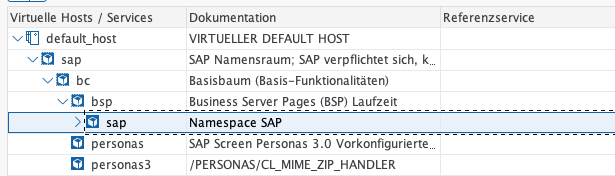
SICF Service
SAP Screen Personas is a user interface technology that is implemented as an add-on in the backend system. Security is therefore dependent on the functions available for this system. Most of these system functions are dictated by the underlying system mechanisms and policies. Any aspects specific to SAP Screen Personas or potential discrepancies and areas of particular interest are discussed below.
Special Security Considerations
SSL Encryption of the Connection
The services used by Personas must be encrypted using SSL:
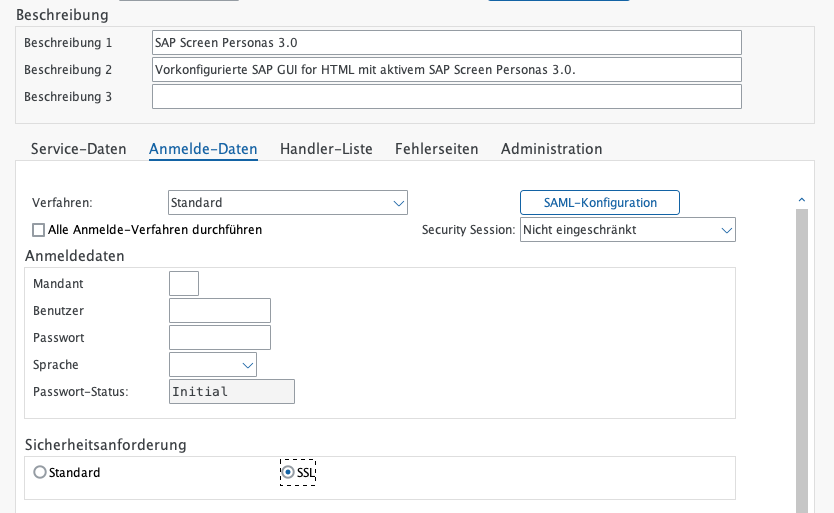
Encryption
Protection Against Cross-Site Request Forgery for ITS
To protect against Cross Site Requests, the parameter ~XSRFCHECK = 1 should be set in the GUI configuration. Further details are provided in Note 1481392.
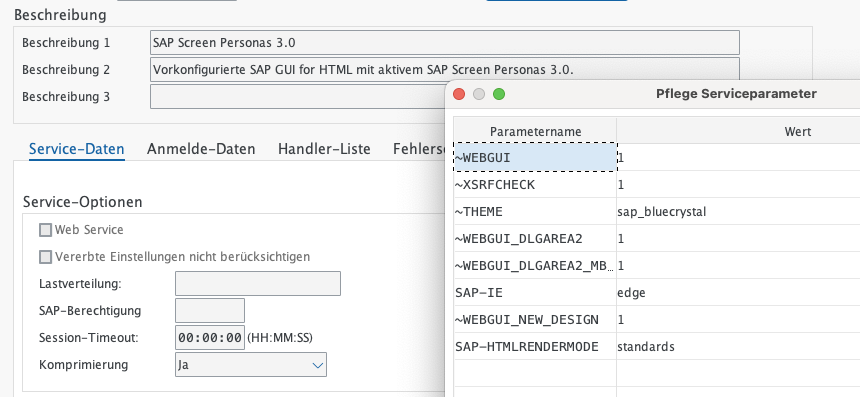
Parameter setting
General Recommendations for ITS and SAP GUI for HTML
Enable Logoff for SAP GUI for HTML
To ensure that logoff from SAP GUI for HTML functions securely, the following requirements must be met:
- The logoff service must be activated in ICF → activate the service node /sap/public/bc/icf/logoff
- In the HTML GUI service and the persona services, the logoff service must be configured as the logout page
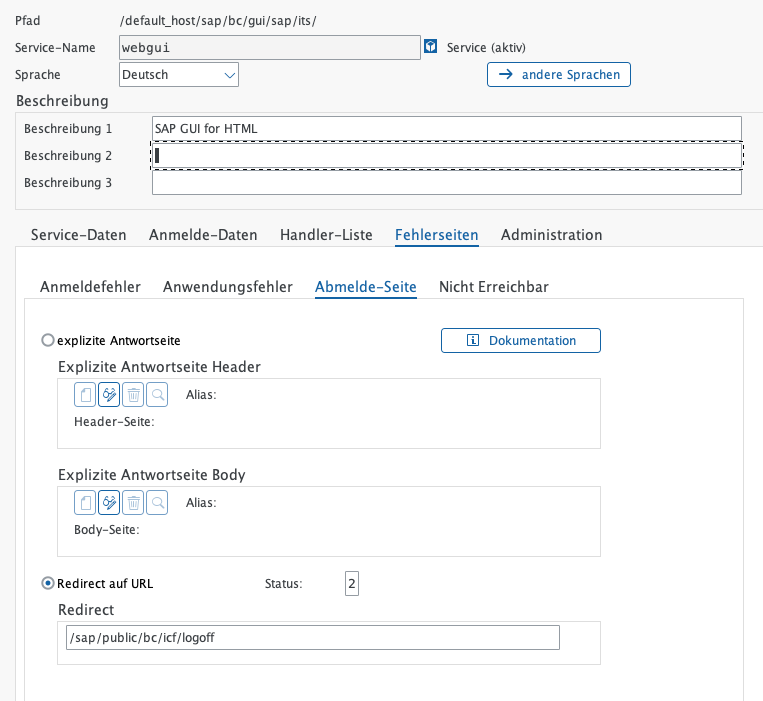
Web GUI logout
For the logout page of the WEBGUI service, specify the service /sap/public/bc/icf/logoff as the redirect target.
Details are described in SAP note 1777513 (as well as further background information)
Enabling Domain Relaxing (if necessary)
Domain relaxing enables client-side functions (for example, within a browser) or applications to communicate with other client-side functions running in different browser windows. Domain relaxing is required when applications from different backend systems (servers) need to exchange data on the frontend. To enable this communication, the same client domain must be configured for all affected applications. Otherwise, the client (browser) will raise an access error when communication is attempted.
If such browser behavior occurs, domain relaxing must be disabled. To do so, add the parameter ~no_domain_relaxing to the service’s GUI configuration and set its value to 1 (one).
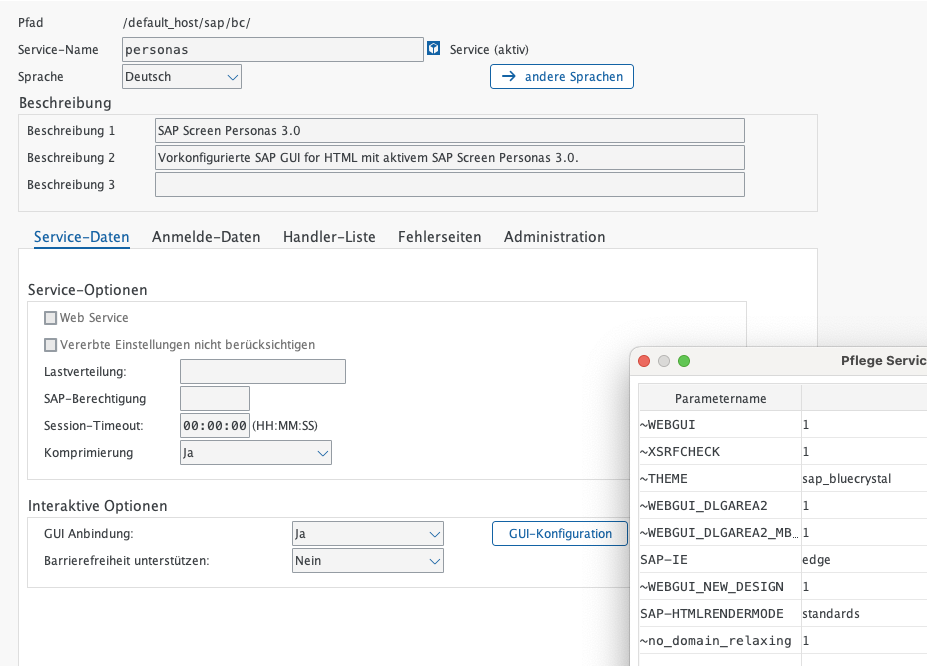
Domain Relaxing
Details are described in SAP Note 2111099 (as well as further background information)
SAP Authorizations
SAP Screen Personas 3.0 is enabled for a user only if the user has the required authorizations based on their assigned role. Role assignment is performed as part of the standard user administration process. SAP delivers the following standard roles:
- Administrator: /PERSONAS/ADMIN_ROLE - This role has full access to all functions available to the flavor consumer at runtime, can provide access to all functions of the flavor builder tasks at design time, and can perform administration tasks in the administration environment.
- Flavor Consumer: /PERSONAS/CONSUMER_ROLE - This role has permissions to access flavors for classic applications. Flavor consumers can use the Flavor Manager to choose between flavors and the original image and move flavors between the Flavor Manager and the Flavor Gallery.
- Flavor Builder: /PERSONAS/EDITOR_ROLE - This role is used to create flavors and other user-owned objects with editing rights in all Design Time editors.
SAP delivers these roles without a generated authorization profile. Therefore, the authorization profile must be generated and, in most cases, adjusted accordingly.
As a general rule, users must always have access to the relevant transaction code, in addition to the authorizations assigned through SAP Screen Personas, in order to perform a function within Personas. In other words, both the transaction code authorization (TCD application authorization) and the corresponding Personas authorizations must be assigned.
The following tables explain how Personas uses the various authorization objects for creating flavors and how these authorizations are assigned through the standard roles delivered by SAP:
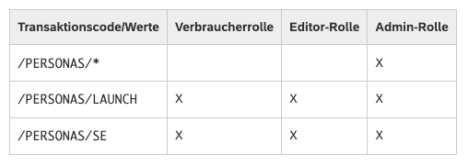
Screen Personas authorizations (Part 1)
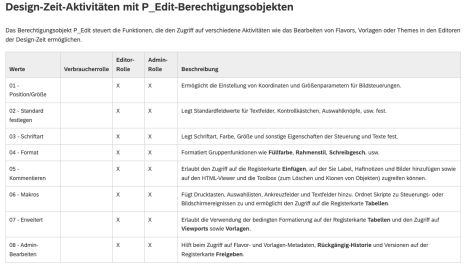
Screen Personas authorizations (Part 2)
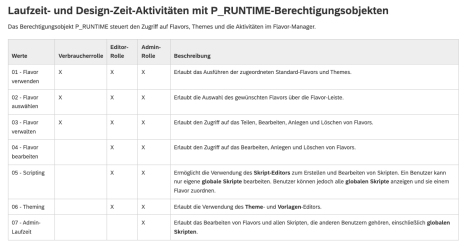
Screen Personas authorizations (Part 3)